
VIEW DEALS
Julia Pazin
Stream Widgets, Social Media, QR Code, Book Streamers

A great stream setup does more than fill space on screen. The right widgets can make it easier for viewers to find your socials, take part in your community, and understand what is happening in your content at a glance.
These four StreamSpell widgets are made for different moments: sharing social profiles, giving viewers a scannable route to a link, bringing reading communities together, and letting chat care for a shared on-screen garden. Each one adds a cute, useful interaction without overcrowding your layout.
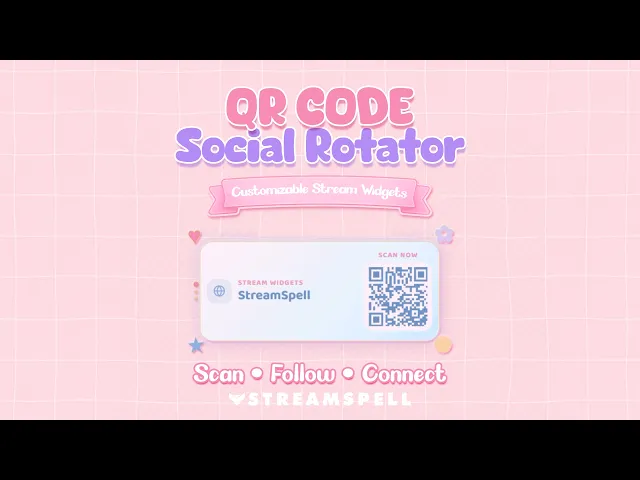
QR Code Social Rotator Widget
The QR Code Social Rotator Widget takes that idea one step further by displaying rotating QR codes for your profiles and custom links directly on stream. Viewers can scan a code to open a social profile, Discord, website, store, portfolio, Linktree, Ko-fi, Patreon, or another destination you add.
Choose the complete social card or QR Only Mode, then tailor the layout, colors, fonts, icons, borders, glow, QR style, sizing, spacing, timing, transitions, and animated decorations. This hosted widget uses a Browser Source URL and can be edited again from the StreamSpell Widget Hub whenever you need to update your links.
It is designed for creators who want to make the next step easy for a viewer: scan, follow, join, or discover more content without leaving the stream experience behind.
Bookish Reading Widget Pack
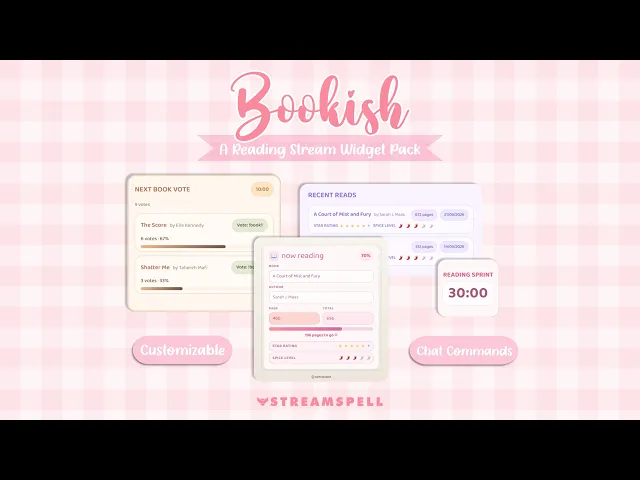
For book streamers, BookTok creators, BookTubers, online book clubs, and cozy reading communities, the Bookish Reading Widget Pack brings four customizable widgets together in one setup: Now Reading, Read Shelf, Next Book Vote, and Reading Sprint Timer.
Use the Now Reading Widget to display the current book and reading progress. Keep finished reads visible with Read Shelf, let chat help choose the next title with Next Book Vote, and host focused community sessions with Reading Sprint Timer. The widgets are added through Browser Source URLs and include customization controls for the look of your reading scenes.
It is a thoughtful way to turn readathons, book club sessions, monthly wrap-ups, TBR voting, and quiet reading blocks into a more organized, interactive experience for your audience.
My Stream Garden
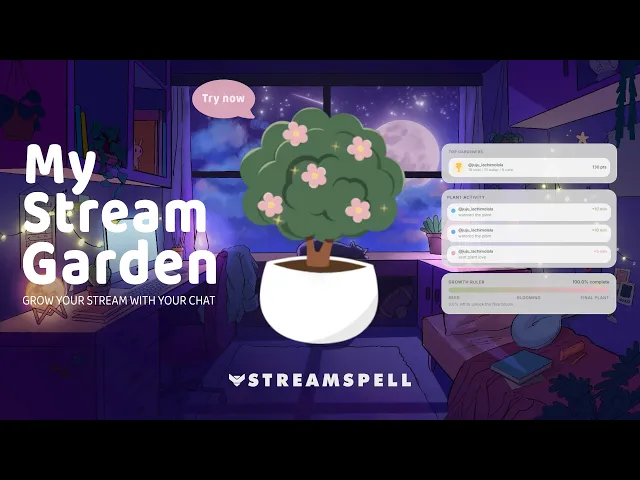
My Stream Garden is a cozy, interactive Browser Source widget where a plant grows during your stream with help from chat. Viewers can participate with commands such as !water and !care, turning small interactions into visible growth on screen.
The system can include the main Plant Widget, a Growth Ruler, a Plant Activity Event List, and Top Gardeners. Together, they show the garden's progress, acknowledge chat activity, and highlight the viewers who contribute most often.
As a premium Widget Hub option, My Stream Garden gives Twitch, YouTube, and Kick communities a shared on-screen goal that can work in OBS Studio, Streamlabs, and StreamElements through a Browser Source.
Social Media Rotator Widget
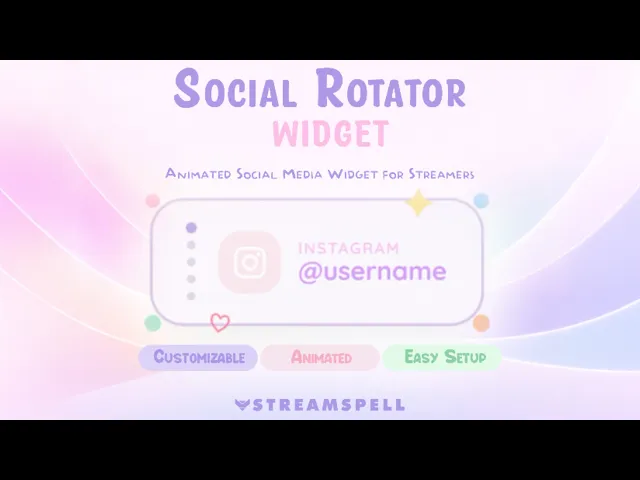
The Social Media Rotator Widget cycles through your social profiles in a clean, lightweight card. Instead of placing several static icons around a scene, it gives each profile a turn without overcrowding your layout.
You can add multiple platforms or a custom social option, set a username for each one, control how long every profile stays on screen, and customize the text, background, icon, and decorative colors. It is a strong fit for cozy, cute, minimal, Just Chatting, Twitch, and YouTube setups.
The widget is built for StreamElements and also works in OBS Studio and Streamlabs through a Browser Source.
Build a Stream Setup Around Your Community
These four widgets solve different problems, but they work toward the same goal: giving viewers a clearer way to participate. A Social Media Rotator keeps your handles visible, QR codes give people a fast path to your links, the Bookish Pack gives reading communities tools they can use together, and My Stream Garden turns chat activity into a shared on-screen goal.
If you want a closer look at the QR setup, read our QR Code Social Rotator Widget guide for OBS and Streamlabs. For a deeper look at the reader-focused tools, explore the Bookish Reading Widget Pack guide.
Need More Stream Widgets?
The StreamSpell Widget Hub includes free Browser Source widgets such as Chat Box, Event List, Goal Bar, Timer, Social Media Rotator, Spin Wheel, Slot Machine, and Bingo Card.
Premium options include the Spotify Widget, My Stream Garden, World Cup Widget Pack, Bookish Pack, Subathon Widget, Giveaway Widget, and QR Code Social Rotator. Browse the Widget Hub to find tools for OBS, Streamlabs, and StreamElements, then add each widget to your scenes with its Browser Source URL.
More Widget Guides
Looking for a broader starting point? Read our guide to free no-code stream widgets and our roundup of the best stream widgets for Twitch, YouTube, and more.
Looking for more ways to upgrade your stream?
Find animated stream overlays, stream alerts, transitions, Stream Deck assets, emotes, badges, widgets, and custom stream design options through StreamSpell:
Thanks for reading!
See you in the next post!
Level up your stream with practical guides for OBS, Twitch, YouTube and Stream Deck.

AI Stream Deck Profile Generator: Build Profiles Faster
Build Stream Deck profiles faster with Deck Smith, a free AI Stream Deck profile generator by StreamSpell.

40 Webcam Overlay Bundle by StreamSpell
Get 40 stream-ready webcam overlays with animated styles, color customization, and themes like anime, neon, RPG, cute, and more.

5 Strategies for Staying Motivated as a Content Creator
Take care of yourself with these quick tips for staying motivated throughout your content creation journey.
Browse All Articles
Browse Stream Overlays