VIEW DEALS

Daniel Mayhe
Stream Deck, Elgato, AI Stream Tools

AI Stream Deck Profile Generator for Elgato Stream Deck
Deck Smith is a stream deck profile generator built by StreamSpell to help creators turn a plain text idea into a downloadable Elgato Stream Deck setup.
Most Stream Deck workflows start the slow way. You open the Stream Deck app, create folders, add actions, hunt for icons, resize artwork, name every key, test the layout, then repeat the process every time you need a new setup.
We built Deck Smith because that workflow should start with intent, not blank squares.
Disclosure: As an Amazon Associate I earn from qualifying purchases.
Don’t have a Stream Deck+ yet? Check it out on Amazon.
Instead of designing every key manually, you describe what you want to build. Deck Smith uses AI to create a Stream Deck profile concept, generate matching icons, organize the layout, and prepare a profile you can download and test on your device.
Use it when you need a fast starting point for a stream setup, a game-specific control layout, a creator workflow, a content production deck, or a clean profile idea that would normally take too long to assemble from scratch.
What is Deck Smith?
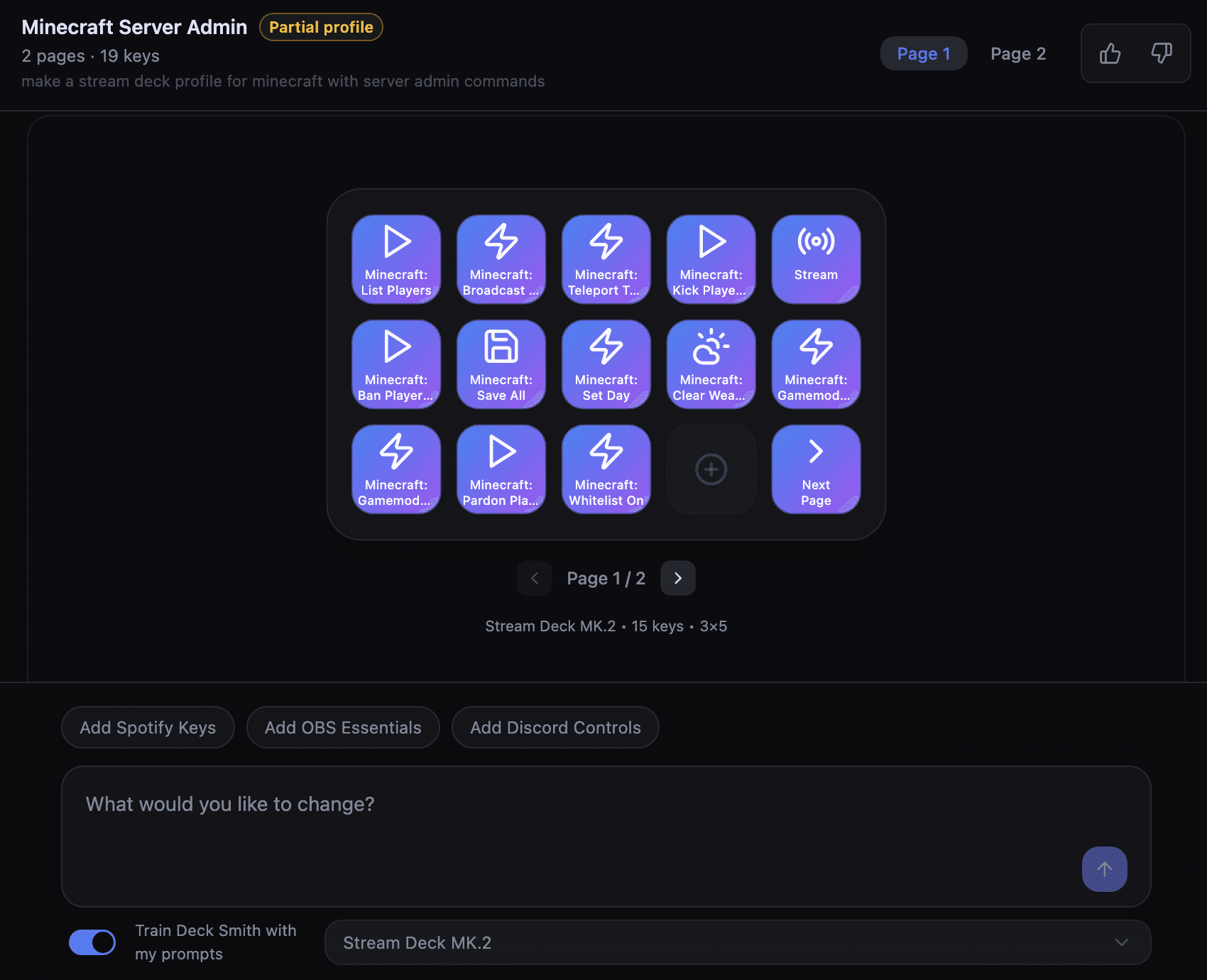
Deck Smith is a free AI Stream Deck profile generator that turns a single text prompt into a download-ready profile for Elgato Stream Deck devices.
We built Deck Smith for streamers, creators, and power users who want a faster way to design Stream Deck layouts without starting from an empty grid. It works like an AI Stream Deck profile builder: you describe the workflow, style, game, or creator setup you want, and the tool creates a structured Stream Deck profile with matching visual direction.
The goal is not to replace every manual edit. The goal is to remove the slowest part of the process: staring at blank keys, deciding what belongs where, and building the first usable version by hand. Once you have a generated profile, you can keep editing it inside the Elgato Stream Deck app like a normal profile.
Deck Smith fits between two existing workflows. On one side, you have pre-made assets like Stream Deck icon packs, which are polished and ready to use. On the other side, you have full manual design, where every icon, folder, label, and key is made from scratch. Deck Smith gives you a third path: generate the first version with AI, then refine it for your exact setup.
How the AI Stream Deck Profile Generator Works
The AI Stream Deck profile generator works by turning a written prompt into a structured Stream Deck profile package.
You start with a simple description. That prompt can mention your stream category, favorite game, software stack, visual style, device size, and the type of actions you want close at hand. Deck Smith then uses that intent to plan a layout, create icon concepts, and organize the profile around the workflow you described.
The best prompts are specific, but they do not need to be technical. A streamer can write something like: “Create a dark sci-fi FPS profile for OBS Studio with scenes, clips, mute controls, Discord, music, and quick chat commands.” A YouTuber can write: “Create a clean editing workflow profile with recording controls, project folders, browser shortcuts, note-taking, and upload tasks.”
The output is a downloadable profile you can bring into the Elgato Stream Deck app. From there, you can connect actions, adjust labels, swap icons, change shortcuts, and tune the profile for your real setup.
Basic flow:
Write a prompt describing the Stream Deck profile you want.
Choose or confirm the target Elgato Stream Deck device.
Let Deck Smith generate the layout and icon direction.
Review the generated profile.
Download the profile package.
Import it into the Stream Deck app.
Edit actions, shortcuts, folders, labels, and icons as needed.
This makes Deck Smith useful for rapid layout creation, prompt-based ideation, and fast profile prototyping. It also helps creators generate Stream Deck icons and matching key ideas in the same workflow, instead of designing visuals in one tool and assembling the Stream Deck profile in another.
How to Use Deck Smith Step by Step
Deck Smith is designed around a short prompt-to-profile workflow.
Open Deck Smith
Go to Deck Smith
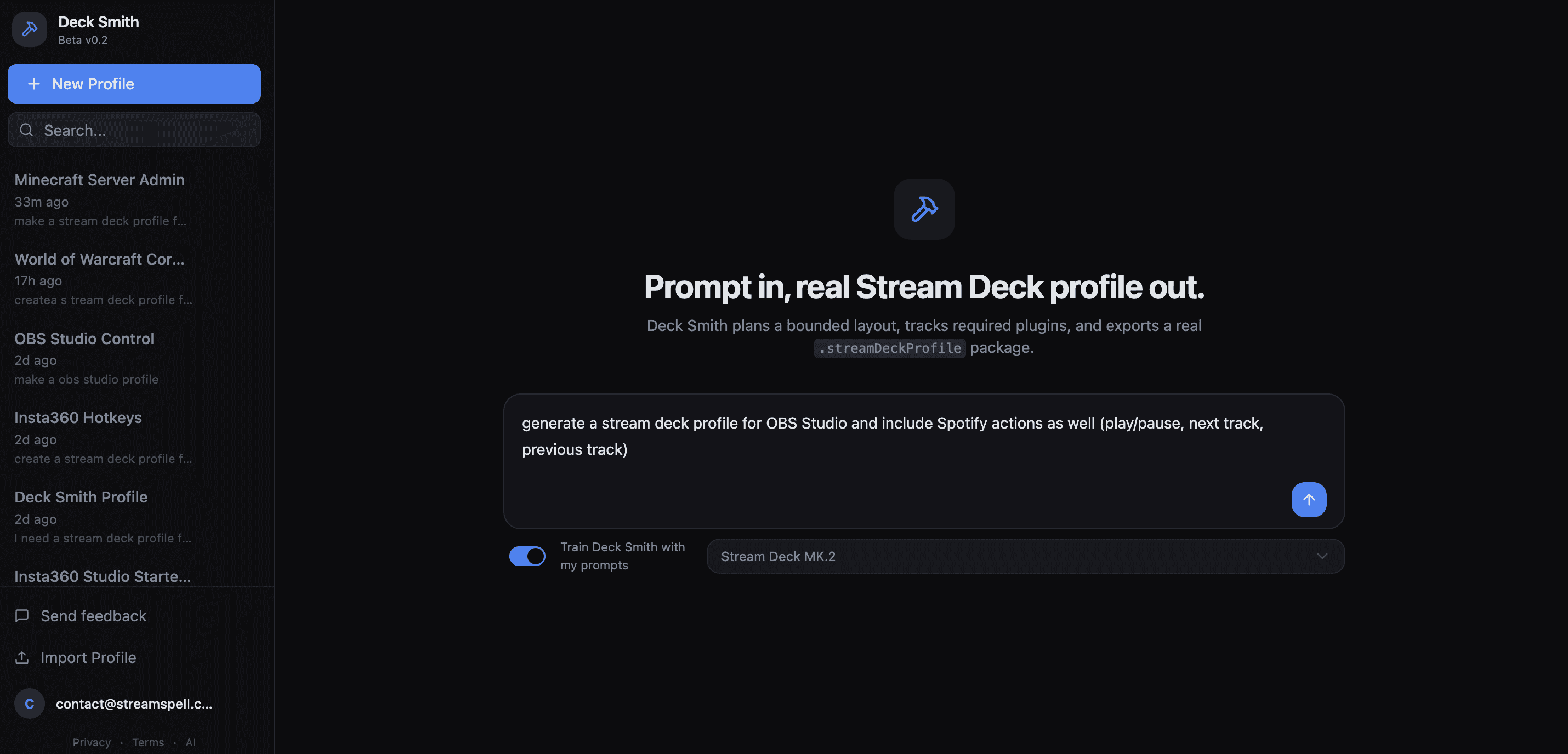
and start from the generator page.
Choose your Stream Deck device
Select the Elgato Stream Deck device you want to build for.
Write your profile prompt
Describe the profile you want in plain English. Include the use case, software, style, and key types you want included.
Add useful context
Mention details like OBS Studio scenes, Streamlabs controls, StreamElements overlays, Meld workflows, Discord, Spotify, chat commands, editing shortcuts, or game-specific actions.
Generate the profile
Use your daily credits to run a generation. Each generation uses credits, and credits reset daily.
Review the layout
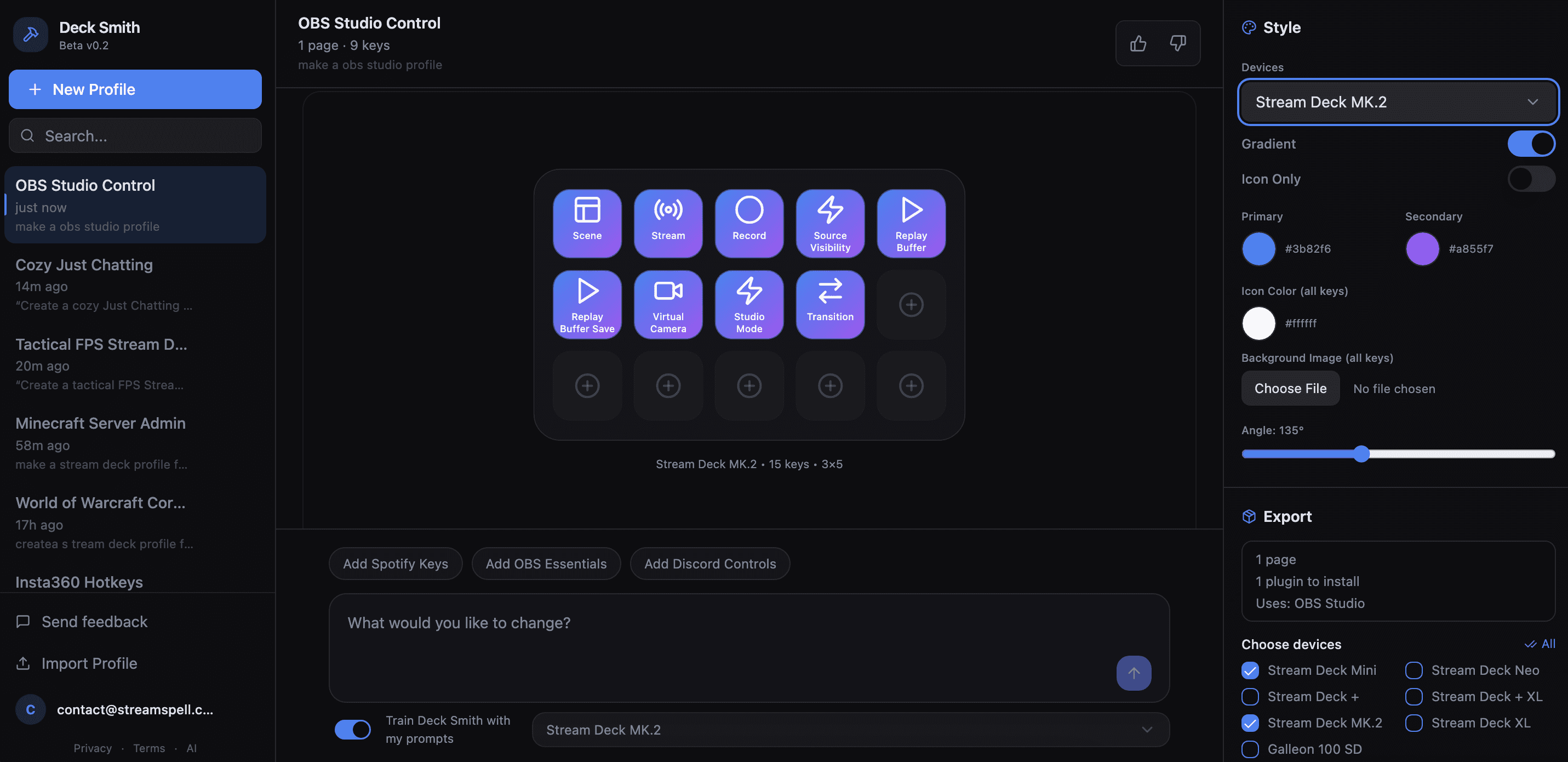
Check the generated key names, icon direction, and profile structure. Treat the first output as a strong starting point, not a locked final product.
Download the profile
Save the generated Stream Deck profile package from the tool.
Import into the Elgato Stream Deck app
Open the Stream Deck app and import the downloaded profile.
Connect real actions
Attach the generated keys to your installed Stream Deck actions, software shortcuts, plugins, folders, or multi-actions.
Refine the final setup
Rename keys, adjust icons, move actions, add folders, and keep only the shortcuts that match your actual workflow.
The practical win is speed. You can move from a rough idea to a usable layout without designing every icon and key from zero.
What You Can Build
Deck Smith works best when you ask for a functional Stream Deck profile, not a visual mood board.
The strongest prompts describe the app, game, workflow, or shortcut set you want the profile to control. Deck Smith can then plan the layout, organize actions, and help you start from a usable profile instead of an empty grid.
OBS Studio streaming profile
You can use Deck Smith to create a Stream Deck profile for OBS Studio streaming workflows.
Ask for a profile with scene switching, recording controls, streaming controls, microphone mute, source toggles, replay buffer, screenshots, and common production shortcuts. This is one of the most practical uses because OBS Studio profiles usually need a mix of scene control, audio control, and stream management keys.
Example prompt:
“Create a Stream Deck profile for OBS Studio with scenes, start streaming, stop streaming, start recording, mic mute, desktop audio mute, replay buffer, screenshots, and source visibility toggles.”
Streamlabs streaming profile
You can generate a Stream Deck profile for Streamlabs workflows.
A good Streamlabs prompt can include going live, recording, scene changes, alert controls, mute states, chat tools, and quick access to creator dashboards. This helps creators build a dedicated Streamlabs control profile without manually planning every key from zero.
Example prompt:
“Create a Stream Deck profile for Streamlabs with stream controls, recording, scene switching, alert controls, chat tools, mic mute, audio mute, and quick dashboard shortcuts.”
Spotify control profile
You can ask Deck Smith to create a Spotify-focused Stream Deck profile.
This can include play and pause, next track, previous track, volume controls, playlist shortcuts, music mode, and a layout that keeps music controls separate from stream controls. It is useful for streamers who use music during broadcasts and want dedicated keys for quick control.
Example prompt:
“Create a Stream Deck profile for Spotify with play pause, next track, previous track, volume up, volume down, mute, favorite track, playlist shortcuts, and music mode.”
Discord control profile
You can generate a Stream Deck profile for Discord-heavy workflows.
Useful keys can include mute, deafen, push-to-talk, server shortcuts, channel shortcuts, stream room controls, moderation shortcuts, and quick access to creator community spaces. This is especially useful for streamers who switch between voice, chat, moderation, and live production during a broadcast.
Example prompt:
“Create a Stream Deck profile for Discord with mute, deafen, push-to-talk, server shortcuts, channel shortcuts, moderation tools, stream room controls, and quick community links.”
Minecraft shortcut profile
You can use Deck Smith to create a Stream Deck profile for Minecraft.
A Minecraft profile can include inventory, chat, screenshot, perspective toggle, hotbar references, server commands, admin shortcuts, creative mode tools, and quick actions for creators running servers or recording gameplay.
Example prompt:
“Create a Stream Deck profile for Minecraft with inventory, chat, screenshot, perspective toggle, server admin shortcuts, creative mode tools, recording controls, and common gameplay actions.”
World of Warcraft profile
Deck Smith can generate a Stream Deck profile for World of Warcraft workflows.
A WoW profile can include mounts, bags, character panel, map, guild, group finder, macros, raid tools, push-to-talk, Discord, and streaming controls. For MMO creators, this gives you a faster way to organize both gameplay and stream production keys in one profile.
Example prompt:
“Create a Stream Deck profile for World of Warcraft with mounts, bags, map, character panel, guild, group finder, raid tools, macros, Discord, and OBS Studio controls.”
Microsoft Flight Simulator profile
You can ask Deck Smith to create a Stream Deck profile for Microsoft Flight Simulator.
A flight sim profile can include camera views, landing gear, flaps, autopilot references, ATC, map, trim, lights, parking brake, and cockpit workflow shortcuts. This type of profile benefits from Stream Deck because sim controls are easier to manage when grouped visually.
Example prompt:
“Create a Stream Deck profile for Microsoft Flight Simulator with camera views, landing gear, flaps, autopilot, ATC, map, trim, lights, parking brake, and cockpit workflow shortcuts.”
Assetto Corsa profile
Deck Smith can generate a Stream Deck profile for Assetto Corsa and racing sim workflows.
A racing profile can include camera views, pit controls, reset, replay, telemetry, recording, voice chat, lights, wipers, and session controls. This gives sim racers a dedicated control surface for racing, streaming, and recording without mixing everything into one generic deck.
Example prompt:
“Create a Stream Deck profile for Assetto Corsa with camera views, pit controls, reset, replay, telemetry, recording controls, voice chat, lights, wipers, and session shortcuts.”
New game launch profile
If a new game just came out, you can ask Deck Smith to create a Stream Deck profile for that game.
This is one of the strongest AI use cases. Instead of waiting for a pre-made profile to exist, you can prompt Deck Smith for the game, let it research common shortcuts and controls, and generate a starting profile around the gameplay workflow.
Example prompt:
“Create a Stream Deck profile for [new game name] with the most useful keyboard shortcuts, gameplay actions, streaming controls, screenshot, recording, Discord, and quick access tools.”
Deck Smith is strongest when the prompt names the real app or game. Instead of asking for a “cool gaming profile,” ask for the exact workflow: OBS Studio, Streamlabs, Spotify, Discord, Minecraft, World of Warcraft, Microsoft Flight Simulator, Assetto Corsa, or a newly released game you want to build around.
Customizing Your Generated Stream Deck Profile
After Deck Smith generates a profile, you can customize the look and layout before finalizing it.
The editor gives you control over the visual system of the profile, so you are not locked into the first generated version. You can adjust colors, icons, backgrounds, device previews, and how each key displays information.
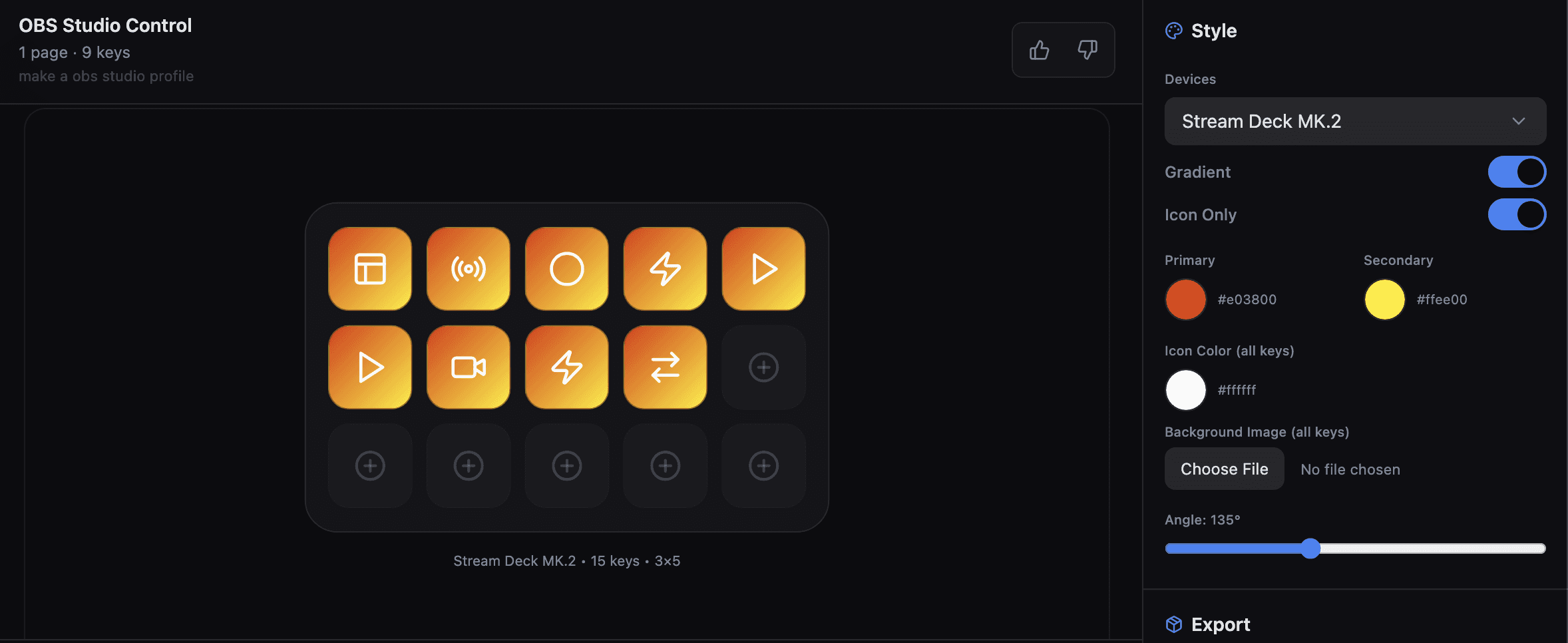
You can change key colors to a solid color or a gradient. For gradient keys, you can also rotate the gradient direction to better match the look you want. This makes it easier to create a profile that feels consistent across every page instead of ending up with a random mix of key styles.
You can search for icons and replace icons on specific keys. If one generated key is functionally right but visually wrong, you can keep the action idea and swap only the icon. You can also change the icon color on one key or apply an icon color change across all keys at the same time. That is useful when you want the whole profile to feel visually cohesive without editing every key one by one.
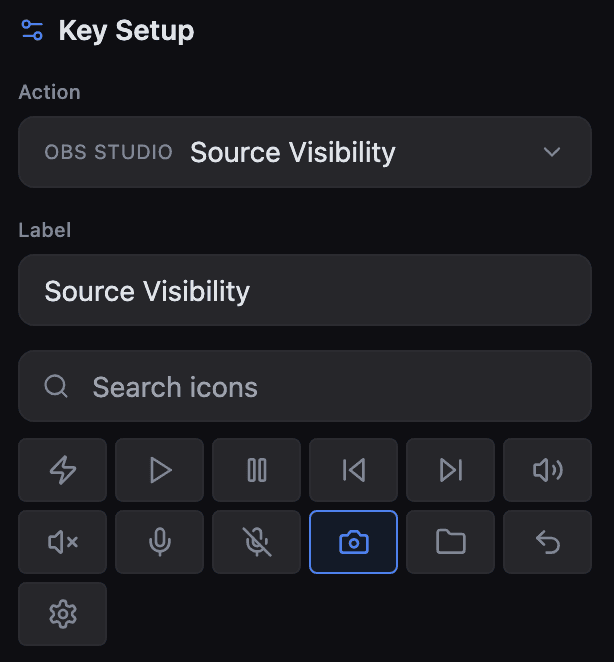
Deck Smith also includes an icon only mode. When enabled, the key icon appears without text, which keeps the icon centered and gives the profile a cleaner look. This is useful for creators who prefer visual-first Stream Deck layouts or who already recognize their icons without needing labels.
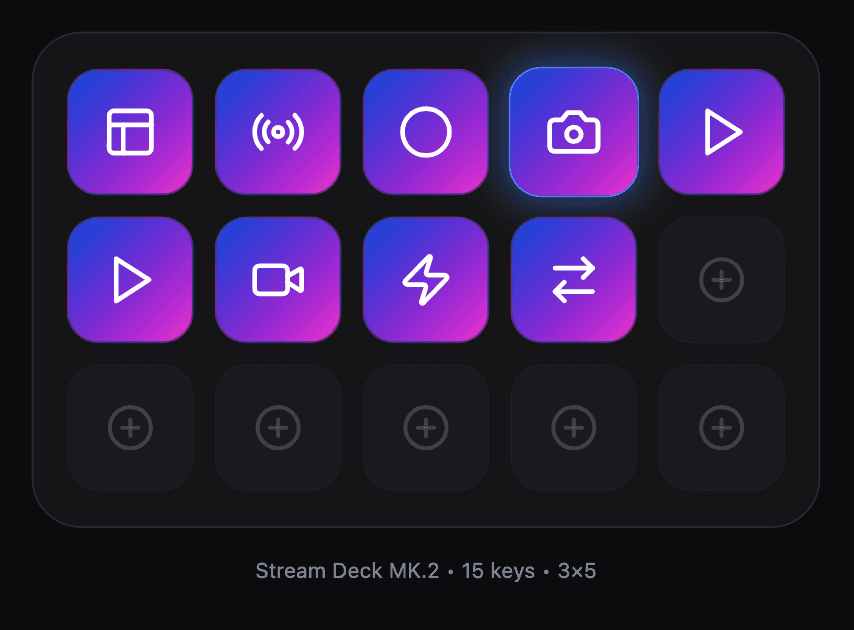
You can preview the same profile on other Elgato Stream Deck devices by using the device dropdown in the top right. This helps you check how your layout adapts before downloading or rebuilding the profile for another device.
For broader visual customization, you can choose a background image or upload your own image to use as the background across all keys. This helps create a unified style for the whole profile, especially when you want the device to match a stream package, game theme, brand color, or content workflow.
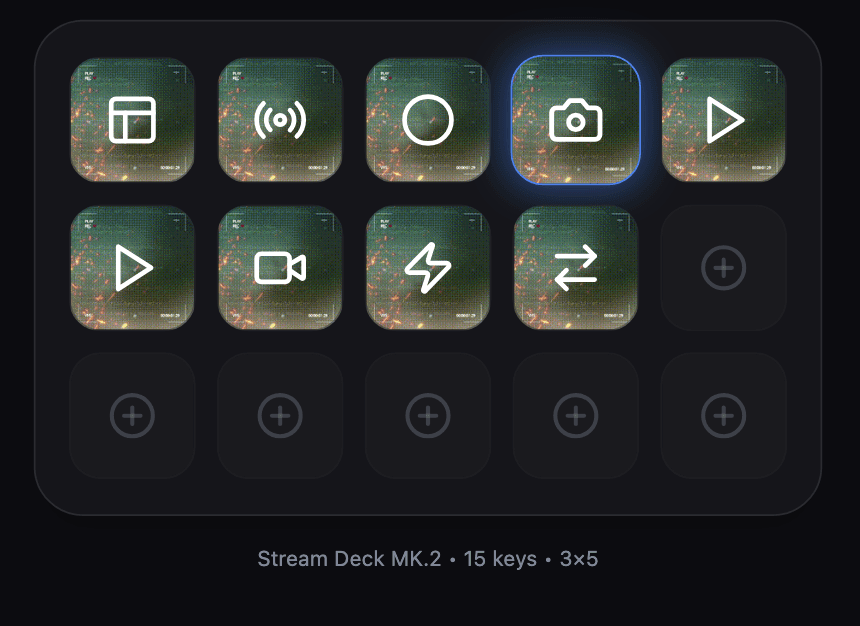
In short, Deck Smith is not only a prompt-to-profile generator. It also gives you the editing tools to make the generated profile cleaner, more consistent, and more usable before you install it.
Deck Smith, Icon Packs, and Manual Design: Which One Should You Use?
Deck Smith is the fastest starting point when you need a custom Stream Deck profile idea built around your own prompt.
There are still good reasons to use pre-made packs or manual design. StreamSpell sells pre-made Stream Deck assets because polished packs are still the right choice for creators who want a finished visual system immediately. Manual design is still the right choice for creators who need pixel-level control or a branded production deck.
Deck Smith
Best for custom starting points, workflow drafts, and fast profile experiments.
Deck Smith lets you describe the profile you want, generate a first version, customize the layout, adjust key colors, replace icons, preview devices, and download a Stream Deck profile without starting from an empty grid.
Pre-made Stream Deck icon packs
Best for creators who want a finished visual style immediately.
Stream Deck icon packs are the better choice when you already know the visual style you want and you need polished icons that are ready to use across a full setup.
Pre-made Stream Deck profiles
Best for creators who want a complete ready-made setup.
Pre-made Stream Deck profiles make sense when you want a profile built around a specific workflow, app, or creator use case without writing prompts or manually planning the layout.
Manual design
Best for full control.
Manual design is still the right path when you need exact brand control, custom icon art, strict layout rules, or a production profile that must match an existing visual system perfectly.
Stream Deck screensavers
Best as a finishing touch.
Stream Deck screensavers are not a replacement for profiles or icons, but they help complete the look of your device between active workflows.
A strong setup can use all of these together. Generate the structure with Deck Smith, polish the look with icon packs, use pre-made profiles when you want a ready-made setup, and add screensavers when you want the device to feel complete.
Supported Stream Deck Devices
Deck Smith supports multiple Elgato Stream Deck devices, so creators can generate layouts based on the device they actually use.
Current device options include:
Stream Deck Neo
Stream Deck Mini
Stream Deck MK2
Stream Deck +
Stream Deck SD+
Stream Deck XL
Galleon 100 SD
Device support matters because every Stream Deck device has a different layout. A profile built for a smaller device needs tighter prioritization. A profile built for Stream Deck XL can include more actions, folders, scenes, and utility keys on the first page.
For small devices, the strongest prompts usually focus on essential controls: scene switching, mute, clips, chat, music, and one or two folders. For larger devices, prompts can include full production flows, multiple games, nested folders, content creation shortcuts, and deeper app control.
Pricing and Credits
Deck Smith is free with daily credits.
Each generation uses credits, and those credits reset daily. This makes the tool easy to test without buying a profile upfront. You can generate a profile, review the result, adjust your prompt, and use your daily credits to create a better version.
The credit system is important because AI generation has a real cost, but the tool still needs to stay open enough for creators to experiment. Most users will get better results after one or two prompt passes, especially when they add more detail about their stream category, software, visual style, and key priorities.
Deck Smith is not positioned as a replacement for paid StreamSpell products. It is a free tool for generating custom Stream Deck profile starting points. If you want a finished visual system, use the generated structure alongside StreamSpell’s Stream Deck icon packs, pre-made Stream Deck profiles, and Stream Deck screensavers.
Frequently Asked Questions
Is Deck Smith free?
Yes. Deck Smith is free with daily credits. Each generation uses credits, and credits reset daily.
How many profiles can I generate per day?
Deck Smith uses daily credits for profile generation. Check the generator page for the current daily credit limit before planning a batch of profiles.
Which Stream Deck devices does Deck Smith support?
Deck Smith is built for Elgato Stream Deck workflows. Confirm the current supported device list inside the generator before creating your profile.
Can I edit the generated profile after download?
Yes. After downloading and importing the profile into the Elgato Stream Deck app, you can edit labels, icons, folders, actions, shortcuts, and plugin assignments.
Does it work with OBS Studio, Streamlabs, StreamElements, and Meld?
Deck Smith can generate profile ideas that include workflows for OBS Studio, Streamlabs, StreamElements, and Meld. After import, you still need to connect the generated keys to the apps, plugins, shortcuts, and actions installed on your own machine.
What kind of prompts work best?
The best prompts include the stream category, software, visual style, device, and key actions. For example: “Create a dark tactical FPS Stream Deck profile for OBS Studio with scenes, clips, Discord, music, mute, and chat controls.”
Can I save profiles to my Deck Smith account?
Yes, all profiles are saved under your account.
Is there a Deck Smith API or integration?
Deck Smith currently focuses on the web generator workflow. If an API or integration becomes available, StreamSpell can document it separately.
Is Deck Smith an official Elgato product?
No. Deck Smith is built by StreamSpell for Elgato Stream Deck users. Elgato Stream Deck is a separate product ecosystem.
Get Started with Deck Smith
Deck Smith is the fastest way to turn a Stream Deck idea into a usable first draft.
Start with a clear prompt. Tell the AI what you stream, what apps you use, what controls matter most, and which Elgato Stream Deck device you want to build for. Then customize the generated profile, download it, import it into the Stream Deck app, and refine it for your real setup.
Pair your generated layout with StreamSpell’s Stream Deck icon packs if you want a more polished final look.
Browse our pre-made Stream Deck profiles if you want ready-made setups instead of an AI-generated draft.
Add one of our Stream Deck screensavers if you want to complete the device aesthetic.
We built Deck Smith because Stream Deck creation should start with the creator’s workflow, not with a blank grid. Describe the setup, generate the first version, then make it yours.
Level up your stream with practical guides for OBS, Twitch, YouTube and Stream Deck.
AI Stream Deck Profile Generator: Build Profiles Faster
Build Stream Deck profiles faster with Deck Smith, a free AI Stream Deck profile generator by StreamSpell.

40 Webcam Overlay Bundle by StreamSpell
Get 40 stream-ready webcam overlays with animated styles, color customization, and themes like anime, neon, RPG, cute, and more.

5 Strategies for Staying Motivated as a Content Creator
Take care of yourself with these quick tips for staying motivated throughout your content creation journey.
Browse All Articles
Browse Stream Overlays