
VIEW DEALS
Julia Pazin
Stream Widgets

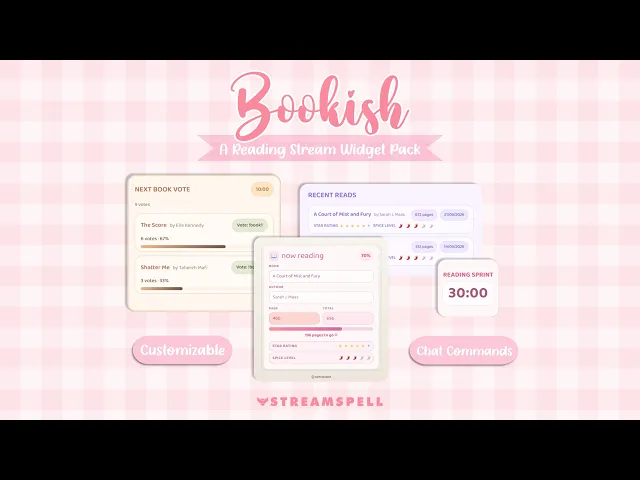
If your stream is all about books, reading sessions, BookTok energy, cozy vibes, or community readathons, your overlay should feel just as bookish as your content.
The Bookish Reading Widget Pack by StreamSpell was created for book streamers, BookTok creators, BookTubers, online book clubs, cozy streamers, avid readers, and literary content creators who want a more polished and interactive reading stream.
The pack includes four customizable widgets:
Now Reading Widget
Read Shelf Widget
Next Book Vote Widget
Reading Sprint Timer
Each widget is added to OBS through a Browser Source URL and can be customized to match your stream style. Change colors, fonts, borders, corner radius, glow, shadows, sizes, spacing, backgrounds, and more.
You can keep it soft and cozy, make it romantic and delicate, go full fantasy bookshelf, or create a clean minimal reading layout.
Now Reading Widget
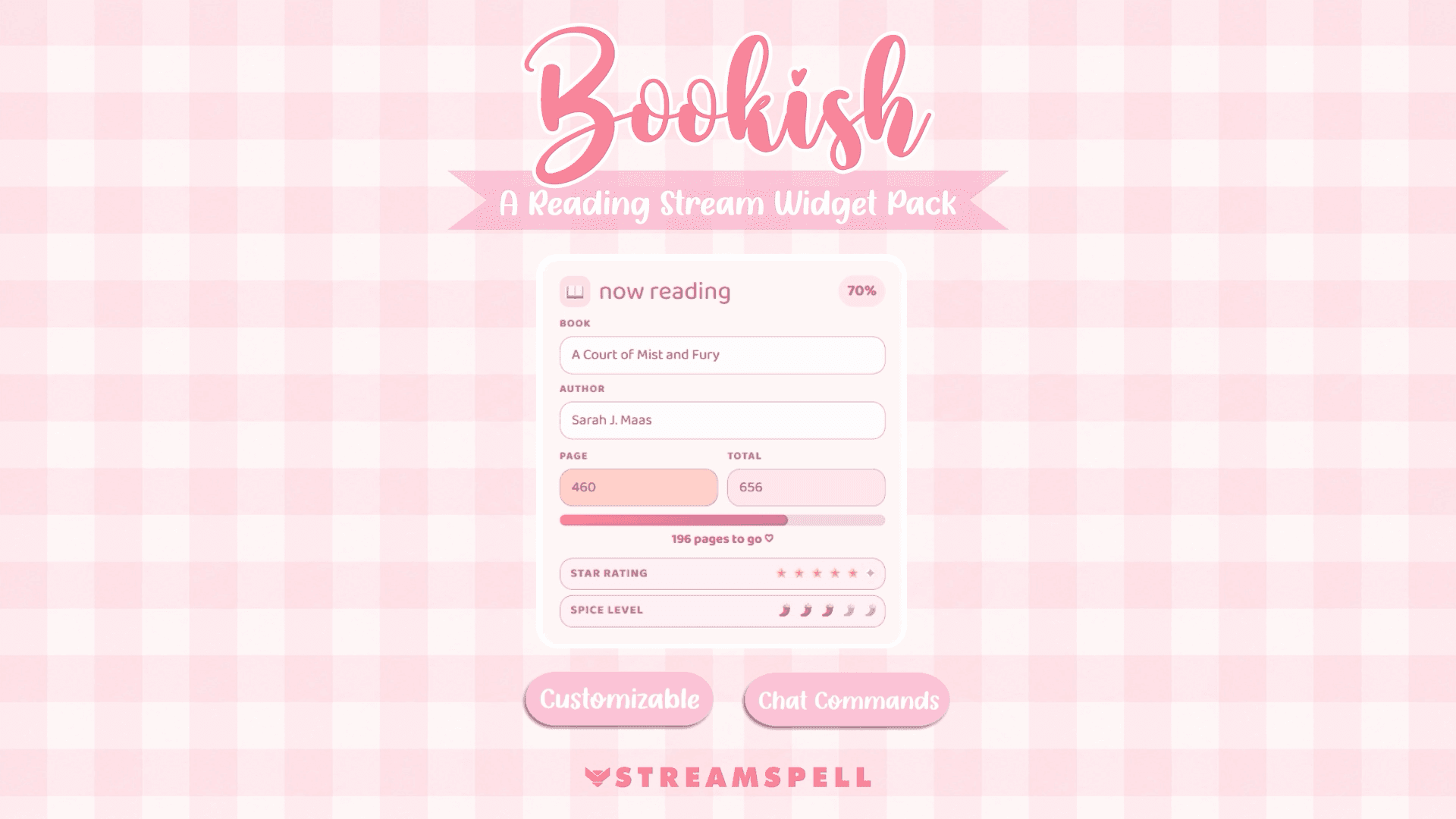
The Now Reading Widget lets viewers instantly see what book you are reading and how far you are into it.
It can show:
Book title
Author
Current page
Total pages
Reading progress percentage
Pages remaining
Star rating
Spice level
Optional e-reader style frame
Confetti when the book reaches 100%
This is perfect for live reading sessions, cozy book streams, romance reads, fantasy readalongs, book clubs, and any stream where viewers need quick context.
Instead of answering “what book are you reading?” every few minutes, your current read is always visible on screen.
You can also update the widget with Twitch chat commands, including book title, author, page number, rating, spice level, and more.
Example commands:
!book Fourth Wing!author Rebecca Yarros!page120!star5!spice3
Best for:
Reading streams
Book club sessions
Romance and fantasy streams
Readathons
Cozy Just Chatting scenes
Spoiler-free reading sessions
Read Shelf Widget
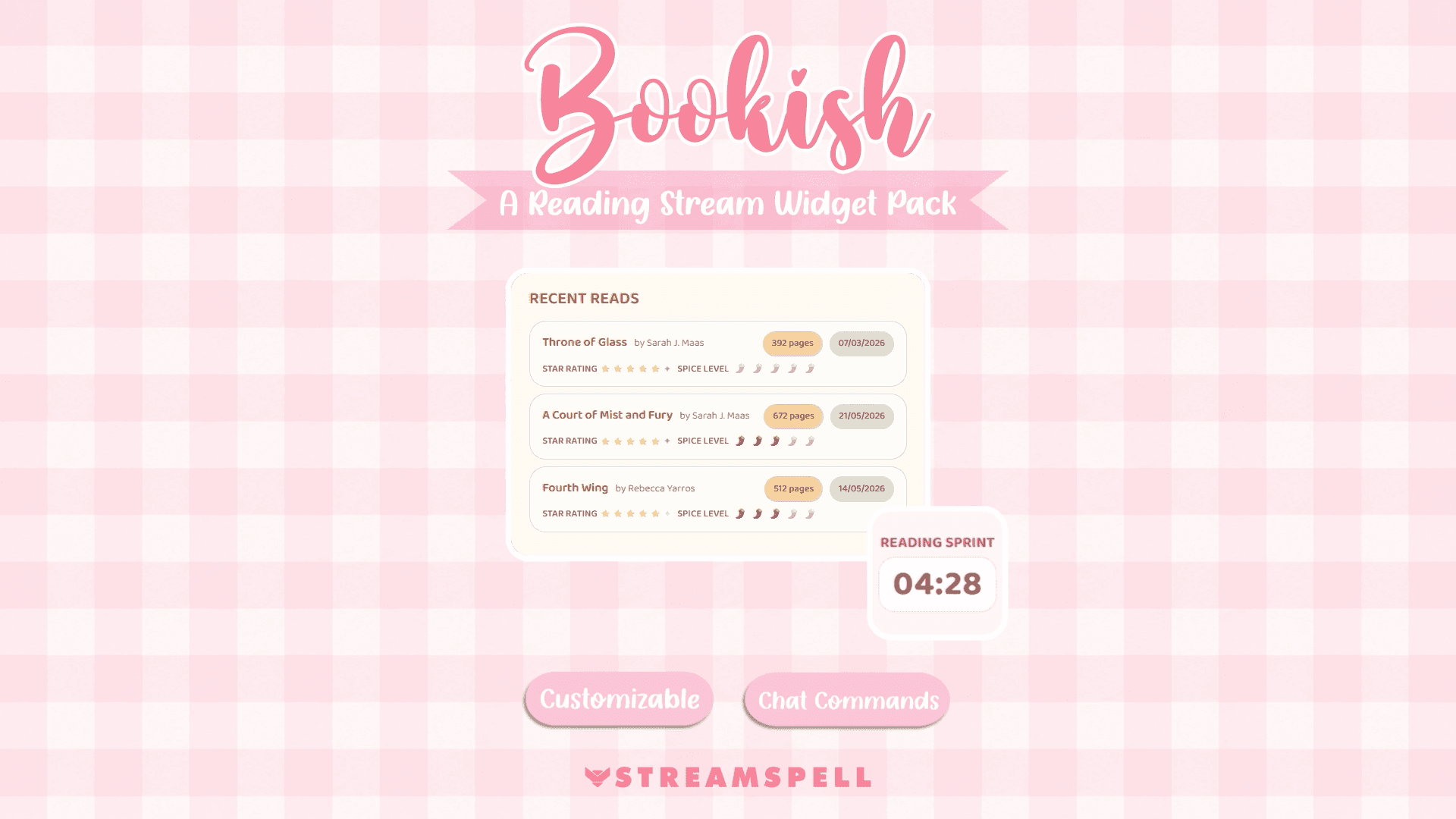
The Read Shelf Widget works like a small on-stream bookshelf for the books you have finished.
Each book can include:
Title
Author
Pages
Date finished
Star rating
Spice level
You can choose how many books appear on screen, from 1 to 10, and keep your completed reads visible during the stream.
This is great for monthly reading wrap-ups, readathons, book challenges, romance marathons, fantasy series tracking, and online book clubs.
One of the best parts: the Read Shelf can import a finished book from the Now Reading Widget. So when you finish a book, you can move it into your shelf and keep building your reading history live.
You can also export your shelf as a CSV file, compatible with Excel and Google Sheets. That makes it easy to save your reading list, organize your books, or use the data later for content.
Best for:
Finished book lists
Monthly wrap-ups
Readathon tracking
Reading challenge streams
Book club progress
“Books I read this month” scenes
Next Book Vote Widget
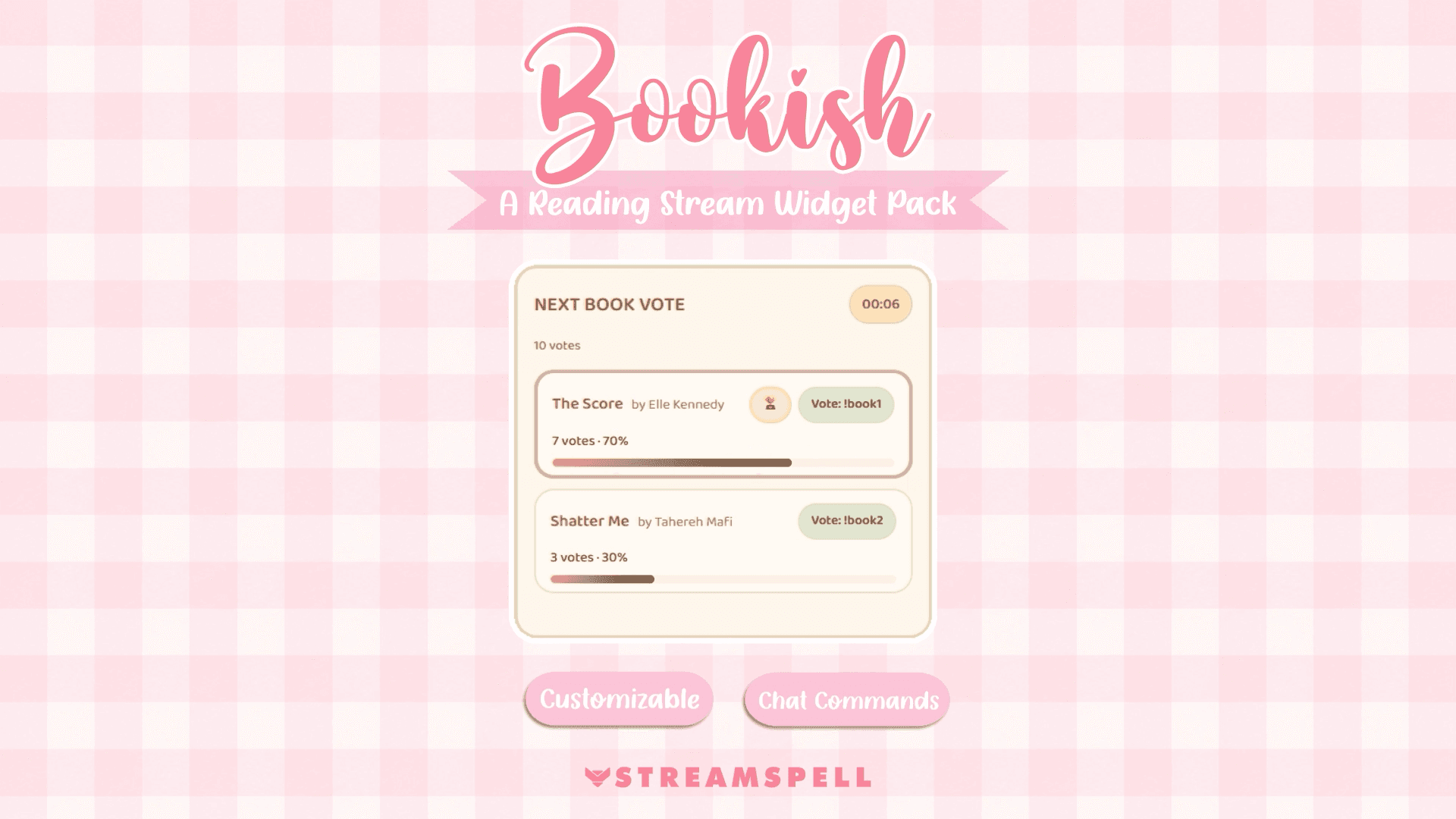
The Next Book Vote Widget lets your Twitch chat help choose your next read.
Add up to four book options, start the vote, and let viewers vote directly through chat commands.
The widget can show:
Up to 4 book options
Author names
Vote totals
Vote percentages
Progress bars
Timer
Winning book highlight
Confetti for the winner
This is perfect for turning your TBR into a community moment.
Instead of choosing alone, you can let your viewers decide between romance picks, fantasy books, thriller options, book club choices, or your next readathon book.
Example commands:
!startvote!book1!book2!book3!book4!endvote
When the vote ends, the winning book can be exported to the Now Reading Widget. That means your stream can go from “chat chooses the book” to “this is what we are reading next” in a clean flow.
Best for:
TBR voting
Book club picks
Community readalongs
Romance trope battles
Fantasy series choices
Readathon planning
Interactive Twitch streams
Reading Sprint Timer
The Reading Sprint Timer helps you run focused reading sessions with your community.
It is more than a simple countdown. You can start, pause, resume, end, reset, and add more time during the stream.
It supports:
Custom sprint duration
Start, pause, resume, end, and reset
Add 5, 10, or 15 minutes
Custom add-time command
Rectangle, square, or round layout
Finished sprint pulse effect
This is ideal for streamers who host reading sprints, cozy productivity sessions, study streams, readathons, or silent reading blocks.
Example commands:
!startsprint!pausesprint!endsprint!resetsprint!add5!add10!add15!addtime 30
Best for:
Reading sprints
Readathons
Pomodoro-style reading
Cozy productivity streams
Study with me streams
Book club reading blocks
Silent reading sessions
Made for cozy customization
All widgets in the Bookish Reading Widget Pack are highly customizable.
You can adjust:
Colors
Fonts
Background opacity
Transparent background
Borders
Border radius
Card styles
Glow
Shadows
Widget size
Text style
Ready-made color palettes
Chat command triggers
The widgets also support multiple languages:
English
Portuguese
Spanish
German
French
So your reading stream can feel natural for your community, no matter where your viewers are from.
How it works in OBS
Setup is simple:
Customize your widget on StreamSpell Widgets.
Copy the Browser Source URL.
Add it to OBS Studio as a Browser Source.
Resize and position it in your scene.
No coding required.
You can use one widget at a time, or combine them across different scenes.
For example:
Main Reading Scene: Now Reading + Reading Sprint Timer
Book Club Scene: Next Book Vote + Chat
Readathon Scene: Reading Sprint Timer + Read Shelf
Monthly Wrap-Up Scene: Read Shelf
TBR Voting Scene: Next Book Vote
Build your cozy reading corner
The Bookish Reading Widget Pack helps turn your reading stream into a more interactive, organized, and beautiful space.
Show your current book, track your progress, save completed reads, host reading sprints, and let your Twitch community vote for what comes next.
Whether you are a BookTok creator, BookTuber, Twitch reader, cozy streamer, or online book club host, this pack gives your stream a clear bookish identity.
Create your cozy reading corner with the Bookish Reading Widget Pack by StreamSpell.
💙 Looking for Stream Widgets?
Explore the StreamSpell Widgets Hub to find customizable widgets for OBS, Streamlabs, and StreamElements, including chat boxes, event lists, goal bars, timers, social media rotators, spin wheels, slot machines, bingo cards, to-do lists, Spotify widgets, leaderboards, and more! Add them to your stream using a simple Browser Source URL.
💙 Extra Resources
Want to explore more stream overlays, widgets, Stream Deck assets and creator tools in one place? Visit the new StreamSpell Store here.
Find more animated stream overlays, animated stream alerts, animated transitions, Stream Deck Icons, emotes and badges, stream widgets, Chat Box, Event List, Goal Bar and custom stream designs:
Thank you for following our blog!
See you in the next post 💙
Level up your stream with practical guides for OBS, Twitch, YouTube and Stream Deck.

AI Stream Deck Profile Generator: Build Profiles Faster
Build Stream Deck profiles faster with Deck Smith, a free AI Stream Deck profile generator by StreamSpell.

40 Webcam Overlay Bundle by StreamSpell
Get 40 stream-ready webcam overlays with animated styles, color customization, and themes like anime, neon, RPG, cute, and more.

5 Strategies for Staying Motivated as a Content Creator
Take care of yourself with these quick tips for staying motivated throughout your content creation journey.
Browse All Articles
Browse Stream Overlays