VIEW DEALS

Daniel Mayhe
Stream Widgets, Premium Widgets, OBS Studio, Streamlabs, Widget Pass

Buying premium stream tools one at a time can make a growing setup harder to manage. The StreamSpell Widget Pass is a $49 one-time purchase that unlocks the premium widgets and premium skin packs included in the current offer for your StreamSpell account.
What Is the StreamSpell Widget Pass?
The Widget Pass is StreamSpell's all-in-one premium access option inside the Widgets Hub. Instead of purchasing each eligible premium widget or skin pack separately, you complete one checkout and the included access is applied to the account you used for the purchase.
In short: the Widget Pass costs $49, is a one-time purchase rather than a monthly subscription, and covers the premium widgets and premium skin packs included in the offer shown at checkout.
What Does the Widget Pass Unlock?
The current offer is designed to unlock all premium widgets and premium skin packs available through the StreamSpell Widgets Hub at the time your access is granted. That can include complete premium widgets as well as premium visual options for supported widgets.
Premium widgets: full premium tools available in the Widgets Hub.
Premium skin packs: paid visual styles for supported widgets, including eligible Chat Box skins.
One account: access is connected to the StreamSpell account used for checkout.
One purchase: the displayed price is $49, with no monthly Widget Pass subscription.
The premium catalog can change as StreamSpell releases or updates products. The checkout is the authoritative place to confirm the offer available when you buy.
A Premium Widget Example: Music Widget
The Music Widget is one of the premium tools shown in the current Widget Pass offer. It turns the current Spotify track into a customizable now-playing card for your stream.
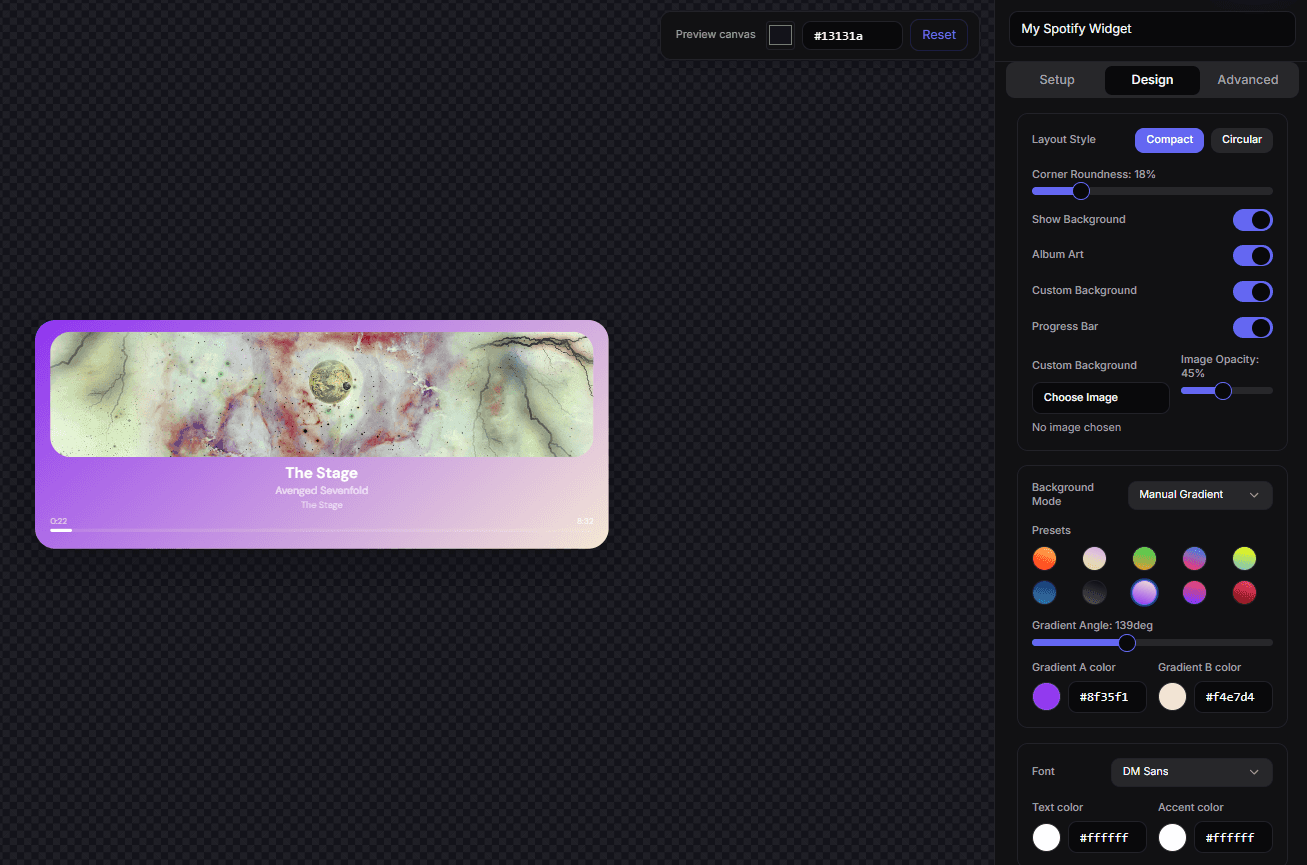
A StreamSpell Music Widget in the editor, showing a customized Spotify now-playing card and its design controls. Create a Music Widget in the StreamSpell Widgets Hub.
Widget Pass vs. Buying Individual Widgets
An individual purchase is useful when you need one specific premium widget or one skin pack. The Widget Pass is the broader option for streamers who want to explore several premium tools, change their overlay over time, or build multiple scenes without evaluating every included product as a separate purchase.
The Pass does not replace the free widgets in the platform. You can still create and customize free tools in the StreamSpell Widgets Hub; the Pass adds access to the eligible premium catalog.
StreamSpell releases new premium skins weekly, including themes inspired by different game genres. Availability varies by widget as the catalog expands, and the checkout page remains the authoritative source for the premium widgets and skin packs included in the current Widget Pass offer.
The Widget Pass unlocks every premium skin included in the current offer, so you can switch between those styles without purchasing each included skin separately.
A Premium Skin Example: Chat Box
The real Chat Box example below uses the Pastel Dream premium skin. Create a Chat Box, then choose Pastel Dream from the Skin menu if it is included in the premium skin offer shown to your account.
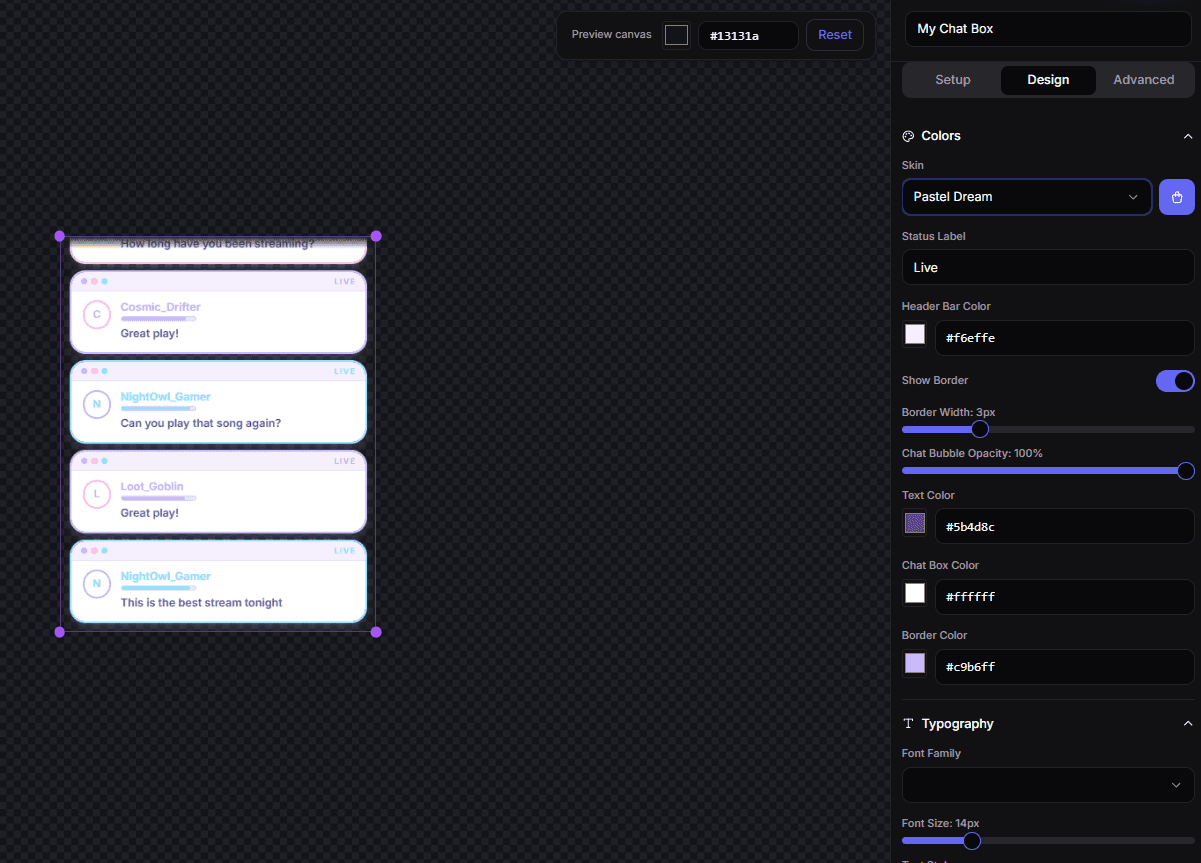
A StreamSpell Chat Box with the Pastel Dream premium skin selected, including its status-label and header-color controls. Create a Chat Box in the StreamSpell Widgets Hub.
How to Buy the Widget Pass
Follow these steps to purchase and activate it:
Sign in to the StreamSpell Widgets Hub.
Select Get Widget Pass from the dashboard or a premium purchase screen.
Review the current product description and the $49 price in the secure checkout.
Complete the purchase with the same account you use to create widgets.
Return to the Widgets Hub while access is applied to your account.
Create or open an included premium widget, customize it, save it, and copy its browser-source URL.
If the checkout says the purchase is already available to your account, sign in with that same account before trying to buy again.
How Premium Widgets Work in OBS and Streamlabs
Widget Pass changes account access; it does not install a desktop program or add an OBS plugin. StreamSpell widgets still use the normal browser-source workflow:
Create or open a widget in the Widgets Hub.
Customize the design and behavior in the live editor.
Save the widget and copy its private Browser Source URL.
Add a Browser source in OBS Studio, Streamlabs Desktop, or another compatible broadcasting app.
Paste the URL and size the source for that widget's layout.
Keep every browser-source URL private. It is the link that renders your saved widget settings on stream.
Who Is the Widget Pass For?
The pass is a strong fit for:
Streamers who want several premium widgets in one account
Creators building different scenes for chat, events, goals, community activities, and special streams
Users who want premium skins alongside complete premium widgets
Teams or creators who prefer one purchase decision for an expanding overlay setup
New StreamSpell users who already know they want the broader premium catalog
What the Widget Pass Does Not Include
The Widget Pass applies to the eligible premium products in the StreamSpell Widgets Hub. It does not automatically include every item sold anywhere by StreamSpell, custom overlay commissions, custom development, third-party services, or a license to redistribute StreamSpell products.
Some live widget features also depend on the relevant connection, such as Twitch or Streamer.bot. Buying the Pass unlocks eligible premium access; it does not replace the setup required by a particular widget.
Widget Pass FAQ
How much does the StreamSpell Widget Pass cost?
The Widget Pass is displayed at $49 USD in the current StreamSpell checkout.
Is the Widget Pass a subscription?
No. The current Widget Pass is a one-time purchase, not a monthly subscription.
Does it unlock premium widgets and skins?
Yes. The current checkout describes the Widget Pass as access to all premium widgets and premium skin packs available in the offer.
Does it include every future StreamSpell product?
Do not assume that every future StreamSpell product or every store item is included. The premium catalog and offer can change, so review the current checkout description before purchasing.
Do I still need OBS or Streamlabs?
You need broadcasting software that accepts browser sources to place the widgets on stream. The Widgets Hub is where you create and customize them.
Is the Widget Pass Worth It?
The practical comparison is simple: list the premium widgets and skin packs you expect to use, compare their individual value with the $49 pass, and consider whether you want room to test more than one premium tool. If you only need one product, an individual purchase may be enough. If you want the broader eligible catalog, the Widget Pass is the streamlined option.
Open the StreamSpell Widgets Hub and review the current Widget Pass offer.
💙 Extra Resources
Keep building your stream with practical tools, setup guides, and original StreamSpell designs:
Thank you for following our blog!
See you in the next post 💙
Level up your stream with practical guides for OBS, Twitch, YouTube and Stream Deck.

AI Stream Deck Profile Generator: Build Profiles Faster
Build Stream Deck profiles faster with Deck Smith, a free AI Stream Deck profile generator by StreamSpell.

40 Webcam Overlay Bundle by StreamSpell
Get 40 stream-ready webcam overlays with animated styles, color customization, and themes like anime, neon, RPG, cute, and more.

5 Strategies for Staying Motivated as a Content Creator
Take care of yourself with these quick tips for staying motivated throughout your content creation journey.
Browse All Articles
Browse Stream Overlays