VIEW DEALS

Daniel Mayhe
Twitch, OBS Studio, Stream Widgets

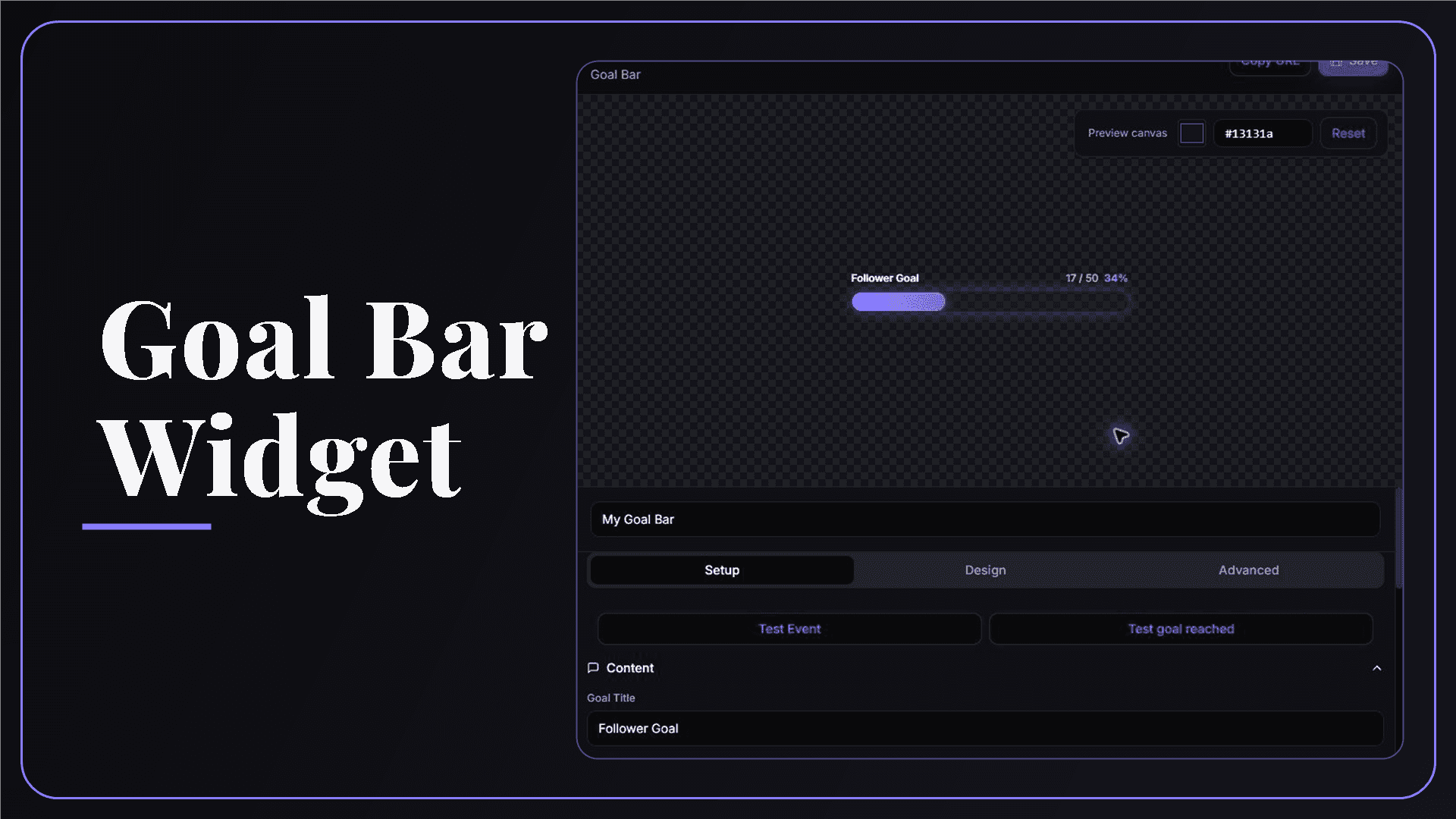
A clear goal turns passive progress into something the whole community can follow. The StreamSpell Goal Bar Widget gives you a customizable browser-source progress bar for followers, subscriptions, cheers, raids, session activity, and custom targets.
What Is a Goal Bar Widget?
A Goal Bar Widget is a visual progress tracker that sits inside your stream overlay. It shows the current value, target, and progress toward completion, so viewers can understand the goal without waiting for you to explain it.
StreamSpell lets you design the bar in the Widgets Hub, preview progress and completion states, then add it to OBS Studio through a private browser-source URL.
Which Goals Can You Track?
The current goal editor supports several useful goal types:
Total followers
Followers gained during the current session
Total subscriptions
Subscriptions gained during the current session
Cheers
Raids
A custom goal with the values and title you choose
This gives you one visual system for permanent channel milestones, short session challenges, and goals that are not tied to a platform event.
Goal Bar Customization Options
The main controls include:
Goal content: set the title, goal type, current value, and target where applicable.
Labels: show or hide values and percentage progress.
Shape: control bar height, corner roundness, border width, and overall footprint.
Colors: choose the progress fill, empty track, text, accent, and border colors.
Progress feedback: preview how the bar reacts when progress changes.
Completion state: customize the completed label and test the completion animation or flash.
Session controls: start or reset a session goal when you need a clean count for a new broadcast.
Keep the title short enough to scan at a glance. If the bar sits above gameplay, use strong contrast between the fill and track so progress remains readable during bright scenes.
How to Add the Goal Bar to OBS Studio
Follow these steps to set it up:
Open the StreamSpell Widgets Hub and connect Twitch if the selected goal depends on live Twitch activity.
Create or open a Goal Bar Widget.
Select the goal type, title, target, labels, colors, size, and completion behavior.
Use the progress and goal-reached tests to review both the normal and completed states.
Save the widget and select Copy URL.
In OBS Studio, add a new Browser source and paste the URL.
Set the browser-source dimensions for your scene, place the bar, and confirm the test animation is visible in OBS.
Using the Goal Bar in Streamlabs, StreamElements, or Meld
The Goal Bar is delivered through a browser-source URL, so it can be added anywhere your streaming or overlay tool accepts a browser or web source. Save changes in StreamSpell, then refresh the source if your streaming app does not show the update immediately.
Good Goal Ideas for Different Streams
Useful goal ideas include:
Growth milestone: show progress toward a follower or subscriber target.
Session challenge: count followers, subs, cheers, or raids earned during one broadcast.
Community unlock: use a custom target for an extra hour, challenge run, cosplay reveal, or special game.
Event campaign: place the bar in a starting, ending, or intermission scene where viewers have time to read it.
Total Goals vs. Session Goals
A total goal follows the larger channel count. A session goal measures what happens after that session begins. Choose the version that matches the promise you make to viewers: use totals for long-term milestones and session goals for progress that should start fresh on a specific stream.
Before going live with a session goal, start or reset the session at the correct time and run a test event. That prevents yesterday's activity from changing the story your bar tells today.
Requirements and Privacy
Live Twitch-based goals require a connected Twitch account. Custom goals can be configured directly in the editor. Keep the copied browser-source URL private, and test both progress and completion after any major design change.
The Goal Bar Widget is free. Current compatibility and access are available on the official Goal Bar Widget page.
Premium Skins and the Widget Pass
StreamSpell releases new premium skins weekly, including themes inspired by different game genres. Availability varies by widget as the skin catalog expands. When a premium skin is available for this widget, it can be purchased separately or accessed through the Widget Pass.
Why Use StreamSpell for a Stream Goal?
A real preview and dedicated test controls make the important states visible before your audience sees them. You can check normal progress, a new event, and goal completion without rebuilding the bar in your streaming software.
Create your Goal Bar Widget in the StreamSpell Widgets Hub.
💙 Extra Resources
Keep building your stream with practical tools, setup guides, and original StreamSpell designs:
Thank you for following our blog!
See you in the next post 💙
Level up your stream with practical guides for OBS, Twitch, YouTube and Stream Deck.

AI Stream Deck Profile Generator: Build Profiles Faster
Build Stream Deck profiles faster with Deck Smith, a free AI Stream Deck profile generator by StreamSpell.

40 Webcam Overlay Bundle by StreamSpell
Get 40 stream-ready webcam overlays with animated styles, color customization, and themes like anime, neon, RPG, cute, and more.

5 Strategies for Staying Motivated as a Content Creator
Take care of yourself with these quick tips for staying motivated throughout your content creation journey.
Browse All Articles
Browse Stream Overlays