VIEW DEALS

Julia Pazin
Stream Widgets

World Cup Stream Widget Pack for OBS, Streamlabs & StreamElements
Looking for World Cup widgets for OBS, Streamlabs, or StreamElements? The World Cup Stream Widget Pack by StreamSpell helps streamers add match information, live scores, schedules, and broadcast-style graphics to their football streams with no coding required.
The World Cup is one of the biggest moments for football fans, sports creators, and streamers who want to bring match-day energy into their live content.
For World Cup watch parties, football commentary, pre-match streams, halftime content, and tournament-themed broadcasts, clear match information on screen can make your stream feel more organized, immersive, and professional.
That is exactly what this widget pack was created for.
The World Cup Stream Widget Pack includes 3 hosted widgets designed for OBS Studio, Streamlabs Desktop, and StreamElements:
World Cup Broadcast Bar
World Cup Schedule Widget
World Cup Live Score Widget
Each widget works through a Browser Source URL, so you do not need to code anything, import files, or manually edit complex settings. You customize the widget, copy the link, paste it into your streaming software, and place it inside your scene.
Best World Cup Widgets for OBS, Streamlabs and StreamElements
If you want to make your football stream look more like a sports broadcast, World Cup widgets can help you display important match information directly on screen.
Instead of relying only on chat messages, static graphics, or manual text updates, these widgets give your audience a cleaner way to follow match details during your stream.
You can use them to show upcoming matches, live score information, final results, kickoff countdowns, team flags, and schedule details depending on the widget you choose.
This makes the pack useful for:
- World Cup watch parties
- Football streams
- Soccer streams
- Sports commentary
- Live match reactions
- Tournament coverage
- Pre-match shows
- Halftime breaks
- Final score recaps
- Sports-themed livestreams
The pack is especially useful for creators who want a professional match-day setup without building custom widgets from scratch.
What Is the World Cup Stream Widget Pack?
The World Cup Stream Widget Pack is a hosted widget pack for streamers who want to display World Cup-style match information directly on stream.
It was designed for football streams, soccer streams, sports broadcasts, live match coverage, and World Cup watch parties.
Instead of using a static graphic or manually updating every detail on screen, this pack gives you flexible widgets that can help you show match information in a clean, sports-broadcast-inspired style.
You can use the widgets on:
- Twitch
- YouTube
- Facebook Gaming
- Kick
- Trovo
- and other streaming platforms
The widgets are also compatible with:
- OBS Studio
- Streamlabs Desktop
- StreamElements
- and any streaming software that supports Browser Source URLs
What’s Included in the Pack?
The World Cup Stream Widget Pack includes 3 widgets made for different moments of your stream.
World Cup Broadcast Bar
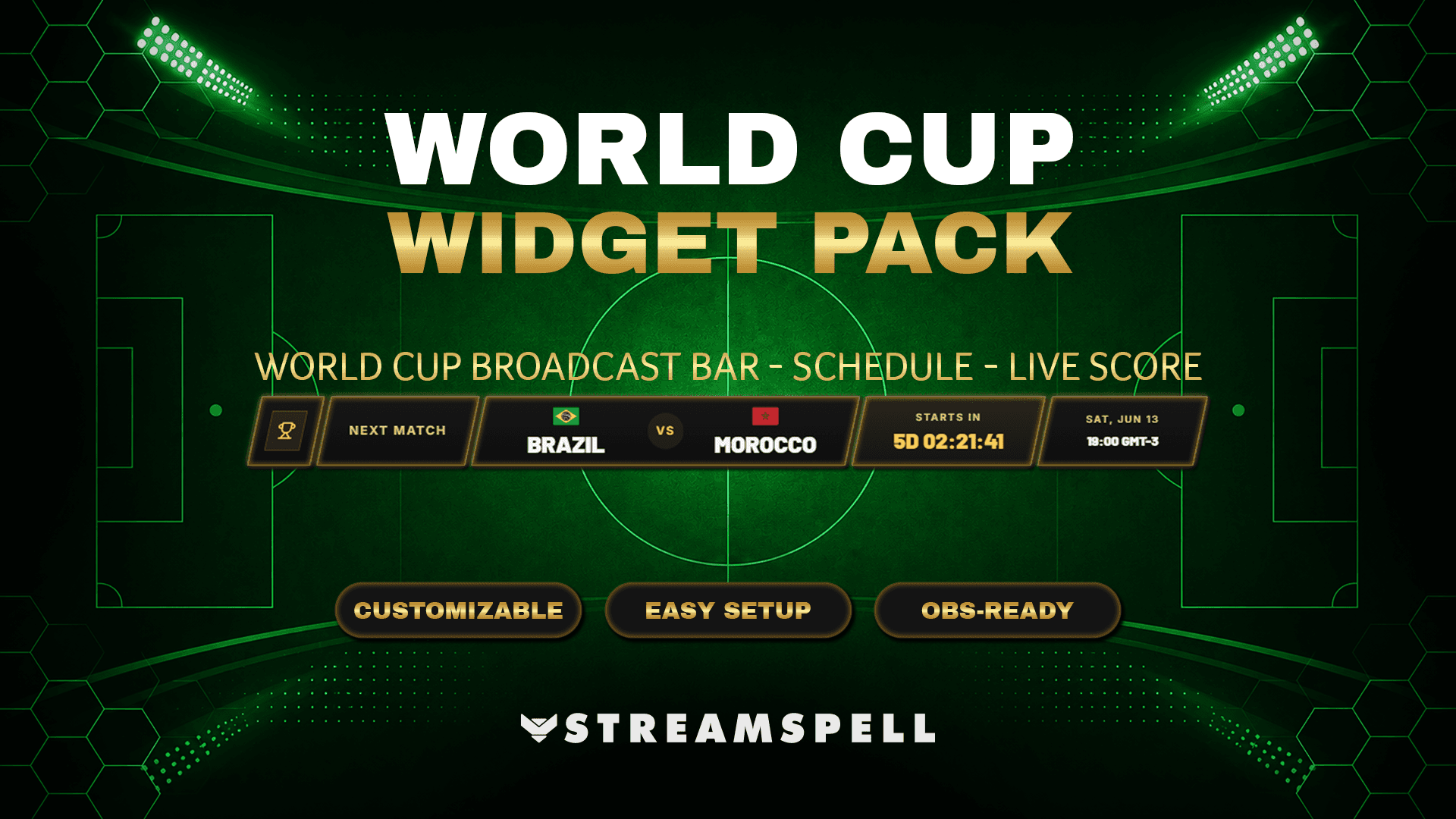
The World Cup Broadcast Bar is a compact match bar designed to give your stream a clean broadcast-style look.
It can display teams, flags, kickoff time, countdown, live score state, and final result display.
This widget is perfect for:
- Starting Soon scenes
- Pre-match coverage
- Live match overlays
- Lower thirds
- Watch party streams
- Sports broadcast layouts
You can place it at the top or bottom of your scene to keep match information visible without taking over the full screen.
World Cup Schedule Widget
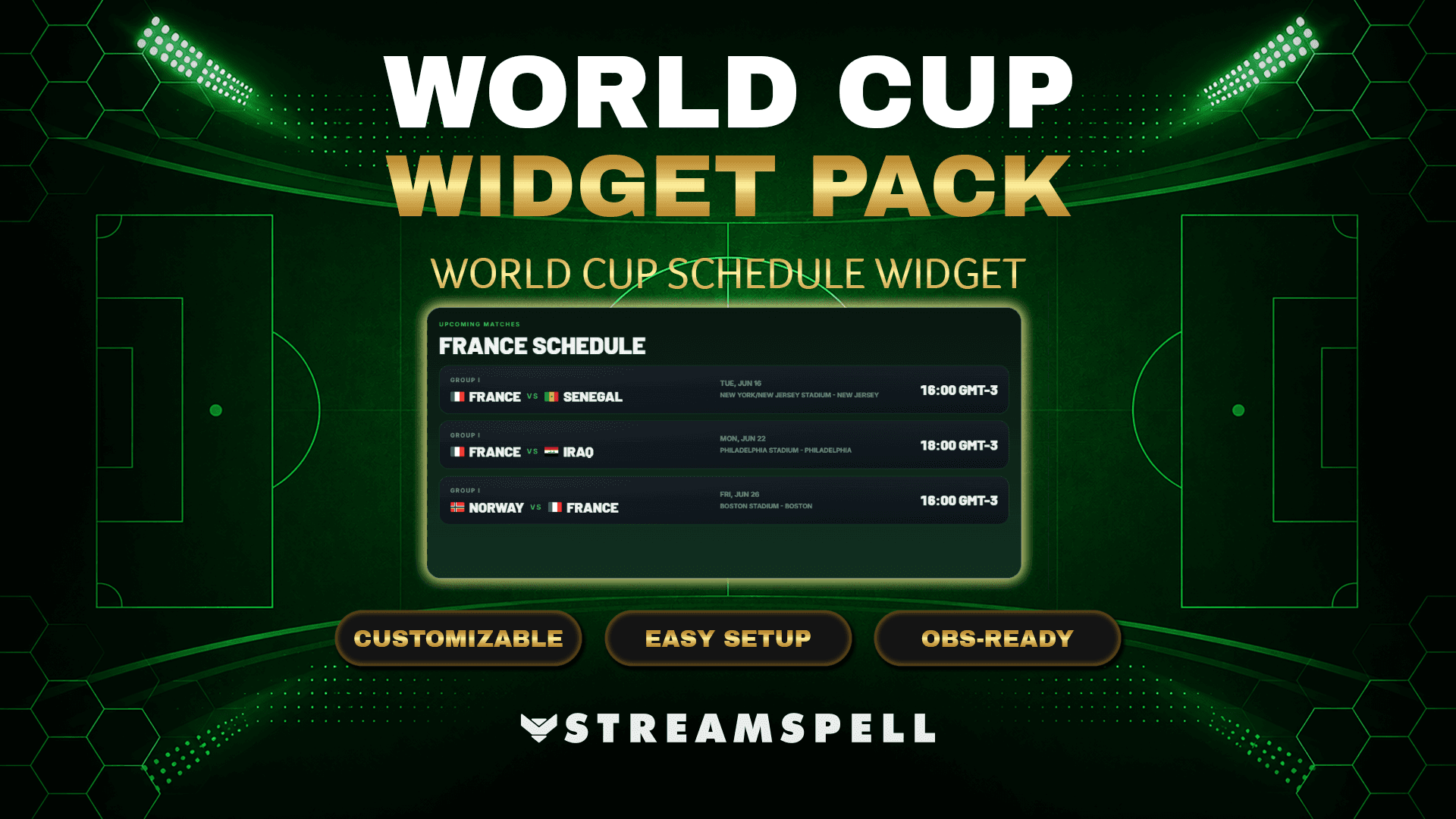
The World Cup Schedule Widget helps you show upcoming World Cup matches directly on stream.
It can display match dates, times, teams, and optional stadium and city information. You can also use team or group filtering to make the schedule more focused for your audience.
This widget is ideal for:
- Schedule screens
- Pre-show scenes
- Halftime screens
- Break screens
- Tournament overview layouts
- Upcoming match displays
It is especially useful if you are planning multiple World Cup streams and want viewers to know what matches are coming next.
World Cup Live Score Widget
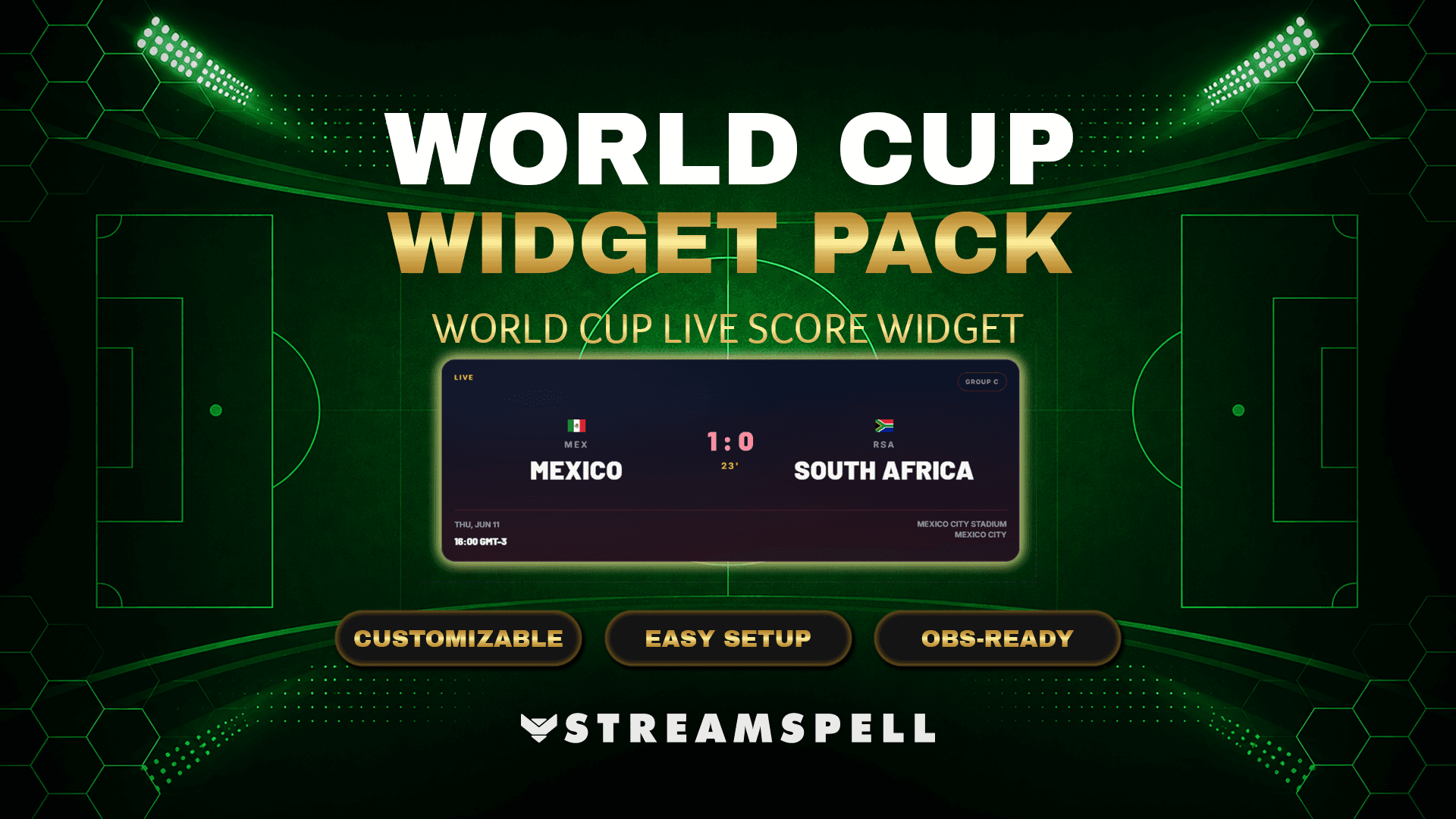
The World Cup Live Score Widget is designed to show match status and score information during your stream.
It can display the current score, match state, final result, or fallback to the next match when needed.
This widget works well for:
- Live match streams
- World Cup watch parties
- Football commentary
- Halftime score screens
- Final score displays
- Sports-themed broadcasts
It helps your viewers quickly understand what is happening in the match while keeping your stream layout clean and visually consistent.
No Coding Required
One of the biggest advantages of this widget pack is that it does not require coding.
You do not need to install complicated files, edit scripts, or upload custom widget folders.
The setup is simple:
Access the widget setup page
Customize the widget style and settings
Copy the Browser Source URL
Paste the URL into OBS Studio, Streamlabs Desktop, or StreamElements
Resize and position the widget in your scene
This makes the pack easy to use even if you are not familiar with technical stream setup.
Works With OBS Studio, Streamlabs Desktop & StreamElements
The World Cup Stream Widget Pack works through Browser Source URLs, which makes it flexible for different streaming setups.
In OBS Studio, you can add the widget as a Browser Source, paste the URL, set the size, and position it in your scene.
In Streamlabs Desktop, you can add the widget as a Browser Source, paste the link, adjust the dimensions, and place it inside your layout.
In StreamElements, you can use the widget through a Browser Source or web layer setup.
As long as your streaming software supports Browser Source URLs, you can use the widget pack in your broadcast.
Language Options Included
The World Cup Stream Widget Pack supports 5 language options:
- English
- Portuguese
- Spanish
- German
- French
This makes it easier to create World Cup content for different audiences and communities.
Customize the Look of Your World Cup Stream
The widgets include visual customization options so you can match the pack to your stream branding or World Cup scene design.
You can adjust style elements such as:
- Colors
- Glow
- Shadows
- Patterns
- Visual effects
- Overall presentation
This gives you more flexibility when building your football stream overlay, whether you want something clean and minimal or a more energetic match-day look.
Important Product Note
The World Cup Stream Widget Pack is delivered as a hosted Browser Source widget pack.
This means it is not a downloadable native StreamElements custom widget package, and users do not receive files to upload or manually edit.
Setup is done through hosted widget links.
You customize the widget, copy the Browser Source URL, and add it directly to your streaming software.
Independent Product Notice
This product is an independent stream widget pack by StreamSpell and is not affiliated with or endorsed by FIFA or any official World Cup organization.
World Cup Widgets for a More Professional Stream Layout
If you are planning to stream World Cup content, this widget pack can help your channel look more polished, organized, and ready for match-day coverage.
With the Broadcast Bar, Schedule Widget, and Live Score Widget, you can create a sports-broadcast-style setup for OBS Studio, Streamlabs Desktop, and StreamElements without coding.
The World Cup Stream Widget Pack by StreamSpell is a practical option for streamers who want to bring football energy into their live content while keeping the setup simple and flexible.
Get the World Cup Stream Widget Pack and prepare your channel for football streams, match-day content, and World Cup watch parties.
💙 Extra Resources
Want to explore more stream overlays, widgets, Stream Deck assets and creator tools in one place? Visit the new StreamSpell Store here.
Find more animated stream overlays, animated stream alerts, animated transitions, Stream Deck Icons, emotes and badges, stream widgets, Chat Box, Event List, Goal Bar and custom stream designs:
Thank you for following our blog!
See you in the next post 💙
Level up your stream with practical guides for OBS, Twitch, YouTube and Stream Deck.

AI Stream Deck Profile Generator: Build Profiles Faster
Build Stream Deck profiles faster with Deck Smith, a free AI Stream Deck profile generator by StreamSpell.

40 Webcam Overlay Bundle by StreamSpell
Get 40 stream-ready webcam overlays with animated styles, color customization, and themes like anime, neon, RPG, cute, and more.

5 Strategies for Staying Motivated as a Content Creator
Take care of yourself with these quick tips for staying motivated throughout your content creation journey.
Browse All Articles
Browse Stream Overlays