
VIEW DEALS
Daniel Mayhe
Custom Stream Overlays, Stream Branding, Animated Stream Design, Case Study

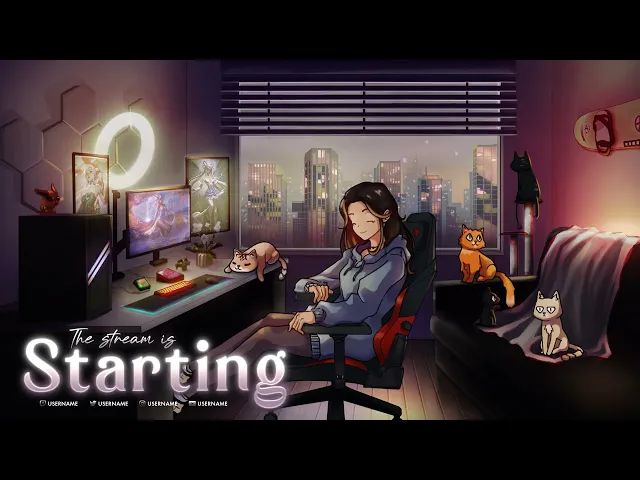
Custom stream design works best when every visual element feels like it belongs to the same world. For Velleka, StreamSpell created an illustrated and animated package built around a cozy lofi-anime direction: a warm character design, soft fairy details, a welcoming environment, and multiple cats woven into the scene.
The project ran from June to August 2024, with a further update in March 2025. The result was a flexible set of stream assets designed to stay recognizable across live scenes, alerts, social/profile visuals, and different webcam formats.
Project Brief: A Cozy Illustrated Stream Identity
Velleka requested a custom illustrated and animated package, alongside profile/social visuals and a banner. The visual direction combined lofi calm with cute anime energy, creating a space that could feel personal on stream without becoming difficult to read.
The central character was developed with luminous blue eyes, blonde streaks, warmer skin tones, a seated pose, and fairy-inspired details. Around that character, the illustrated environment introduced multiple cats to make the scene feel lived in and recognizable. A black kitten with green eyes was added later as part of the evolving artwork.
The custom scene brings Velleka's lofi-anime character, fairy details, and cat-filled illustrated environment into one live-stream composition. Explore more custom StreamSpell work in the portfolio.
Design Direction: Character, Environment, and Readability
Custom art has to do more than look good in a full-size preview. It also needs to work behind webcam frames, alerts, browser sources, and live gameplay. This package therefore balanced decorative detail with a simplified UI that could remain legible during a broadcast.
Character design: a seated lofi-anime character with bright blue eyes, blonde streaks, warmer skin tones, and fairy details.
Illustrated environment: a cozy scene populated by several cats, including the later-added black kitten with green eyes.
Stream UI: a simplified layout intended to keep important information readable.
Motion direction: animation, composition, previews, sound, and rendering shaped around the final live-stream experience.
A Collaborative Custom Stream Design Process
The project was built as a collaboration across illustration, interface design, motion, and final presentation.
Kim explored the character, expressive eyes, and small companion details.
Rafael developed color choices and stream UI layouts.
Gustavo worked on the background, character, and cats in the illustrated environment.
Dan handled motion, composition, previews, sound, and rendering.
That division of craft matters in a custom project. Illustration establishes the personality of the stream, UI protects readability, and motion helps the package feel active when scenes change or alerts appear.
What StreamSpell Created for Velleka
The final package included the core assets needed to carry the same visual language across a stream setup:
Main scene/screen
Webcam frame, including square and vertical variants
Animated alert with sound effects
Slot animation
Transition
BRB screen
Profile/social visuals and banner
Final package files
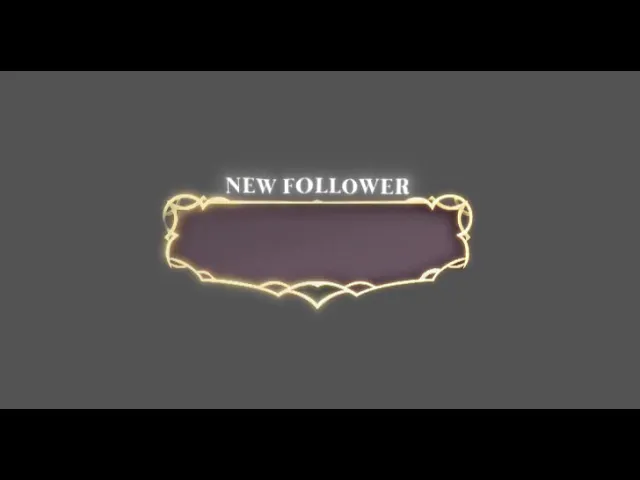
This alert preview shows how motion and sound effects became part of Velleka's broader visual system instead of an isolated on-stream element. Start a custom stream design project with StreamSpell.
Built for Different Stream Moments
A custom package should not force a creator into one rigid layout. Velleka's design included a main screen for the core broadcast experience, alternate webcam formats for different compositions, and BRB variations for planned breaks or IRL signal-loss moments.
The BRB work included an IRL signal-loss variation. A later reusable version was created without the words 'stream ending,' giving the design more flexibility for different types of breaks and stream moments.
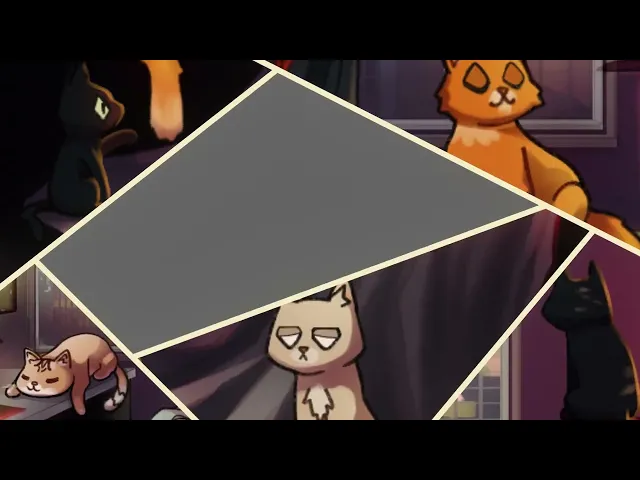
The transition carries the same cozy illustrated direction between scenes, helping the package stay visually consistent throughout a stream. See more custom stream scenes, alerts, and transitions in the StreamSpell portfolio.
Why Custom Stream Design Starts With a Visual System
A custom overlay is more useful when it is designed as a connected system rather than as a single screen. Character art, backgrounds, alerts, webcam frames, transitions, profile assets, and layouts should support the same direction while still giving the creator practical options during a live broadcast.
For Velleka, the cozy lofi-anime direction made that system clear: warm illustration, fairy details, expressive character work, cat-filled environment design, and a UI simplified for live readability.
Start Your Own Custom Stream Design
If you want a stream package designed around your own visual direction, StreamSpell can create custom overlays, alerts, scenes, transitions, webcam frames, and supporting stream assets.
Start a custom stream design with StreamSpell.
You can also explore the StreamSpell portfolio to see more custom stream design work.
💙 Extra Resources
Thank you for following our blog!
See you in the next post 💙
Level up your stream with practical guides for OBS, Twitch, YouTube and Stream Deck.

AI Stream Deck Profile Generator: Build Profiles Faster
Build Stream Deck profiles faster with Deck Smith, a free AI Stream Deck profile generator by StreamSpell.

40 Webcam Overlay Bundle by StreamSpell
Get 40 stream-ready webcam overlays with animated styles, color customization, and themes like anime, neon, RPG, cute, and more.

5 Strategies for Staying Motivated as a Content Creator
Take care of yourself with these quick tips for staying motivated throughout your content creation journey.
Browse All Articles
Browse Stream Overlays