VIEW DEALS

StreamSpell
Valheim Stream Deck Profile + Icon Pack, Stream Deck Profiles, Stream Deck Icons

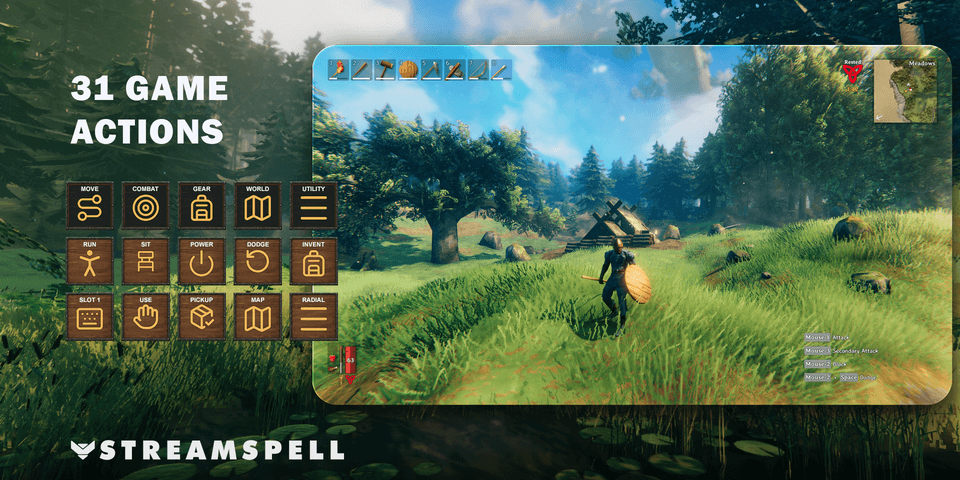
Keep Valheim movement, equipment, map and utility controls in five organized Stream Deck folders. This Windows profile pairs 31 keyboard actions with wood-and-iron-inspired key artwork, using a darker treatment for category navigation.
The setup has two details worth checking before you play: Alternate Dodge uses a custom B binding, and the Run key expects Hold sprint behavior. Mouse-driven attacks, blocking and building actions remain on the mouse. This is a keyboard-control layout, not a replacement for every game input.
View Valheim Stream Deck Profile + Icon Pack on Elgato Marketplace.
Valheim Stream Deck Profile + Icon Pack for Windows PC.
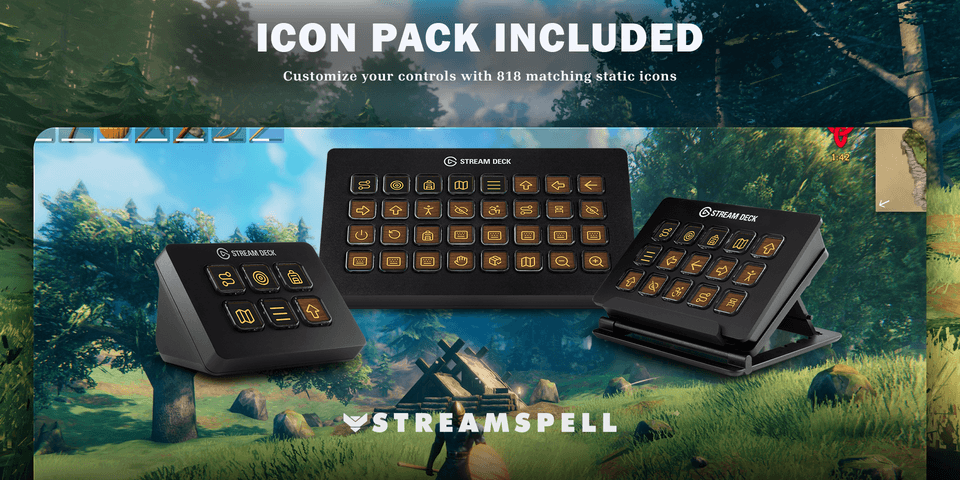
Keep 31 keyboard actions close at hand in five category folders. Weathered wood keys, forged iron borders and warm gold icons draw on Valheim’s world; category keys use a dark charcoal center.
Actions by category
Move: Move forward (W), Move left (A), Move backward (S), Move right (D), Jump (Space), Run (Left Shift), Crouch / sneak (Left Ctrl), Toggle walk (C), Auto-run (Q), Sit (X).
Combat: Hide / draw equipment (R), Forsaken power (F), Alternate dodge (B).
Gear: Inventory (Tab), Hotbar slot 1 (1), Hotbar slot 2 (2), Hotbar slot 3 (3), Hotbar slot 4 (4), Hotbar slot 5 (5), Hotbar slot 6 (6), Hotbar slot 7 (7), Hotbar slot 8 (8).
World: Use / interact (E), Toggle auto-pickup (V), Open map (M), Map zoom out (Comma), Map zoom in (Period).
Utility: Open radial wheel (G), Open chat (Enter), Scroll chat up (Page Up), Scroll chat down (Page Down).
Included: seven Windows profiles for Stream Deck Mini, Neo, MK2, +, +XL, XL and Galleon 100 SD; an installable icon pack with 818 static PNGs; loose PNGs; and an English Key-Mapping.csv.
Setup: Alternate dodge is a custom B binding. In Valheim 1.0.14 or later, assign Alternate dodge to B. Set Valheim sprint behavior to Hold for the RUN key; if your game uses Toggle sprint, change that setting. Other keys follow documented PC defaults from game version 0.221.12 or the player-reported G radial-wheel default in 1.0. Check your current controls and adjust remapped keys to match.
Attack, secondary attack, block, hammer build menu and remove still use mouse buttons. The profile does not replace those mouse actions. RADIAL opens the wheel; choose an item in the game. Hold the Stream Deck direction and run keys as needed.
Requires Valheim on Windows and Elgato Stream Deck 7.0 or newer for Key Logic Hold actions. The game must have keyboard focus.
Import and check your layout
Choose the profile file for your supported device and import it into the Stream Deck application. Keep the original download so you can return to the supplied layout after personalizing your buttons.
Compare the supplied actions with your current game or application bindings. Check commands in their intended context before relying on them during a session.
For the import process, see Elgato’s official guide to downloading and using profiles.
Get Valheim Stream Deck Profile + Icon Pack on Elgato Marketplace
Check the current listing for the included files, device compatibility and setup requirements, then get Valheim Stream Deck Profile + Icon Pack. The linked product is the exact StreamSpell Marketplace listing described in this guide.
Level up your stream with practical guides for OBS, Twitch, YouTube and Stream Deck.

AI Stream Deck Profile Generator: Build Profiles Faster
Build Stream Deck profiles faster with Deck Smith, a free AI Stream Deck profile generator by StreamSpell.

40 Webcam Overlay Bundle by StreamSpell
Get 40 stream-ready webcam overlays with animated styles, color customization, and themes like anime, neon, RPG, cute, and more.

5 Strategies for Staying Motivated as a Content Creator
Take care of yourself with these quick tips for staying motivated throughout your content creation journey.
Browse All Articles
Browse Stream Overlays