VIEW DEALS

StreamSpell
Steam Hub

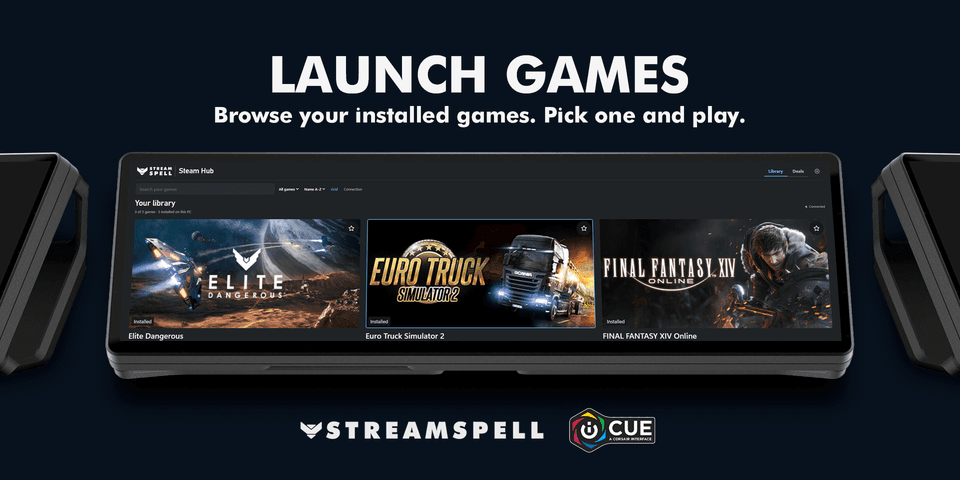
Choose a game from your installed Steam library and launch it from your XENEON EDGE. Steam Hub combines a local game launcher with a deal browser in one iCUE widget, with search, favorites and different library views to help you find what you want to play.
The two sides have different requirements. Installed games and launching use Steam and Spellcast on the same PC; browsing deals works without Spellcast. The widget’s wishlist is its own list rather than a sync of your Steam-account wishlist, so saving a game here does not imply that your account list has changed.
View Steam Hub on Elgato Marketplace.
Launch games
Connect to Spellcast by StreamSpell to see Steam games installed on your PC.
Pick a game and launch it directly from the widget.
Search and sort your library, and mark your favorite games.
Switch between library and showcase views.
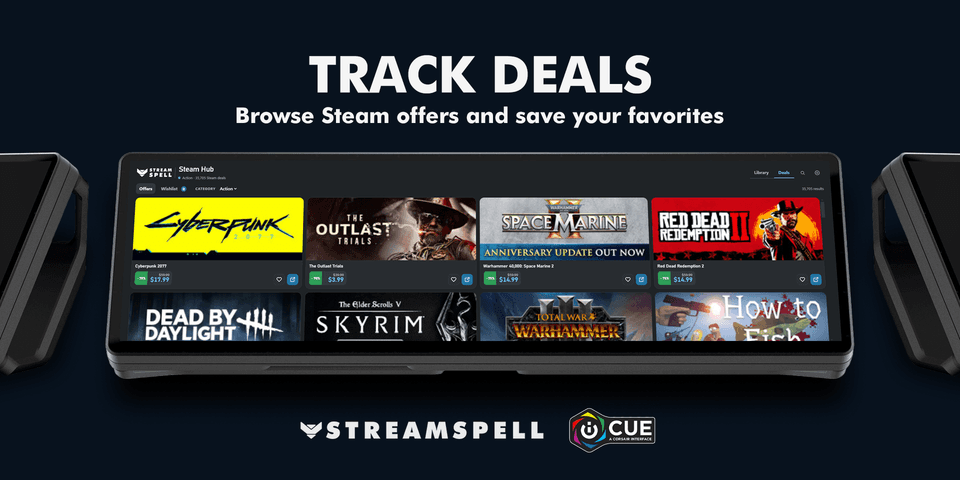
Track deals
Browse current Steam offers with game covers, prices and discounts.
Search games or filter offers by category.
Save games to the widget's own wishlist.
Open a game's Steam Store page for more details.
Deals work without Spellcast. The widget's wishlist is separate from your Steam account wishlist.
Built for CORSAIR iCUE
For your installed library, install and keep Spellcast running on the same PC. In Spellcast, open Links > Steam and generate a pairing code, then enter it using Connect in Steam Hub. No Steam password or Web API key is needed for this setup.
Compatibility: Windows, CORSAIR iCUE 5.47 or newer and a supported dashboard LCD device such as Xeneon Edge. The installed library and game launching also require Steam and the Spellcast companion app on the same PC.
Steam and related names are trademarks of Valve Corporation. StreamSpell is not affiliated with or endorsed by Valve Corporation.
Getting started
New to Spellcast? Open this widget’s Elgato Marketplace page and use its Related Download link to get the StreamSpell companion app. Install Spellcast on the same Windows PC and keep it running while using the installed-library and game-launching features.
Check the Windows, iCUE and dashboard requirements above before installing. Add the widget to a supported dashboard layout, then follow the setup steps for this product. Keep Spellcast running on the same PC.
Start with one ordinary action or information view, confirm that it responds, and then adjust the colors and layout for your screen. Available controls and data still depend on the connected app or service.
Get Steam Hub on Elgato Marketplace
Check the current listing for the included files, device compatibility and setup requirements, then get Steam Hub. The linked product is the exact StreamSpell Marketplace listing described in this guide.
Level up your stream with practical guides for OBS, Twitch, YouTube and Stream Deck.

AI Stream Deck Profile Generator: Build Profiles Faster
Build Stream Deck profiles faster with Deck Smith, a free AI Stream Deck profile generator by StreamSpell.

40 Webcam Overlay Bundle by StreamSpell
Get 40 stream-ready webcam overlays with animated styles, color customization, and themes like anime, neon, RPG, cute, and more.

5 Strategies for Staying Motivated as a Content Creator
Take care of yourself with these quick tips for staying motivated throughout your content creation journey.
Browse All Articles
Browse Stream Overlays