VIEW DEALS

Daniel Mayhe
Slot Machine Widget, OBS Studio, Twitch chat, stream interaction

A spinning result creates a quick moment of suspense without stopping the stream. The StreamSpell Slot Machine Widget is a visual browser-source overlay with custom symbols, animated reels, test controls, and an optional Twitch chat trigger.
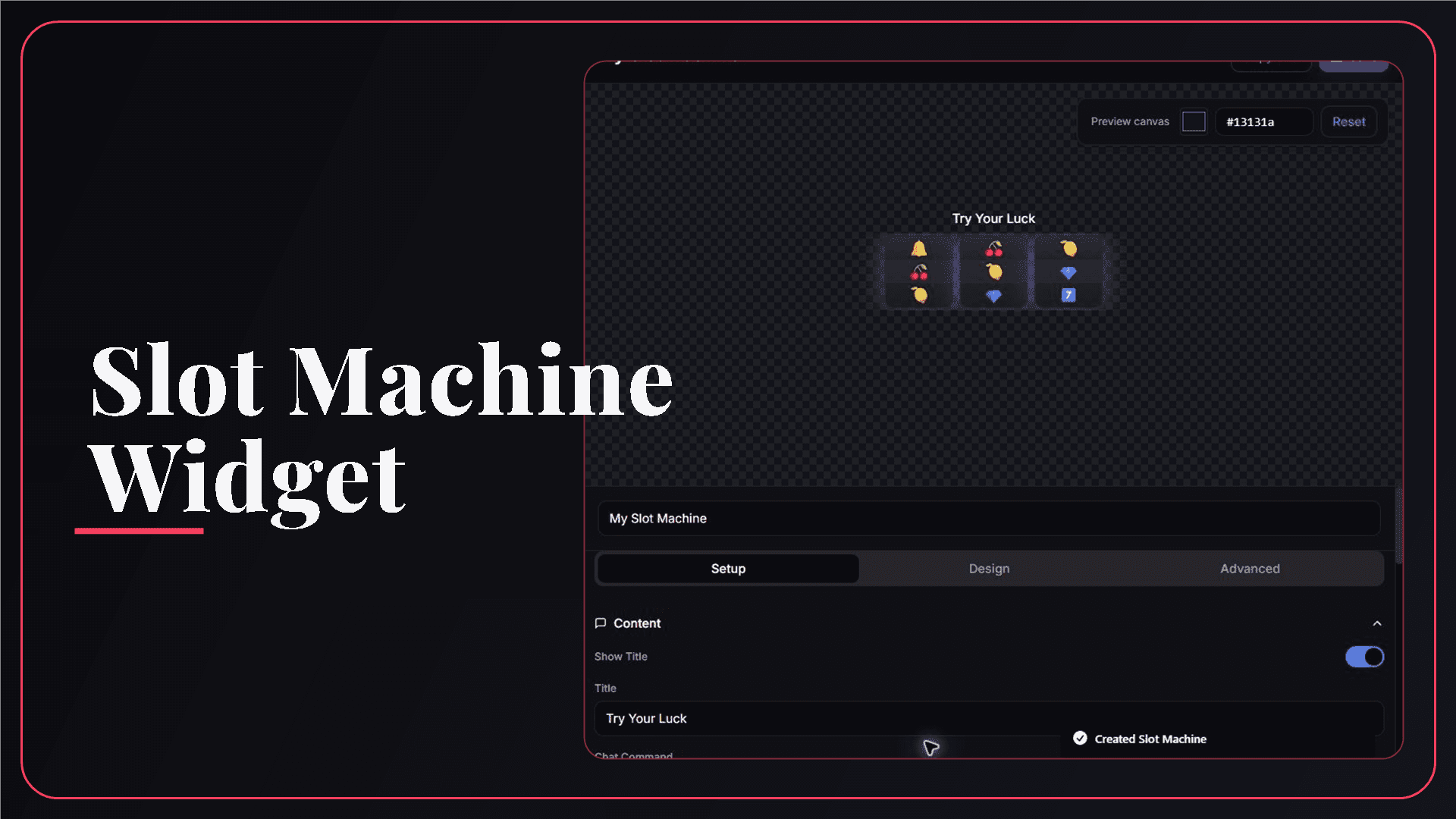
StreamSpell Slot Machine Widget editor with reel, symbol, timing, and visual controls.
What Is the Slot Machine Widget?
The Slot Machine Widget displays three to five animated reels in your stream overlay. You choose the symbols, title, result text, animation speed, and visual style, then add the saved widget to OBS Studio as a browser source.
It is designed as an entertainment and engagement visual for random prompts, reactions, challenges, or themed stream moments. It is not a betting system, certified random draw, prize ledger, or auditable giveaway tool.
What Can You Customize?
The main controls include:
Reels: choose between three and five visible reels.
Symbols: build your own list with emoji or short text.
Title: show or hide the heading and write your own label.
Result: customize the result label and winning message.
Timing: set the spin animation between one and five seconds.
Win feedback: enable or disable the winning flash.
Design: adjust reel color, opacity, border color, border width, text, accent, and glow.
The editor includes Test Spin and Test Win controls so you can inspect ordinary and winning states before adding the source to your scene.
How the Twitch Spin Command Works
The default command is !spin, and you can customize it. When chat control is enabled and Twitch is connected, a message that matches the configured command triggers the spin.
The current Slot Machine command is not restricted to moderators or the broadcaster. Any matching chat message can trigger it, so choose the command carefully and disable chat control when repeated viewer spins would interrupt the stream.
How to Add the Slot Machine to OBS Studio
Follow these steps to set it up:
Open the StreamSpell Widgets Hub and create a Slot Machine Widget.
Choose the title, symbols, reel count, result text, spin duration, and win effect.
Customize the reels, border, opacity, colors, and glow.
Run both test controls and check that every symbol is readable.
Connect Twitch and enable the command only if chat should trigger spins.
Save the widget, copy the private URL, and paste it into a new OBS Browser source.
Use at least enough source space for the title, reels, and result text; the documented minimum layout is 300 by 150 pixels.
Ideas for Using a Slot Machine on Stream
Useful ways to use it include:
Random game, map, character, or loadout selection
Challenge modifiers and funny stream prompts
Emote-themed community moments
A visual reaction between matches or rounds
Non-monetary rewards that you define and control
Slot Machine vs. Giveaway Widget
Use the Slot Machine when the animated result itself is the entertainment. Use a dedicated Giveaway Widget when you need an entry period, participant list, closed state, and winner presentation. A slot animation should not be described as a verified participant draw.
Requirements and Responsible Use
The visual widget runs as a browser source. Twitch is required only for the optional chat command. Do not present the result as certified randomness, publish odds that the widget does not calculate, or attach a prize you cannot deliver.
Where to Create the Slot Machine Widget
The Slot Machine Widget is available directly in the StreamSpell Widgets Hub. The live builder link in this guide is the correct destination; the widget is not listed as a separate product in the StreamSpell Store.
Why Use StreamSpell for a Stream Slot Machine?
The editor shows the real reels and provides separate spin and win tests. You can tune symbol fit, timing, contrast, borders, and glow before viewers can trigger anything.
Create your Slot Machine Widget in the StreamSpell Widgets Hub.
A short symbol list, readable results, and a careful command choice keep the spin fun without letting it take over the stream.
💙Extra Resources
Find more animated stream overlays, animated stream alerts, animated transitions, Stream Deck Icons, emotes and badges, stream widgets (Chat Box, Event List, Goal Bar), and custom stream designs:
Thank you for following our blog!
See you in the next post 💙
Level up your stream with practical guides for OBS, Twitch, YouTube and Stream Deck.

AI Stream Deck Profile Generator: Build Profiles Faster
Build Stream Deck profiles faster with Deck Smith, a free AI Stream Deck profile generator by StreamSpell.

40 Webcam Overlay Bundle by StreamSpell
Get 40 stream-ready webcam overlays with animated styles, color customization, and themes like anime, neon, RPG, cute, and more.

5 Strategies for Staying Motivated as a Content Creator
Take care of yourself with these quick tips for staying motivated throughout your content creation journey.
Browse All Articles
Browse Stream Overlays