VIEW DEALS

StreamSpell
Music Widget

Pause a track, skip to the next song or check what is playing without replacing your main screen with a music app. Music Widget brings playback controls, song information and artwork to the CORSAIR XENEON EDGE through iCUE and StreamSpell’s Spellcast companion app.
This is a music dashboard, not a subscription or a replacement for your player. Its supported apps include several desktop and browser-based options, and the information available depends on which player you use. Start with your preferred supported app, then choose the layout and background that fit your dashboard.
View Music Widget on Elgato Marketplace.
Control Spotify, YouTube Music, Apple Music, Amazon music and more apps!
Full list of currently supported apps
Spotify.
Apple Music and iTunes.
YouTube Music through Pear Desktop or YTMDesktop.
Amazon Music and music playing in Chrome.
mpv and Windows Media Player.

Stay in control
Play, pause and skip tracks without leaving your dashboard.
See album artwork, song details and playback progress at a glance.
Use shuffle, repeat and seeking when supported by your music app.
Available information and controls depend on the app you're using.
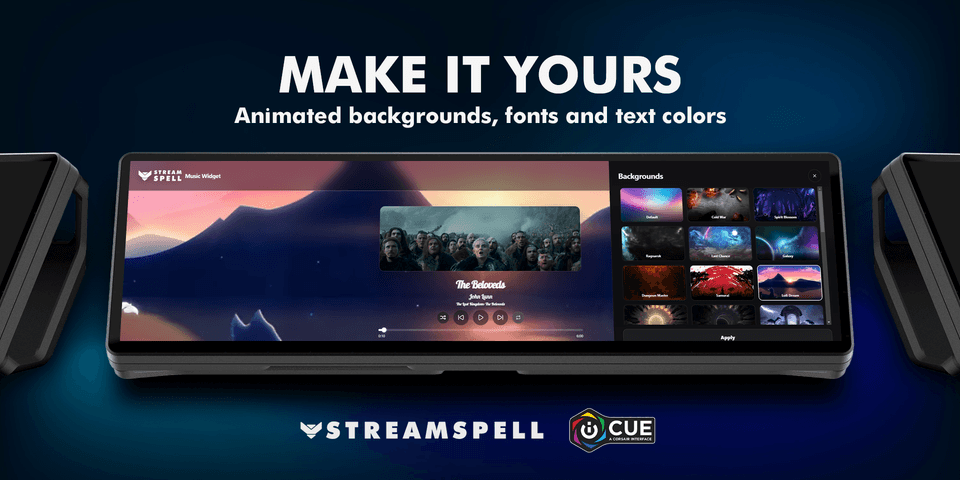
Make it yours
Choose animated backgrounds to match your setup.
Customize the font and song text color.
Switch between compact and circular cover styles.
Use layouts designed for supported horizontal and vertical dashboard sizes.
Install and keep Spellcast running on the same PC, open a supported music app and start playing. Spellcast supplies the widget with your music information.
Compatibility: Windows, CORSAIR iCUE 5.47 or newer, a supported dashboard LCD device and the Spellcast app by StreamSpell.
Product names and trademarks belong to their respective owners. StreamSpell is not affiliated with or endorsed by the music services listed above.
Getting started
New to Spellcast? Open this widget’s Elgato Marketplace page and use its Related Download link to get the StreamSpell companion app. Install Spellcast on the same Windows PC and keep it running while using the widget.
Check the Windows, iCUE and dashboard requirements above before installing. Add the widget to a supported dashboard layout, then follow the setup steps for this product. Keep Spellcast running on the same PC.
Start with one ordinary action or information view, confirm that it responds, and then adjust the colors and layout for your screen. Available controls and data still depend on the connected app or service.
Get Music Widget on Elgato Marketplace
Check the current listing for the included files, device compatibility and setup requirements, then get Music Widget. The linked product is the exact StreamSpell Marketplace listing described in this guide.
Level up your stream with practical guides for OBS, Twitch, YouTube and Stream Deck.

AI Stream Deck Profile Generator: Build Profiles Faster
Build Stream Deck profiles faster with Deck Smith, a free AI Stream Deck profile generator by StreamSpell.

40 Webcam Overlay Bundle by StreamSpell
Get 40 stream-ready webcam overlays with animated styles, color customization, and themes like anime, neon, RPG, cute, and more.

5 Strategies for Staying Motivated as a Content Creator
Take care of yourself with these quick tips for staying motivated throughout your content creation journey.
Browse All Articles
Browse Stream Overlays