
VIEW DEALS
Daniel Mayhe
Meld Studio

Need help setting up overlays in Meld Studio? Use StreamSpell Support.
Meld Studio helps creators run scenes, audio, recording, and multistreaming in one place. The biggest pain when switching apps is rebuilding your entire production from scratch.
That’s why ULTRAMARATHON includes a first-of-its-kind one-click install for Meld Studio. You import a session and your scene collection is ready in one go.
Get the package here: Marathon Stream Overlays and Widgets
At a Glance
Best for: streamers who want fewer tools and faster scene control
Works on: Windows and macOS (Meld Studio)
What you get: a ready-to-use Meld Studio session import included with ULTRAMARATHON
Fast setup: import session, verify sources, go live
Need troubleshooting: StreamSpell Support
What Is Meld Studio?
Meld Studio is a free streaming and recording app for Windows and macOS. It’s built to reduce production chaos by keeping your core streaming workflow inside a single interface.
Common reasons creators switch to Meld Studio:
faster scene management
simpler audio control during live moments
local recording plus streaming
multistreaming without juggling extra windows
Learn more from the source: Meld Studio official site
Why Meld Studio Matters When Streaming Gets Messy
Every creator has had one of these moments:
a guest mic drops or spikes mid-sentence
you hit a perfect play and miss the clip
your transition stutters at the worst possible time
Meld Studio is useful because it acts like a production hub:
you can run scenes and sources from one place
audio controls stay accessible during the stream
highlight tools help you capture moments when they happen
Reference: Elgato’s overview of Meld Studio
The Setup Problem With New Streaming Apps
When streamers try a new streaming app, they get stuck rebuilding:
scenes and layouts
source positions
overlays and labels
per-scene structure
That setup friction kills momentum.
StreamSpell’s ULTRAMARATHON solves this for Meld Studio with a one-click session import.
One-Click Import in Meld Studio With ULTRAMARATHON
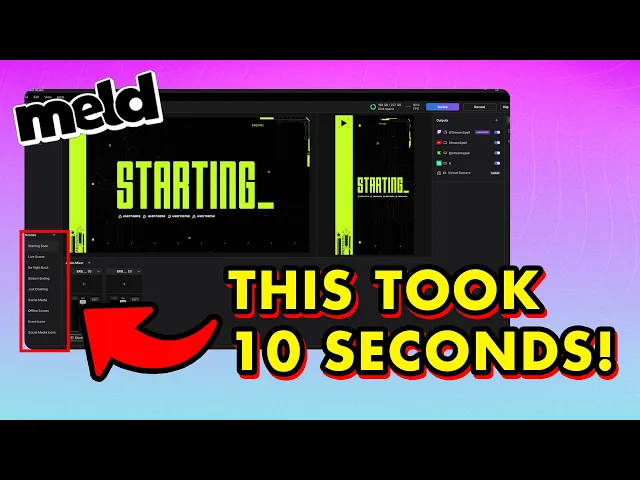
ULTRAMARATHON includes a Meld Studio session you can import via Import Session, giving you a ready-to-use scene collection in one go.
Get it here: Marathon Stream Overlays and Widgets
What this gives you:
a cohesive Marathon-style layout that feels like a sci-fi HUD
a structured scene setup designed to stay readable during gameplay
a faster path to a professional look without manual rebuilding
How to Import the ULTRAMARATHON Session in Meld Studio
Follow this quick setup created by StreamSpell and you’ll be live fast.
Quick Setup (2 steps)
Run Setup Overlays.bat
Open Meld Studio → File → Import Session → select Marathon Stream Overlays by StreamSpell.json → import
After import, do a 30-second check
Verify sources load correctly
Switch scenes once to confirm transitions
Do a quick audio check, then go live
Helpful reference: Meld Studio docs on Sessions
Troubleshooting: Fix the Common Import Issues Fast
Most “import problems” come down to a few predictable causes:
Sources missing or offline
This is usually a file path issue after moving folders.
Keep your ULTRAMARATHON files in one stable location.
Browser sources not showing
Check browser source settings and permissions in Meld.
Confirm your network is active and sources are allowed.
Layout looks misaligned
Verify your canvas resolution matches your intended output.
Re-check any scene scaling settings.
If you want the fastest path to a clean fix, use: StreamSpell Support
FAQ
Is Meld Studio free?
Yes. Meld Studio is available as a free standalone streaming and recording app. Start here: Meld Studio
What does ULTRAMARATHON include for Meld Studio?
A Meld Studio session file designed for one-click import, so your scene collection can be set up in one go. Get it here: Marathon Stream Overlays and Widgets
How do I import the ULTRAMARATHON session?
In Meld Studio, go to File → Import Session, select the session file, confirm, then verify sources and audio.
What should I check after importing?
sources load correctly
scene switches work
audio levels behave as expected
your canvas resolution matches your streaming output
Where do I learn setup and troubleshooting steps?
Use StreamSpell Support for install and setup guidance.
Level up your stream with practical guides for OBS, Twitch, YouTube and Stream Deck.

AI Stream Deck Profile Generator: Build Profiles Faster
Build Stream Deck profiles faster with Deck Smith, a free AI Stream Deck profile generator by StreamSpell.

40 Webcam Overlay Bundle by StreamSpell
Get 40 stream-ready webcam overlays with animated styles, color customization, and themes like anime, neon, RPG, cute, and more.

5 Strategies for Staying Motivated as a Content Creator
Take care of yourself with these quick tips for staying motivated throughout your content creation journey.
Browse All Articles
Browse Stream Overlays