VIEW DEALS

StreamSpell
iRacing

Reach iRacing race information, pit functions and vehicle adjustments from a focused Stream Deck layout. Organized pages separate Black Box information, pit and car controls, views and communication so each type of action has a recognizable home.
The benefit is access to the control you need rather than automation of a race decision. Choose the information page or adjustment for your current situation, and check how the imported shortcuts match your own setup before using them on track.
View iRacing Stream Deck Profile on Elgato Marketplace.
Its clean racing interface keeps critical commands readable when every second matters.
Included
Ready-to-import Stream Deck profiles for the devices listed below, with matching iRacing-themed key artwork and organized control pages.
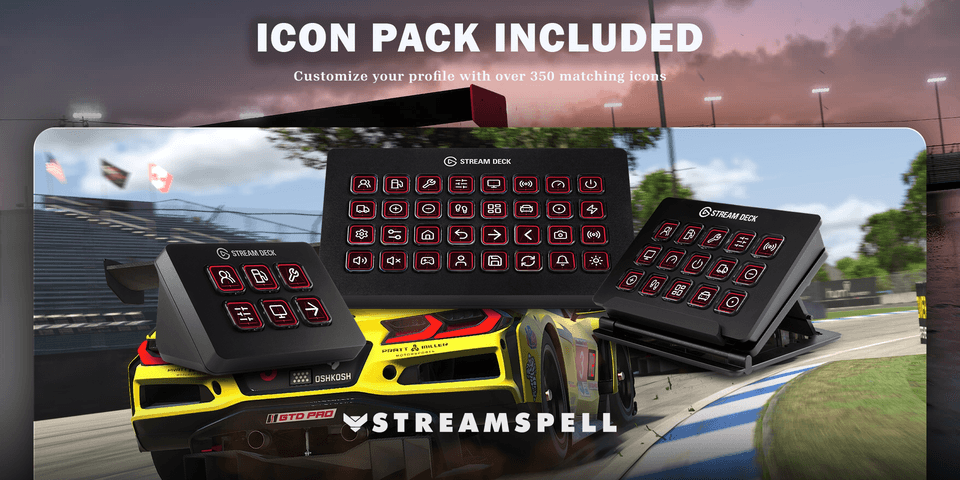
Matching Stream Deck icon pack for customizing your own buttons.
Included commands
Race Information: Open Relative, Fuel, Lap Times, Standings, Tire Information, Delta, and other Black Box pages instantly.
Pit and Vehicle Controls: Access pit functions, car adjustments, mirrors, radio, starter, towing, brake bias, and pit limiter controls.
Views and Feedback: Control field of view, left and right views, pedals display, and in-car information from organized pages.
Communication: Reach text chat and reply controls without interrupting your race workflow.

Compatible with
Stream Deck MK2
Stream Deck Neo
Stream Deck Mini
Stream Deck +
Stream Deck +XL
Stream Deck XL
Galleon 100 SD
Disclaimer
This is an independently created StreamSpell product and is not sponsored, approved, or affiliated with the game's developer or publisher. All game names, logos, trademarks, and copyrights belong to their respective owners.
Import and check your layout
Choose the profile file for your supported device and import it into the Stream Deck application. Keep the original download so you can return to the supplied layout after personalizing your buttons.
Compare the supplied actions with your current game or application bindings. Check commands in their intended context before relying on them during a session.
For the import process, see Elgato’s official guide to downloading and using profiles.
Get iRacing Stream Deck Profile on Elgato Marketplace
Check the current listing for the included files, device compatibility and setup requirements, then get iRacing Stream Deck Profile. The linked product is the exact StreamSpell Marketplace listing described in this guide.
Level up your stream with practical guides for OBS, Twitch, YouTube and Stream Deck.

AI Stream Deck Profile Generator: Build Profiles Faster
Build Stream Deck profiles faster with Deck Smith, a free AI Stream Deck profile generator by StreamSpell.

40 Webcam Overlay Bundle by StreamSpell
Get 40 stream-ready webcam overlays with animated styles, color customization, and themes like anime, neon, RPG, cute, and more.

5 Strategies for Staying Motivated as a Content Creator
Take care of yourself with these quick tips for staying motivated throughout your content creation journey.
Browse All Articles
Browse Stream Overlays