
VIEW DEALS
Julia Pazin
Reactive Overlays, FPS, Action & Cyberpunk Overlays, Best Stream Overlays

Call of Duty: Black Ops 7: A New Era of Warfare
⚡ New from StreamSpell: Deck Smith — AI-powered Stream Deck Profile Builder. Type one prompt, get a download-ready profile for any device. Try it free →
The year is 2035, and the world stands on the edge of chaos, torn apart by violent conflict and psychological warfare. David Mason leads an elite JSOC team on a covert mission to the sprawling Mediterranean city of Avalon, where they uncover a sophisticated plot that could unravel global stability and force them to confront their own haunting pasts.
Game modes
Co-Op Campaign
Multiplayer
Zombies
You can pre-order the Vault Edition now to gain access to exclusive premium content, including BlackCell and more.
FPS HUD Reactive Overlays: Neon Tactical Counters for Streamlabs
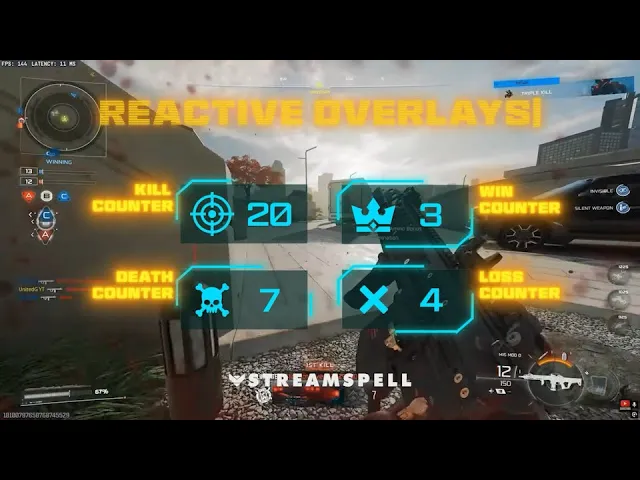
Designed for streamers who live for the thrill of tactical gameplay, the FPS HUD Reactive Overlays combine precision, automation, and a cutting-edge visual style. Built exclusively for Streamlabs Desktop, these overlays transform your broadcast into a fully reactive battlefield interface.
Each overlay features AI-powered Kill, Win, Death, and Loss Counters that automatically update in real time, no manual setup or text edits required!! Every move you make on-screen is instantly reflected in your overlay, keeping your audience fully immersed in the action.
With its neon HUD design, this setup gives your stream a sleek, high-tech look that perfectly complements modern FPS games. Whether you're jumping into Call of Duty: Black Ops 7, Battlefield 6, Valorant, or Apex Legends, these overlays bring clarity and energy to every match.
Supported Platforms: Twitch, YouTube, Facebook Gaming, Kick, and Trovo
Compatibility: Streamlabs Desktop only (Reactive Overlays)
⚡ Stream like a pro with overlays that keep up with every move!!
Complete the Setup – FPS HUD Stream Package
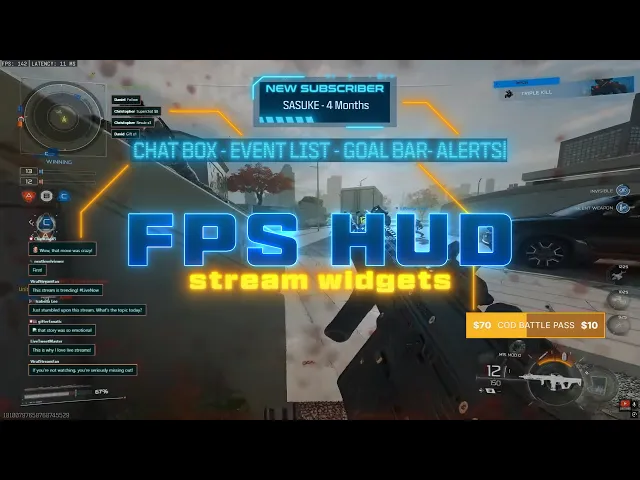
Want the full experience? The FPS HUD Stream Package gives you everything you need to build a professional, tactical stream setup.
It includes animated alerts, widgets (Goal Bar, Event List, Chat Box), and reactive overlays powered by Streamlabs AI, featuring automatic Kill, Win, Death, and Loss counters. You'll also get animated screens, a stinger transition, a clean webcam overlay, and social icons to complete your look.
Phantom Ops: the ultimate tactical Stream Overlay for Black Ops 7
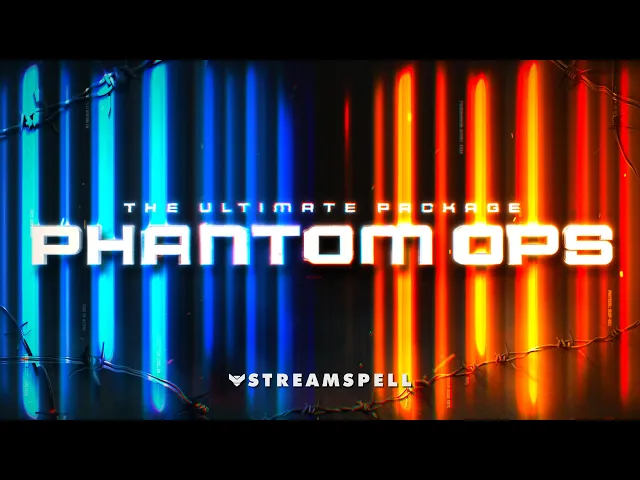
If Black Ops 7 is taking over your channel, Phantom Ops is easily one of the most fitting overlay setups you can switch to right now. It was designed for streamers who want their broadcast to feel like an extension of the battlefield: sharp UI, tactical lighting, and that high-stakes military atmosphere that defines the series.
Where some overlays aim for style, Phantom Ops leans fully into combat-ready visuals: shattered glass UI, blue–orange tactical highlights, and motion graphics that look pulled straight from a covert operations interface. It instantly gives your stream the cinematic tension of a classified mission briefing.
Beyond the look, Phantom Ops is built around convenience too. You get animated screens, a clean tactical webcam frame, crisp panels, and the core widgets every FPS streamer needs: Chat Box, Event List, and Goal Bar (already styled for a military HUD).
But the feature that really elevates it for Black Ops 7 streamers is its Reactive Overlays for Streamlabs Desktop. Kill, Death, Win, and Loss counters update automatically as you play, turning your stream into a live tactical dashboard. No manual edits, no text fiddling: your performance appears on-screen instantly, keeping viewers locked in!
⚡It's a perfect match not only for Black Ops 7, but for any game that thrives on intensity and precision: Valorant, Battlefield, CS2, PUBG, XDefiant, and more.
💙Extra Resources
Find more animated stream overlays, animated stream alerts, animated transitions, Stream Deck Icons, emotes and badges, stream widgets (Chat Box, Event List, Goal Bar), and custom stream designs:
Thank you for following our blog!
See you in the next post 💙
🎮 Build Your Stream Deck Profile with AI
StreamSpell also just launched Deck Smith — an AI-powered Stream Deck Profile Builder. Just type a prompt and get a complete, download-ready Stream Deck profile adapted for any device.
Level up your stream with practical guides for OBS, Twitch, YouTube and Stream Deck.

AI Stream Deck Profile Generator: Build Profiles Faster
Build Stream Deck profiles faster with Deck Smith, a free AI Stream Deck profile generator by StreamSpell.

40 Webcam Overlay Bundle by StreamSpell
Get 40 stream-ready webcam overlays with animated styles, color customization, and themes like anime, neon, RPG, cute, and more.

5 Strategies for Staying Motivated as a Content Creator
Take care of yourself with these quick tips for staying motivated throughout your content creation journey.
Browse All Articles
Browse Stream Overlays