VIEW DEALS

StreamSpell
FFXIV XENEON

Put Eorzea’s menus, party selection and camera controls on your CORSAIR XENEON EDGE. StreamSpell’s Final Fantasy XIV profile organizes 61 keyboard actions into a touch-friendly Virtual Stream Deck layout, with matching artwork for recognizing the next command.
The practical benefit is access to common interface and targeting tasks without treating every shortcut as an isolated key to memorize. This is a keyboard-control profile: it does not read combat status or choose actions for your character.
View Final Fantasy XIV for Xeneon Edge on Elgato Marketplace.
Menus for crafting, duties and everyday play
Character, Inventory, Armoury, Map, Duty Finder and Journal shortcuts sit alongside crafting and gathering logs and Timers. For a session that moves between questing, equipment checks and crafting, those categories give the touchscreen a clear organizational role.
The corresponding menus and features must be unlocked in the game. A shortcut to Duty Finder, for example, does not remove the game’s access requirements.
Targeting, party selection and camera tools
Included targeting actions cover cycling, focus controls, nearest enemy or NPC, self and pet targeting, and party-member selection. Chat options include party, free-company and alliance channels. Camera presets, zoom, strafe, Jump and Auto-Run round out the control groups.
Movement assumes the game’s Standard Type setting. Mouse aiming and targeting remain on the mouse, so keep your existing gameplay inputs while deciding which repeated menu or party-selection tasks belong on the panel.
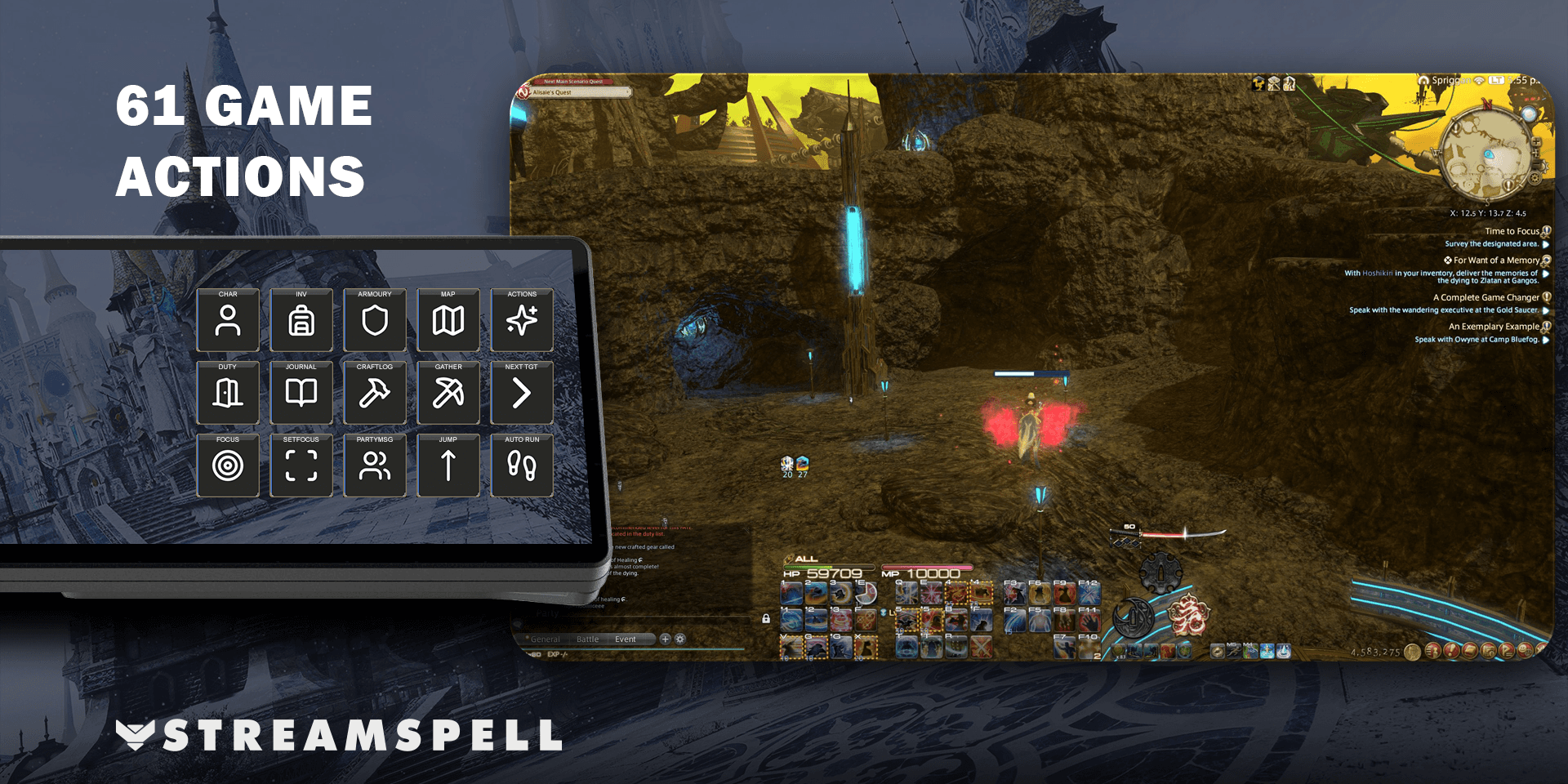
What you import
Two Windows Virtual Stream Deck profiles are supplied: 15 keys in a 5 × 3 grid and 32 keys in an 8 × 4 grid. Folder navigation keeps all included actions accessible; the key count describes the visible layout, not the total number of commands.
The product also includes key mapping, a matching icon pack and 463 icons with category, color and function tags. These support recognizable custom arrangements rather than adding new game functionality on their own.
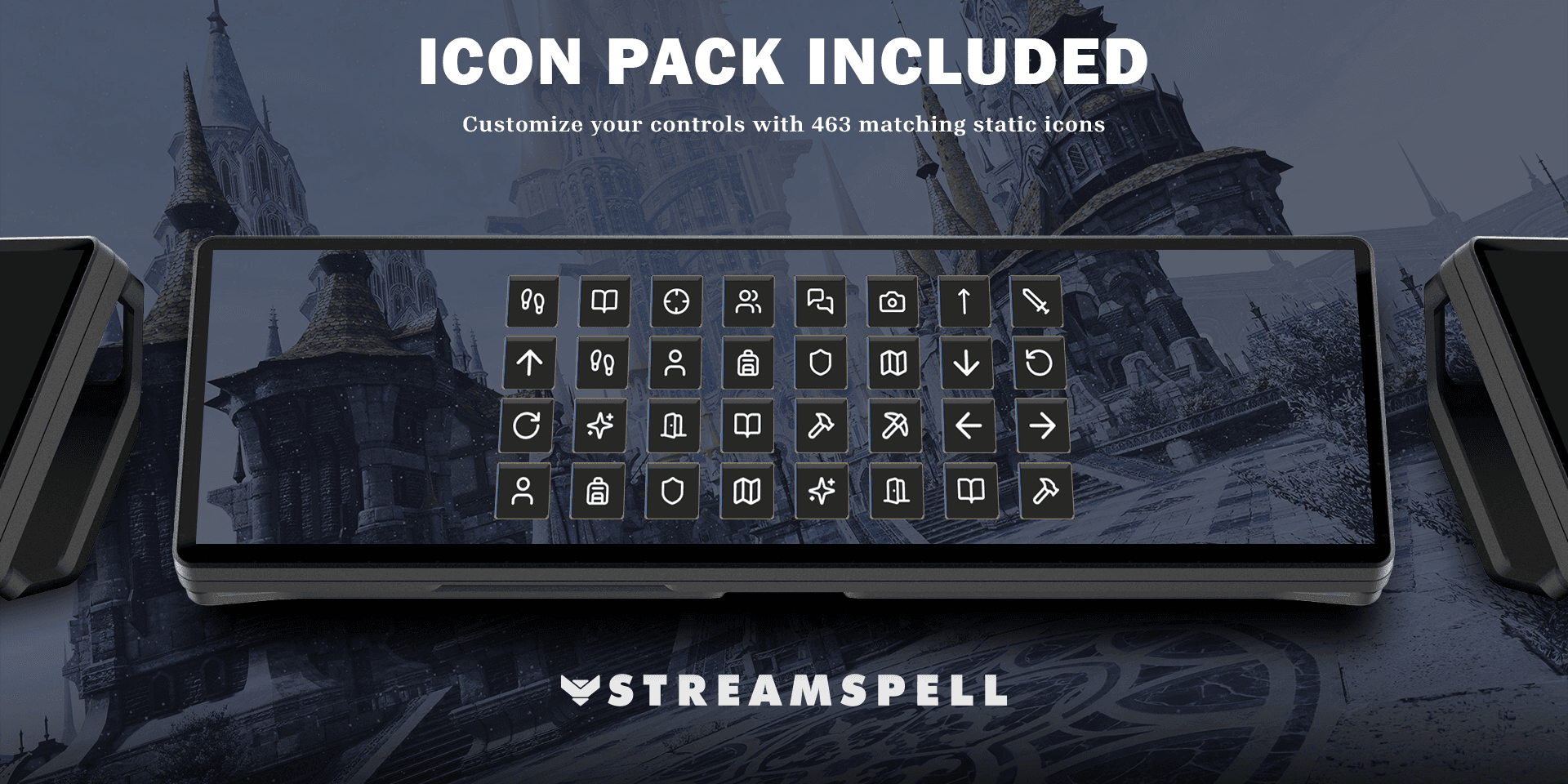
Setup guide: match the grid and game settings
Use CORSAIR XENEON EDGE on Windows 11 with Elgato Stream Deck and Virtual Stream Deck support.
Extract the download and import the profile for the virtual layout you want. Set the grid to 5 × 3 for 15 keys or 8 × 4 for 32 keys after import.
Disable Direct Chat in FINAL FANTASY XIV and compare the supplied key mapping with your keyboard configuration. The profile is based on the game’s default keyboard bindings.
Check Standard Type movement, then try an ordinary menu and a targeting command in an appropriate game context. Match any customized bindings before relying on the profile.
The profile uses built-in Stream Deck Hotkey and Folder actions. Its layout is configured in Stream Deck; changing your in-game settings does not automatically update the imported shortcuts.
Frequently asked questions
Why does Direct Chat matter?
The product requires Direct Chat to be disabled. Check that requirement when configuring keyboard shortcuts so the game handles the intended commands rather than treating your inputs as chat text.
Can I use my customized bindings?
Yes, but the imported shortcuts must match them. Compare the supplied key mapping with the game and account for your keyboard layout.
Does the 15-key layout omit commands?
Folder navigation keeps the included actions accessible in both supplied layouts. Choose the grid that fits your panel organization, then navigate the relevant command folders.
Get the XENEON EDGE profile
Review the current files and requirements, then get Final Fantasy XIV for Xeneon Edge on Elgato Marketplace.
Independent StreamSpell product. Not affiliated with or endorsed by the game’s creators, CORSAIR or Elgato.
Level up your stream with practical guides for OBS, Twitch, YouTube and Stream Deck.

AI Stream Deck Profile Generator: Build Profiles Faster
Build Stream Deck profiles faster with Deck Smith, a free AI Stream Deck profile generator by StreamSpell.

40 Webcam Overlay Bundle by StreamSpell
Get 40 stream-ready webcam overlays with animated styles, color customization, and themes like anime, neon, RPG, cute, and more.

5 Strategies for Staying Motivated as a Content Creator
Take care of yourself with these quick tips for staying motivated throughout your content creation journey.
Browse All Articles
Browse Stream Overlays