VIEW DEALS

StreamSpell
Farming Simulator 25, Stream Deck Profile, Elgato Stream Deck, farming simulator controls, StreamSpell

The Farming Simulator 25 Stream Deck Profile turns supported Stream Deck hardware into a dedicated control surface for the commands you use around the farm. Instead of hunting across the keyboard for vehicle, implement, harvesting and management shortcuts, you can keep themed controls grouped into practical pages beside the game.
Now with dial actions
The latest Farming Simulator 25 profile update adds dial actions for Stream Deck +, Stream Deck + XL and CORSAIR GALLEON 100 SD, alongside the existing button layouts. Import the updated profile for your device to use its dial layout.
The refreshed download includes matching touch-strip artwork and alternative strip backgrounds. Button-only models continue to use their device-specific key layouts.
What is the Farming Simulator 25 Stream Deck Profile?
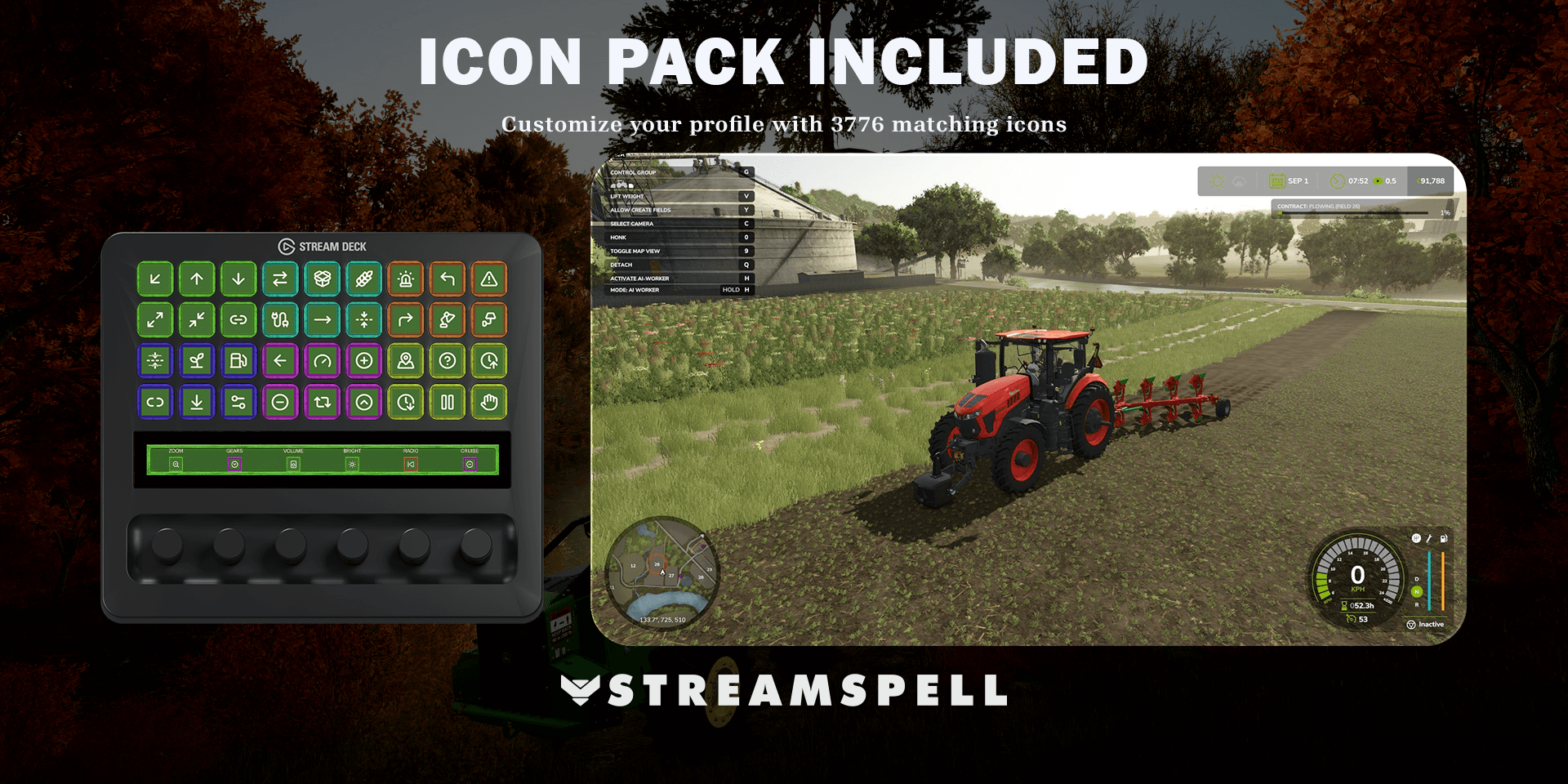
It is an import-ready Stream Deck profile made for Farming Simulator 25. The layout brings together essential driving commands, machinery actions, harvesting tools, loader controls, navigation and farm utilities. Matching animated artwork gives the pages a consistent Farming Simulator-inspired look while the included icon pack lets you personalize the setup without breaking the visual style.
The profile does not automate gameplay. Each key is a convenient visual shortcut to a supported game or Stream Deck action, so you remain in control of every vehicle, implement and menu.
Who is this profile for?
This setup is useful for players who operate many machines, change implements often or want a cleaner alternative to memorizing a large keyboard layout. It also helps desk and cockpit setups where a Stream Deck sits within easy reach and the main display should stay focused on the game.
What controls are included?
Player and vehicle controls
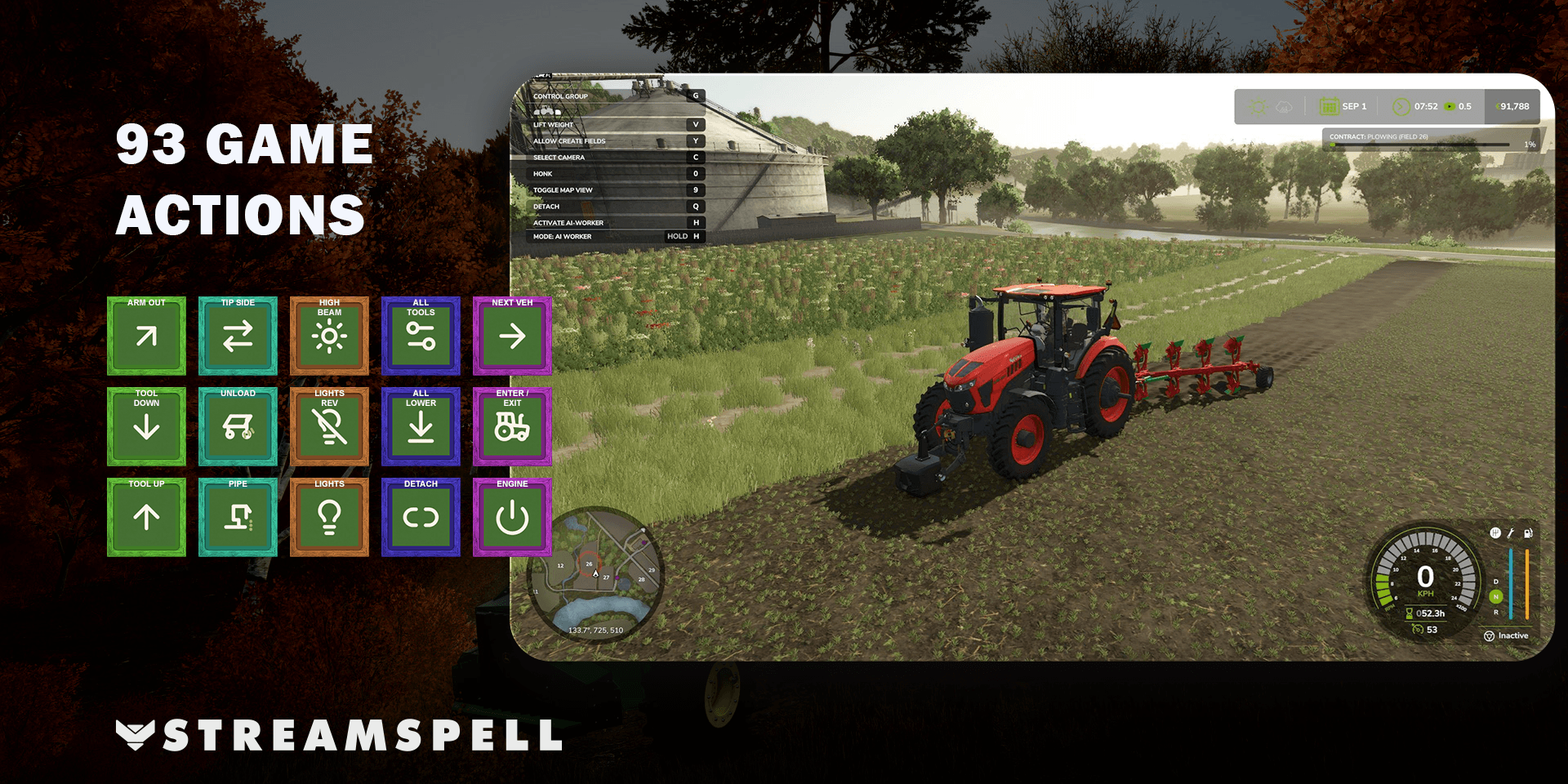
Keep common driving actions close, including entering or exiting a vehicle, cycling machinery, starting or stopping the engine, changing gears, setting cruise control, switching direction, using the horn and changing the camera. The organized layout reduces the need to remember where every shortcut lives on the keyboard.
Implements and loader equipment
The profile includes actions for attaching, detaching, lowering, folding and selecting equipment, plus extending, retracting, raising and operating tools and loader arms. These pages are designed for the moments when you move between tractors, attachments and specialist machinery.
Harvesting operations
Harvest-focused controls cover pipes, unloading, covers, straw, belts, conveyors, headers and workers. Keeping these related actions together makes the profile useful across field work, transport and crop handling rather than limiting it to simple driving.
Navigation and farm utilities
Open the map, shop and build menu; control the minimap and help panels; access chat and radio; manage lighting; and use time-related utilities from dedicated pages. The exact behavior still depends on the game and your current key bindings.
How to install the profile in Stream Deck
Download the product ZIP after purchase and extract it on your computer.
Open the extracted folder for your specific Stream Deck model.
Double-click the .streamDeckProfile file that matches your device.
When the Stream Deck software asks for confirmation, choose Install.
Open the imported profile and check each page before starting the game.
If a key displays a question mark, install the action or plugin required by that key, then reopen the profile.
Elgato documents the import process in its official guide: Download and use Stream Deck Profiles.
How to configure it for your setup
Start Farming Simulator 25 and compare the imported keys with your current in-game bindings. If you changed a keyboard shortcut, update the corresponding Stream Deck key so both sides match. Test movement and machinery controls in a safe save or open area before using the profile during a longer session.
You can also move frequently used keys, add your own pages or assign the profile to the game as a Smart Profile. Personalization is optional; the included layout is designed to work as a structured starting point.
Compatible Stream Deck devices
The current product includes profile files for Stream Deck MK.2, Stream Deck Neo, Stream Deck Mini, Stream Deck +, Stream Deck + XL, Stream Deck XL and CORSAIR Galleon 100 SD. Choose the file for the device you actually use; layouts are adapted to different key counts and hardware formats.
Farming Simulator 25 Stream Deck Profile FAQ
Does the profile control Farming Simulator 25 automatically?
No. It provides organized Stream Deck shortcuts. You still trigger each action, and the result depends on your game state and key bindings.
Can I change the keys and icons?
Yes. You can edit the imported profile in the Stream Deck software. The included matching icon pack helps new or modified keys stay visually consistent.
What should I do if an action does not work?
First compare the key with your current Farming Simulator 25 binding. Then confirm that the correct profile file was imported and that any required Stream Deck action or plugin is installed.
Is Stream Deck hardware included?
No. This is a digital Stream Deck Profile. The game, Stream Deck hardware and any third-party software or plugins are sold or provided separately.
Get the Farming Simulator 25 profile
See the full product details and get the Farming Simulator 25 Stream Deck Profile from StreamSpell.
Farming Simulator and related names are trademarks of their respective owners. StreamSpell is not affiliated with or endorsed by GIANTS Software or Elgato.
💙 Extra Resources
Find more animated stream overlays, animated stream alerts, animated transitions, Stream Deck Icons, emotes and badges, stream widgets, Chat Box, Event List, Goal Bar and custom stream designs:
Thank you for following our blog!
See you in the next post 💙
Level up your stream with practical guides for OBS, Twitch, YouTube and Stream Deck.

AI Stream Deck Profile Generator: Build Profiles Faster
Build Stream Deck profiles faster with Deck Smith, a free AI Stream Deck profile generator by StreamSpell.

40 Webcam Overlay Bundle by StreamSpell
Get 40 stream-ready webcam overlays with animated styles, color customization, and themes like anime, neon, RPG, cute, and more.

5 Strategies for Staying Motivated as a Content Creator
Take care of yourself with these quick tips for staying motivated throughout your content creation journey.
Browse All Articles
Browse Stream Overlays