VIEW DEALS

StreamSpell
Euro Truck Simulator 2, Stream Deck Profile, Elgato Stream Deck, truck simulator controls, StreamSpell

The Euro Truck Simulator 2 Stream Deck Profile places driving, lighting, camera, trailer and Route Advisor controls on supported Stream Deck devices. It turns secondary truck commands into labeled visual keys so you can keep your attention on the road instead of searching through a crowded keyboard layout.
Now with dial actions
The latest Euro Truck Simulator 2 profile update adds dial actions for Stream Deck +, Stream Deck + XL and CORSAIR GALLEON 100 SD, alongside the existing button layouts. Import the updated profile for your device to use its dial layout.
The refreshed download includes matching touch-strip artwork and alternative strip backgrounds. Button-only models continue to use their device-specific key layouts.
What is the Euro Truck Simulator 2 Stream Deck Profile?
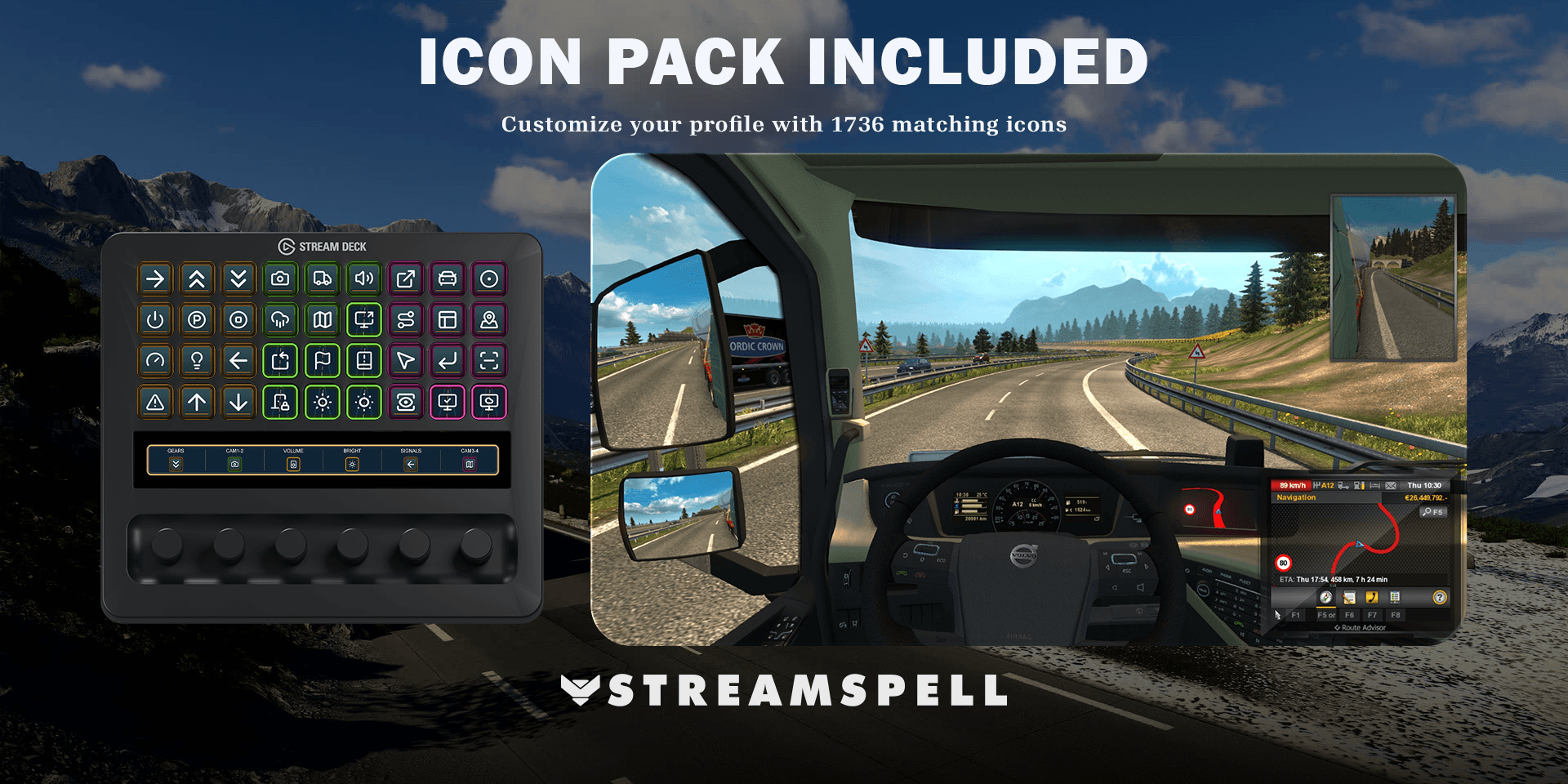
It is an import-ready Stream Deck layout designed around Euro Truck Simulator 2. The profile organizes frequently used and occasional trucking actions into themed pages, with matching visual treatment across different Stream Deck models. A coordinated icon pack is included for keys you add or change later.
This profile is not a driving bot, game modification or replacement dashboard. It sends shortcuts through Stream Deck when you press them. Euro Truck Simulator 2 and your configured bindings determine what each command does.
What problem does it solve?
A trucking session can involve far more commands than steering and braking. Headlights, indicators, wipers, mirrors, trailer actions, camera views and information panels are useful but easy to forget. A dedicated Stream Deck layout keeps them visible and groups related controls on pages that make sense during a route.
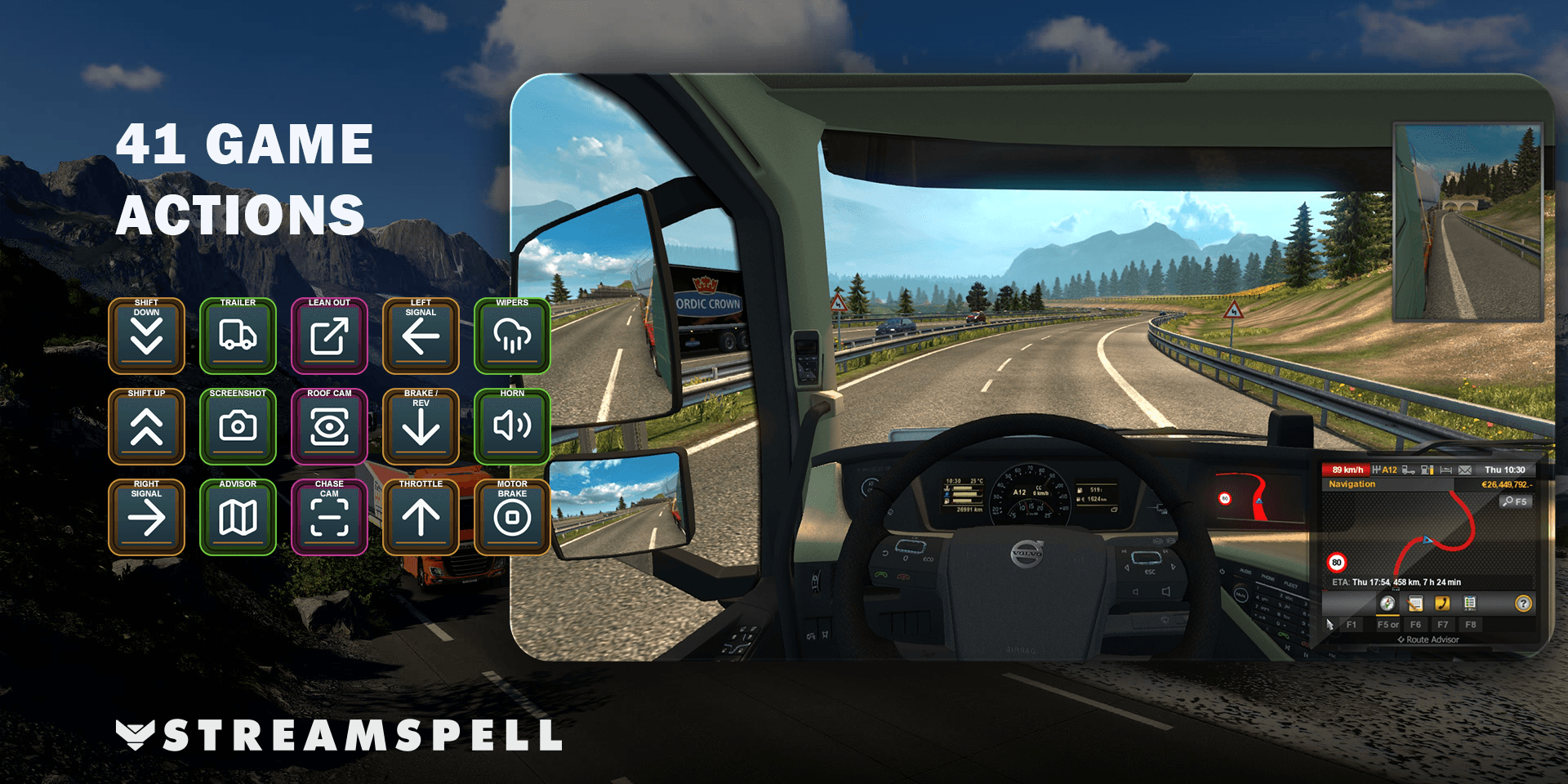
Included control groups
Core driving controls
The profile includes shortcuts for throttle, brake, reverse, steering, shifting, the engine, parking brake, motor brake and cruise control. Use them alongside the keyboard, controller or steering wheel that already fits your driving setup.
Road visibility and signals
Headlight, indicator, hazard, horn and wiper keys provide quick access when road or weather conditions change. Because the controls are labeled visually, occasional actions are easier to find without memorizing another key combination.
Cameras, mirrors and Route Advisor
Move between cab, chase, top, roof, bumper, wheel and drive-by camera views. The layout also includes mirror and Route Advisor actions, helping you check the truck, trailer and route from the same control surface.
Trailer and utility actions
Trailer controls, activation actions and screenshot shortcuts round out the profile. The goal is a practical companion for regular driving rather than a decorative page with only a few generic buttons.
How to install the Euro Truck Simulator 2 profile
Download the digital product ZIP and extract it.
Choose the folder for your exact Stream Deck device.
Double-click the matching .streamDeckProfile file.
Confirm Install in the Stream Deck software.
Open the new profile and inspect every page.
Install any missing Stream Deck action or plugin if a key appears with a question mark.
Elgato explains the current profile import flow in Download and use Stream Deck Profiles.
How to match the profile to your bindings
Launch Euro Truck Simulator 2 and review the game’s control settings. Compare important commands with their Stream Deck keys, especially if you have customized steering, transmission, cameras or lights. Change any mismatched action inside Stream Deck, then test while the truck is safely parked.
Once the imported layout works, decide which page should open first. Wheel users often benefit from placing lights, cameras, Route Advisor and trailer controls at the front, while keyboard-focused players may prefer core driving actions. You can also use Stream Deck’s application assignment to switch profiles when the game is active.
Compatible Stream Deck devices
The current product provides profile files for Stream Deck MK.2, Stream Deck Neo, Stream Deck Mini, Stream Deck +, Stream Deck + XL, Stream Deck XL and CORSAIR Galleon 100 SD. Select the dedicated file for your model so the layout matches its available controls.
Euro Truck Simulator 2 Stream Deck Profile FAQ
Does this replace my steering wheel or controller?
No. It complements your main driving device by placing additional truck and interface actions on visual keys.
Will the profile work with custom game bindings?
It can, but you should align each Stream Deck action with the binding you use in Euro Truck Simulator 2. Remapped game keys may require corresponding edits in the profile.
Can I rearrange the pages?
Yes. The imported profile can be personalized in Stream Deck. The included icon pack provides matching artwork for custom keys and page changes.
Does the download include the game or hardware?
No. The product is a digital Stream Deck Profile and matching icon pack. Euro Truck Simulator 2, Stream Deck hardware and third-party software are separate.
Get the Euro Truck Simulator 2 profile
See the full listing and get the Euro Truck Simulator 2 Stream Deck Profile from StreamSpell.
Euro Truck Simulator 2 and related names are trademarks of their respective owners. StreamSpell is not affiliated with or endorsed by SCS Software or Elgato.
💙Extra Resources
Find more animated stream overlays, animated stream alerts, animated transitions, Stream Deck Icons, emotes and badges, stream widgets (Chat Box, Event List, Goal Bar), and custom stream designs:
Thank you for following our blog!
See you in the next post 💙
Level up your stream with practical guides for OBS, Twitch, YouTube and Stream Deck.

AI Stream Deck Profile Generator: Build Profiles Faster
Build Stream Deck profiles faster with Deck Smith, a free AI Stream Deck profile generator by StreamSpell.

40 Webcam Overlay Bundle by StreamSpell
Get 40 stream-ready webcam overlays with animated styles, color customization, and themes like anime, neon, RPG, cute, and more.

5 Strategies for Staying Motivated as a Content Creator
Take care of yourself with these quick tips for staying motivated throughout your content creation journey.
Browse All Articles
Browse Stream Overlays