VIEW DEALS

StreamSpell
ETS2, XENEON EDGE, Profiles

Build a visible cab-side control panel for Euro Truck Simulator 2 on your CORSAIR XENEON EDGE. This profile organizes 41 game actions with two touch-friendly Virtual Stream Deck layouts, keeping road utilities, driving commands and camera choices in practical groups.
View Euro Truck Simulator 2 for XENEON EDGE in the StreamSpell store.
A road-focused command panel
Driving controls cover throttle, braking/reverse, steering, shifting, engine, parking brake, motor brake and cruise control. Road utilities put headlights, indicators, hazards, horn and wipers together so the next cab command is easier to recognize.
Camera options include cab, chase, top, roof, bumper, wheel and drive-by views. Mirrors, Route Advisor, trailer controls, activation commands and screenshots extend the panel beyond basic movement. The product is a set of keyboard shortcuts, not an autopilot or a live telemetry dashboard.
If you already steer with another input, consider moving frequently used lights, wipers and interface commands forward. Keep your existing driving setup intact while you compare the profile’s shortcuts with the game’s keyboard settings.
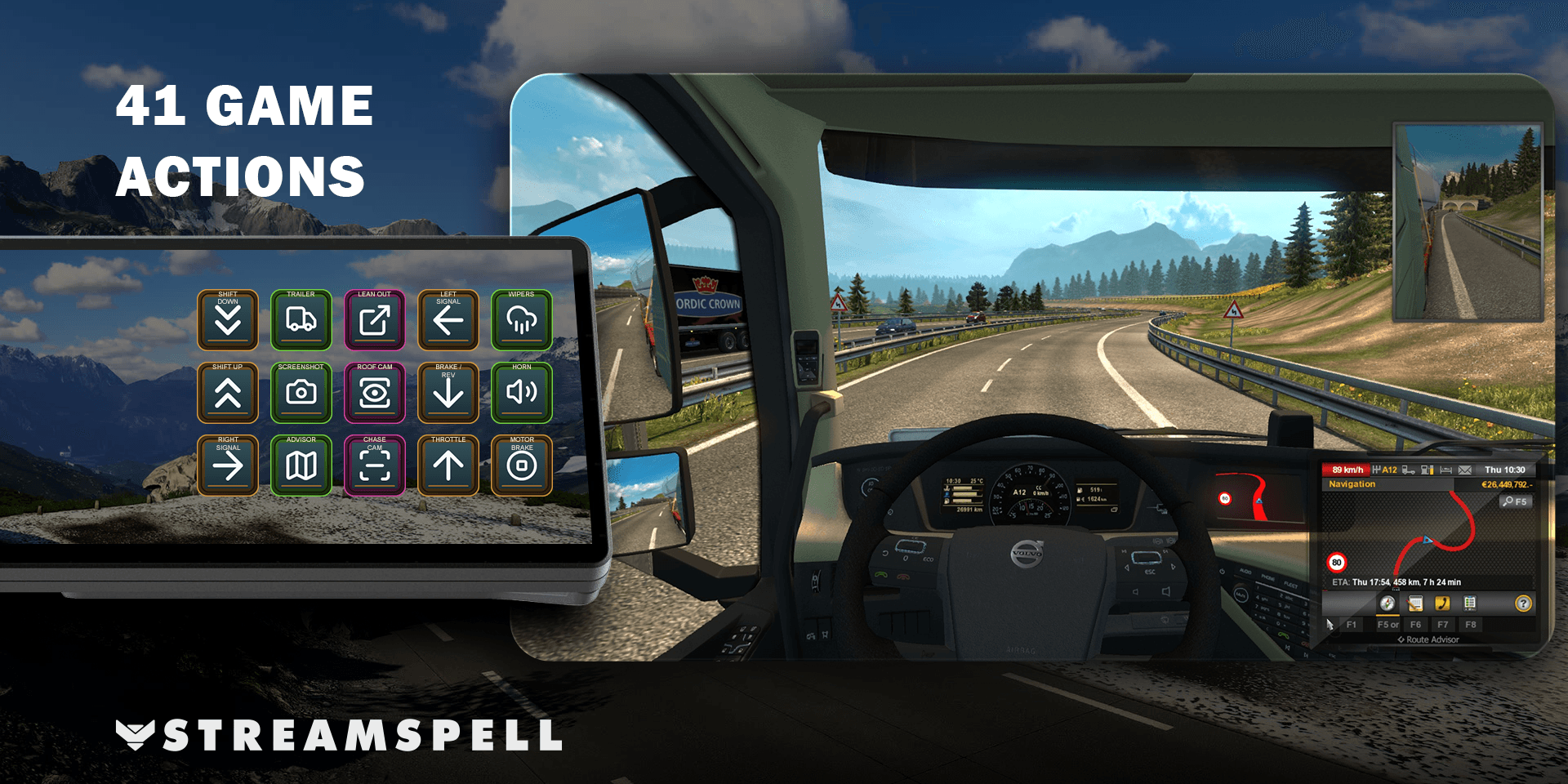
Choose a 15-key or 32-key layout
The download contains two Windows Virtual Stream Deck profiles: 15 keys arranged as 5 × 3, and 32 keys arranged as 8 × 4. Match the virtual grid to the imported file instead of assuming a different grid will preserve the intended layout.
A key-mapping CSV, an installable Stream Deck icon pack and 1,736 matching icons are included. The matching artwork supports personalized cab and utility pages. This is the XENEON-optimized product, not a claim that every other device layout is included.
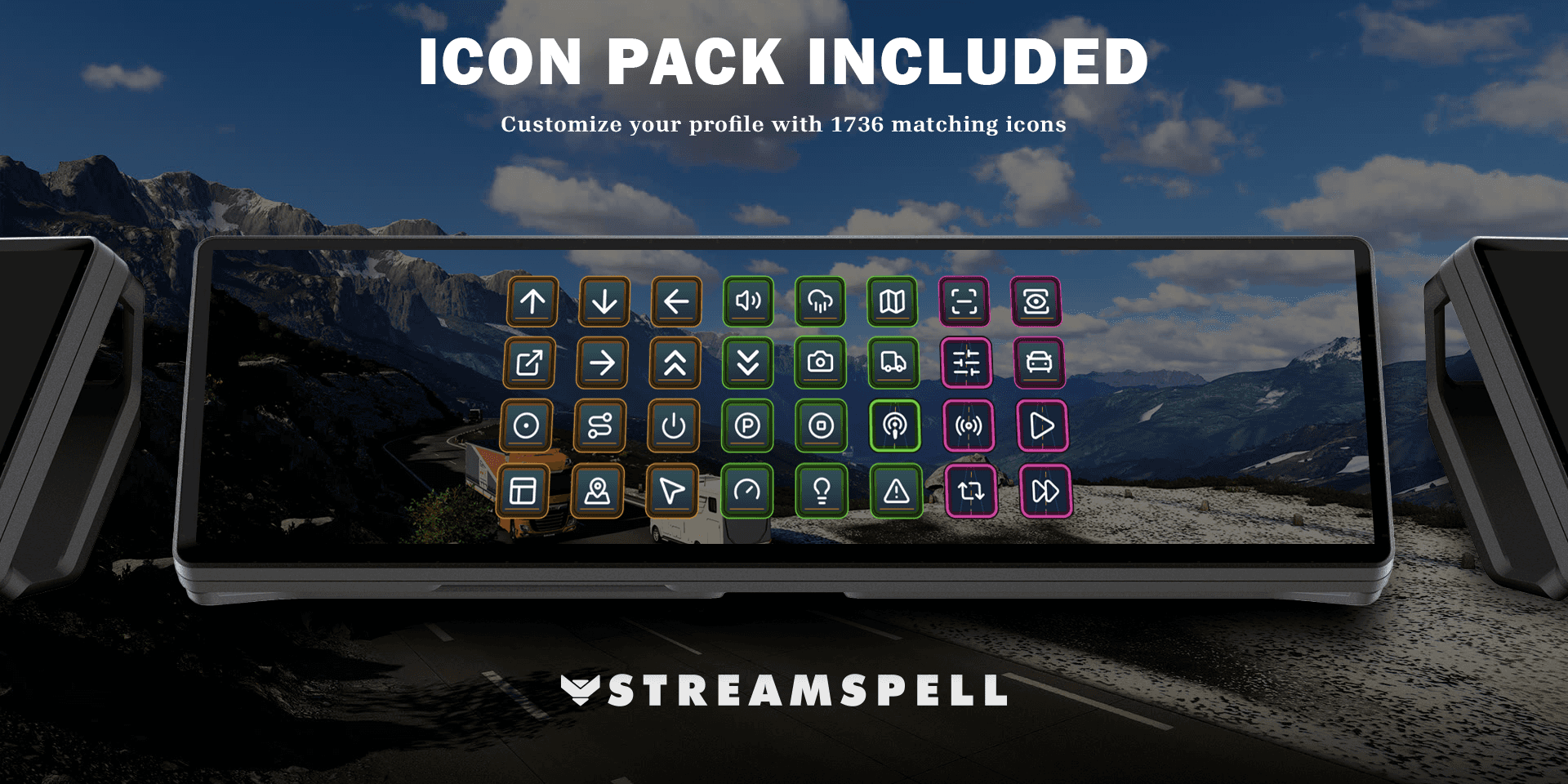
Setup guide: use the profile on XENEON EDGE
These are Windows Virtual Stream Deck files, not a standalone .icuewidget. Use Windows 11, Stream Deck 7.5.0 (22885) or newer, iCUE 5.48.58 or newer and XENEON EDGE firmware 5.48.1 or newer, as required by the listing.
Connect the XENEON EDGE to the Windows PC and confirm its display and touch input work.
In the Stream Deck app, add or select a Virtual Stream Deck device. Elgato documents this in its virtual-device setup guide.
Extract your StreamSpell download, open the desired .streamDeckProfile file and confirm Install.
Use a 5-column × 3-row grid for the 15-key layout, or 8 columns × 4 rows for the 32-key layout. Position the virtual panel on the XENEON EDGE display.
Compare the included key mappings with the game and test a simple command before customizing the layout.
Prefer the dedicated Stream Deck widget inside iCUE? CORSAIR's setup guide covers Screen Setup → iCUE Widgets → adding Stream Deck and trusting the matching connection codes. Keep Stream Deck open. That integration is separate from installing this product's profile file.
Check the game controls before play
Read the included mapping CSV, compare customized keyboard controls and try engine, parking brake, indicators and lights while stationary. Check camera and trailer controls in their appropriate context. Layout recognition does not replace learning what each in-game command does.
Frequently asked questions
Is this an iCUE widget or a Stream Deck profile?
The delivered control layouts are .streamDeckProfile files used in the Elgato Stream Deck app. The XENEON EDGE can display Virtual Stream Deck, and CORSAIR also offers its separate Stream Deck widget integration in iCUE.
Which grid should I use?
Choose 5 × 3 for the 15-key file or 8 × 4 for the 32-key file. Match both the imported layout and your virtual-device grid.
Does it replace my steering setup?
No. It provides keyboard shortcuts and a visible control layout. It does not configure or replace a steering wheel, pedals or your driving decisions.
Get Euro Truck Simulator 2 for XENEON EDGE
See the full listing and get Euro Truck Simulator 2 for XENEON EDGE from the StreamSpell store. The CTA goes to this exact XENEON EDGE product.
Independent StreamSpell product. Not affiliated with or endorsed by the game’s creators, CORSAIR or Elgato. The game, display and required software are not included.
Level up your stream with practical guides for OBS, Twitch, YouTube and Stream Deck.

AI Stream Deck Profile Generator: Build Profiles Faster
Build Stream Deck profiles faster with Deck Smith, a free AI Stream Deck profile generator by StreamSpell.

40 Webcam Overlay Bundle by StreamSpell
Get 40 stream-ready webcam overlays with animated styles, color customization, and themes like anime, neon, RPG, cute, and more.

5 Strategies for Staying Motivated as a Content Creator
Take care of yourself with these quick tips for staying motivated throughout your content creation journey.
Browse All Articles
Browse Stream Overlays