VIEW DEALS

StreamSpell
Elite Dangerous, Stream Deck Profile, Elgato Stream Deck, gaming controls, icon pack, StreamSpell

Elite Dangerous puts a large set of ship functions behind keyboard shortcuts, panels and cockpit states. The Elite Dangerous Stream Deck Profile and Icon Pack turns 24 of those ship commands into labeled Stream Deck buttons organized by purpose.
The goal is not to replace the cockpit or automate flight. It is to give navigation, ship utilities, targeting and panel controls a consistent visual home so you can reach common commands without rebuilding the layout from scratch.
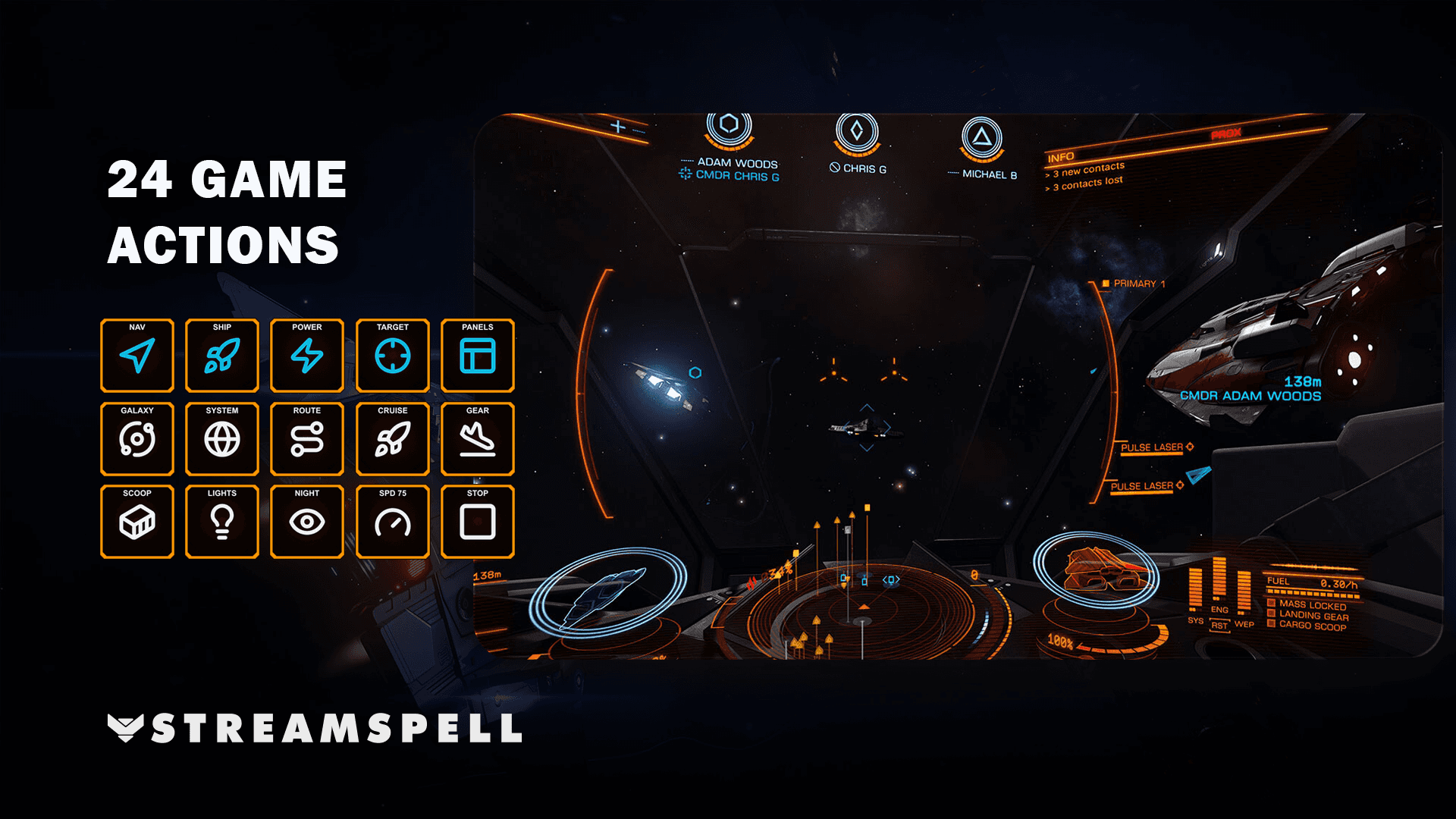
The profile organizes 24 ship shortcuts into focused pages for navigation, ship controls, power, targeting and cockpit panels.
What is included in the Elite Dangerous Stream Deck Profile?
The product includes seven Windows device profiles, a matching icon pack and 31 static PNG icons at 144 × 144 pixels. The supplied layouts use folders to keep every included action accessible on devices with different key counts.
Each button sends one keyboard shortcut. Elite Dangerous still decides whether that command can run based on the ship, installed equipment and current game context.
Navigation and flight shortcuts
The Navigation folder brings together commands that are often spread across maps, route management and flight states:
Open the Galaxy Map.
Open the System Map.
Target the next system in the current route.
Enter supercruise.
Set throttle to 0% or 75%.
These controls make route and speed commands easier to identify visually while keeping the actual piloting decisions with you.
Ship utilities and cockpit controls
The profile also covers common ship functions that are useful during docking, travel and combat:
Ship controls: landing gear, cargo scoop, ship lights, night vision, hardpoint deployment and heat-sink deployment.
Power: one-step adjustments to systems, engines or weapons, plus balanced power distribution.
Targeting: select target ahead, select the highest threat and cycle to the next fire group.
Cockpit: External, Comms, Role and Internal panels, plus cockpit-mode switching.
Grouping related controls reduces the need to remember where individual keys were placed. You can move from a category page to a specific command and return through the same folder structure.
Supported Stream Deck devices
Separate profiles are provided for Stream Deck Mini, Neo, MK2, Plus, Plus XL, XL and Galleon 100 SD. Folder navigation keeps the same command set available across the supported key layouts. Dial controls are not included.
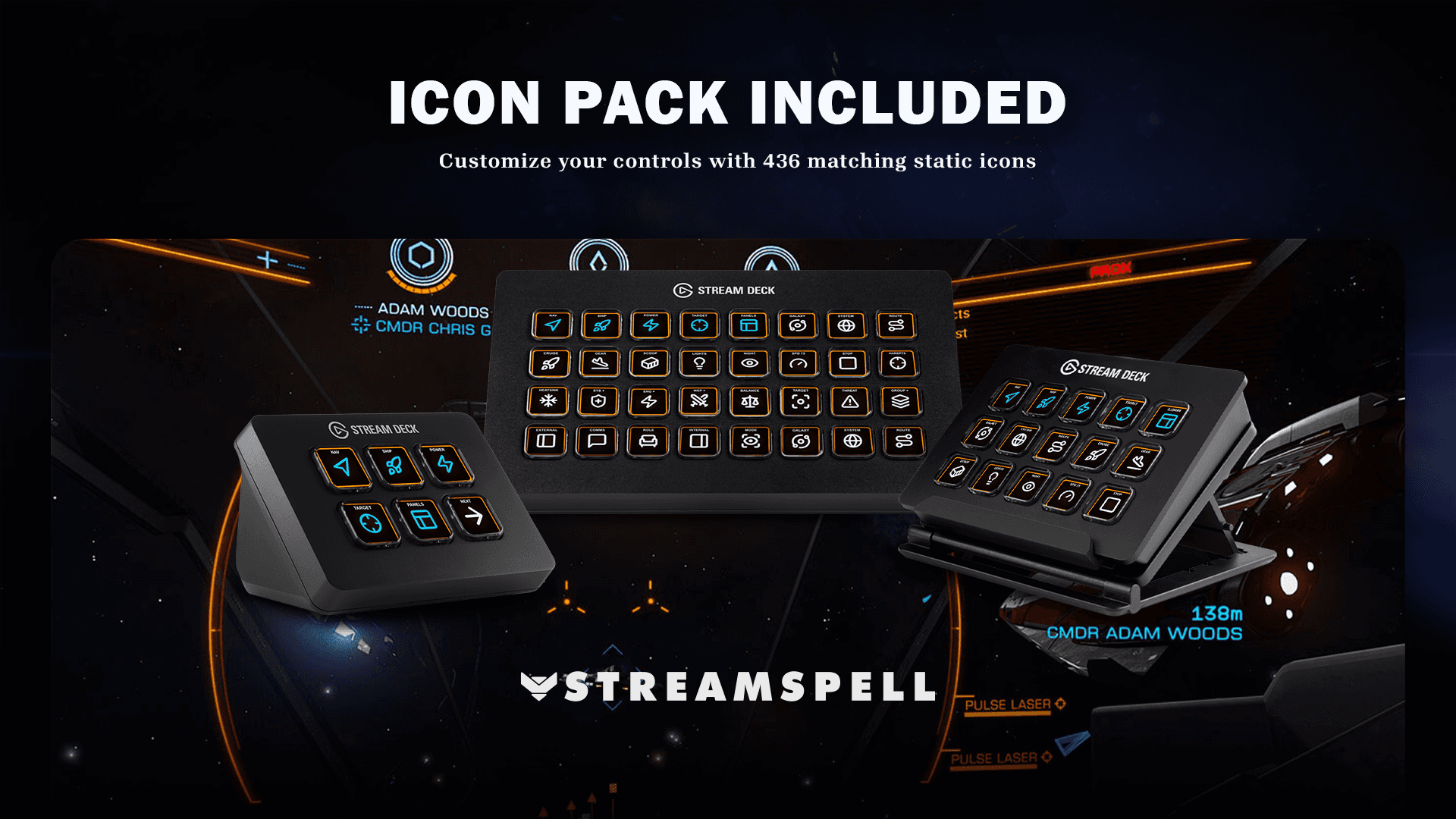
The matching icon pack includes 31 static 144 × 144 PNG icons for profile customization and additional keys.
How to set up the Elite Dangerous profile
Download and extract the product files on your Windows computer.
Import the profile prepared for your exact Stream Deck model.
Open Elite Dangerous PC Live and go to the Ship Controls settings.
Assign the profile’s custom key combinations to their corresponding game actions.
Review each category and test the buttons in an appropriate game context.
All 24 commands use custom key combinations, so the in-game bindings must match before the buttons can work correctly. You can change those combinations if another layout suits your playstyle better, as long as the Stream Deck action and the game binding remain aligned.
For the standard profile import process, see Elgato’s official guide: Download and use Stream Deck Profiles.
What the profile does not include
This product focuses on ship controls. Telemetry features, SRV controls and on-foot controls are not included. It also does not bypass equipment requirements or game states: a shortcut only sends its assigned keyboard command.
Elite Dangerous Stream Deck Profile FAQ
Does the profile fly the ship automatically?
No. It provides buttons for included keyboard shortcuts. You still fly, target, navigate and decide when to use each command.
Can I edit the buttons?
Yes. Imported Stream Deck profiles can be reorganized, and the included icon pack helps custom buttons keep the same visual system.
Which version of Elite Dangerous is required?
The product is designed for Elite Dangerous PC Live on Windows together with the Stream Deck application.
Explore more gaming Stream Deck profiles
Compare more ready-made layouts in StreamSpell’s guide to Stream Deck Profiles for gamers.
Get the Elite Dangerous profile
See the current product details and get the Elite Dangerous Stream Deck Profile and Icon Pack from StreamSpell.
Independent StreamSpell product. Not affiliated with, endorsed by or sponsored by Frontier Developments. Game names and trademarks belong to their respective owners.
Level up your stream with practical guides for OBS, Twitch, YouTube and Stream Deck.

AI Stream Deck Profile Generator: Build Profiles Faster
Build Stream Deck profiles faster with Deck Smith, a free AI Stream Deck profile generator by StreamSpell.

40 Webcam Overlay Bundle by StreamSpell
Get 40 stream-ready webcam overlays with animated styles, color customization, and themes like anime, neon, RPG, cute, and more.

5 Strategies for Staying Motivated as a Content Creator
Take care of yourself with these quick tips for staying motivated throughout your content creation journey.
Browse All Articles
Browse Stream Overlays