VIEW DEALS

StreamSpell
Elder Scrolls Online Stream Deck Profile + Icons, Stream Deck Profiles, Stream Deck Icons

Keep ESO ability slots, travel tools and everyday menus together on Stream Deck. This profile organizes 38 keyboard shortcuts across Combat, Adventure, Menus and Social, with matching icons and device-specific Windows layouts.
The profile follows your character’s setup. Ability keys use equipped skills, a quickslot needs an assigned item, and weapon swapping remains subject to the game’s unlock requirements. Wheels open the native selection interface; the profile does not choose an emote, ally, tool or item automatically.
View Elder Scrolls Online Stream Deck Profile + Icons on Elgato Marketplace.
Features and controls
Combat: Ability slot 1, Ability slot 2, Ability slot 3, Ability slot 4, Ability slot 5, Ultimate ability, Swap weapon bars, Activate synergy, Cycle preferred enemy target, Use selected quickslot, Utility and emote wheel, Sheathe or unsheathe weapon.
Adventure: Interact with world, Mount or dismount, Jump, Sprint, Toggle stealth, Toggle autorun, First or third person, Toggle cursor, Cycle active quest objective.
Menus: Inventory, Character screen, Map, Quest journal, Skills, Collections, Guilds, Alliance War, Notifications, Housing editor, Last used menu, Help, Game menu.
Social: Contacts, Group and activity finder, Player interaction wheel, Open chat.
Includes seven Windows .streamDeckProfile files, an installable .streamDeckIconPack, 810 static PNG icons (144 × 144) in both colour variants, and Key-Mapping.csv.
Compatibility: Stream Deck Mini, Neo, MK2, +, + XL, XL and CORSAIR Galleon 100 SD; Windows; Stream Deck app. No additional game mods required.
Use the default PC keyboard bindings with keyboard and mouse mode. Ability slots require equipped skills; weapon swap unlocks at level 15. Quickslot item must be assigned. Hold Q for the native utility wheel, then select items, allies, mementos, emotes or tools manually; no emote text macros. Hold actions use Key Logic. Player interaction requires a nearby player; Housing requires being in a home. The weapon-swap key uses the US grave-accent key; match the binding on other keyboard layouts. No game mods or gameplay macros.
Import and check your layout
Choose the profile file for your supported device and import it into the Stream Deck application. Keep the original download so you can return to the supplied layout after personalizing your buttons.
Compare the supplied actions with your current game or application bindings. Check commands in their intended context before relying on them during a session.
For the import process, see Elgato’s official guide to downloading and using profiles.

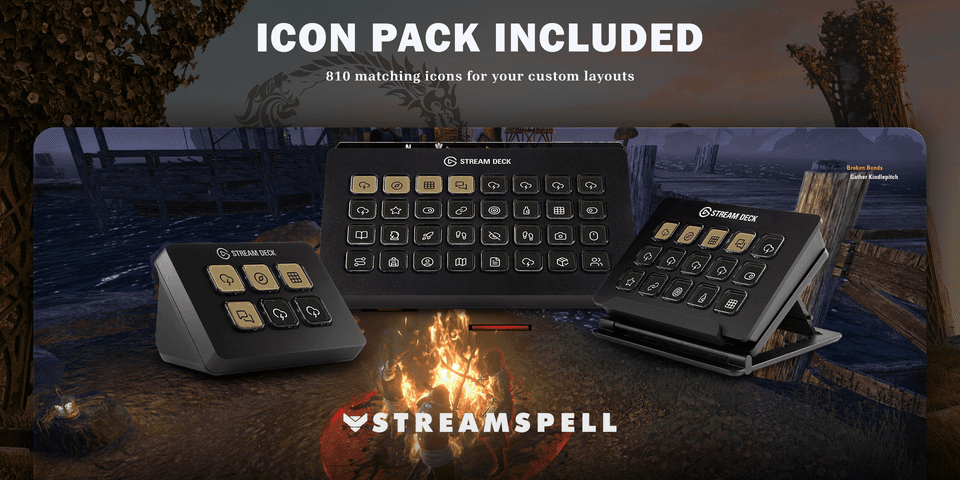
Get Elder Scrolls Online Stream Deck Profile + Icons on Elgato Marketplace
Check the current listing for the included files, device compatibility and setup requirements, then get Elder Scrolls Online Stream Deck Profile + Icons. The linked product is the exact StreamSpell Marketplace listing described in this guide.
Level up your stream with practical guides for OBS, Twitch, YouTube and Stream Deck.

AI Stream Deck Profile Generator: Build Profiles Faster
Build Stream Deck profiles faster with Deck Smith, a free AI Stream Deck profile generator by StreamSpell.

40 Webcam Overlay Bundle by StreamSpell
Get 40 stream-ready webcam overlays with animated styles, color customization, and themes like anime, neon, RPG, cute, and more.

5 Strategies for Staying Motivated as a Content Creator
Take care of yourself with these quick tips for staying motivated throughout your content creation journey.
Browse All Articles
Browse Stream Overlays