
VIEW DEALS
Daniel Mayhe
Custom Stream Design, Stream Overlays, Twitch Overlays, Stream Branding, Animated Overlays

Blaze's custom stream design began with a clear creative goal: build a broadcast interface with the confidence and energy of a modern Japanese role-playing game, then make it unmistakably Blaze through character-led composition, a fire-driven palette, and purpose-built animation.
StreamSpell developed that direction into a coordinated package of animated screens, overlays, alerts, panels, a webcam frame, and a scene transition. Client-provided character artwork was integrated into the custom interface, creating a result that feels cinematic and game-inspired without becoming a literal recreation of another title.
Want a custom stream identity built around your own character, theme, or community? Send StreamSpell a custom design request.
You can also explore the StreamSpell portfolio to see more custom stream design work.
Defining a Fire-Powered JRPG Direction
The visual language is built around contrast. Deep black and bright white provide a graphic base, while orange, red, and yellow introduce heat, movement, and focus. Translucent orange shapes allow layers to overlap without making the screen feel heavy.
Sharp angles, large silhouettes, strong shadows, and floating interface fragments give the package its modern JRPG energy. At the same time, recurring flame shapes and character-led compositions turn that broad influence into a specific identity for Blaze.
Even small decorative decisions follow the same logic. Star and sun-like symbols replace more generic motifs, linking the interface back to heat and light. The system is expressive, but its hierarchy stays clear enough for labels, gameplay, and camera content.
Designing the Interface Language
A custom stream package has to work across more than one hero screen. The Blaze system applies its geometry to Starting Soon, Be Right Back, Ending, and Intermission layouts, then carries the same design into panels, webcam framing, and an additional overlay slot.
That repetition is intentional. Angled panels, cropped shapes, character-led composition, and orange accents become reusable rules rather than one-off decorations. As viewers move from one scene to another, the placement changes but the identity remains stable.
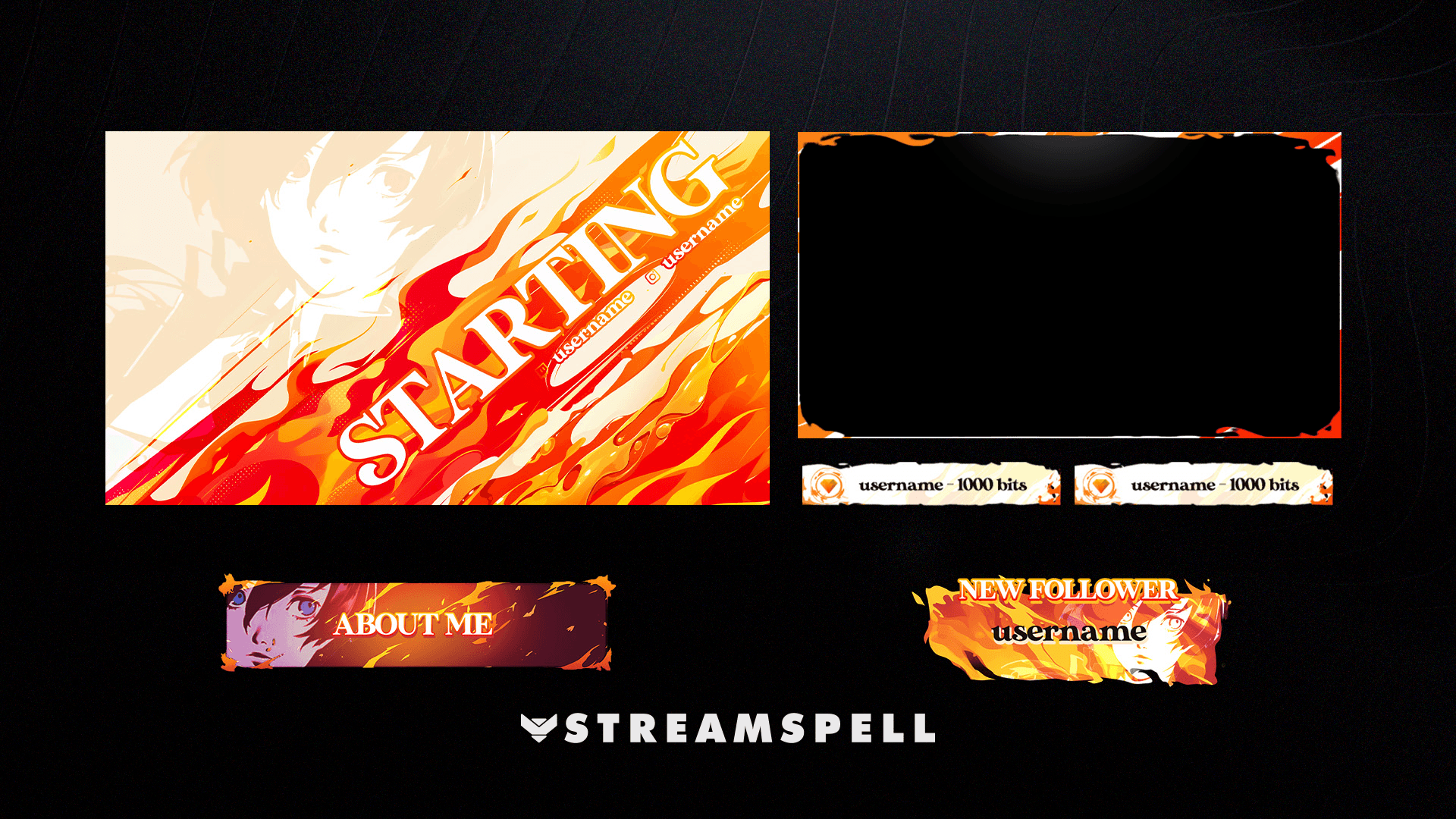
The Blaze asset system carries the same flame palette and angular interface language across screens, webcam framing, labels, panels, and alerts.
Character-Led Composition at the Center of the Package
Character art gives the interface an emotional focal point. The artwork supplied for the project appears across the screens and becomes part of the transition concept, making the package feel connected to Blaze rather than a general fire theme.
The layouts are designed around those poses instead of simply placing a character render on top of a finished template. Negative space, shadows, and interface fragments support the silhouette, leaving usable areas for broadcast information while keeping the artwork visually dominant.
Animated Screens with Controlled Energy
The completed screens use motion to maintain the feeling of an active game interface. Floating graphic elements, animated fire, lighting shifts, and character movement give the layouts energy while the key text areas remain readable.
This balance matters for a live broadcast. A Starting Soon screen can feel dramatic, but it still needs to communicate timing and status immediately. A Be Right Back or Intermission scene needs atmosphere without distracting from the information or content placed over it. The Blaze package treats motion as part of the hierarchy rather than a layer added everywhere at equal intensity.
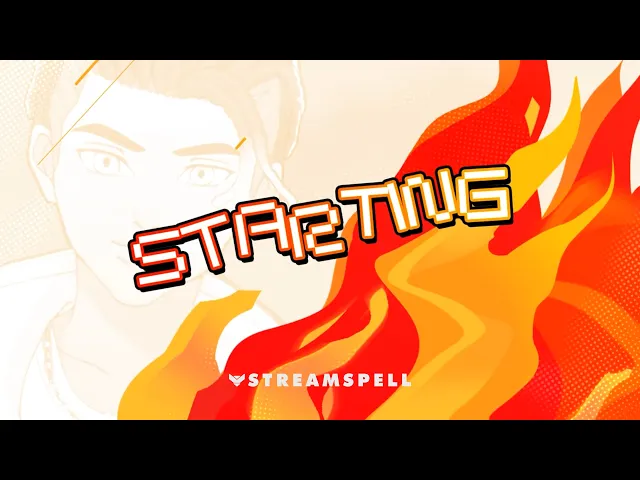
The animated Starting Soon screen demonstrates how the character artwork, sharp interface geometry, and fire-driven motion share one visual system.
A Transition Built Around the Character
The custom transition compresses the package's central ideas into a short broadcast moment. Blaze's character becomes a flame silhouette as the scene changes, connecting character identity, fire, and motion in one recognizable gesture.
Because the transition uses the same shapes and visual energy as the screens, it does not feel like a separate effect. It acts as the bridge between layouts and keeps the experience cohesive whenever the streamer moves from gameplay to chat, an intermission, or another scene.
Alerts and Supporting Assets in the Same Visual Voice
Alerts, panel sets, webcam framing, and overlay components extend the visual system into everyday stream interactions. Their role is practical, but their shapes, colors, and animation cues still reinforce Blaze's identity.
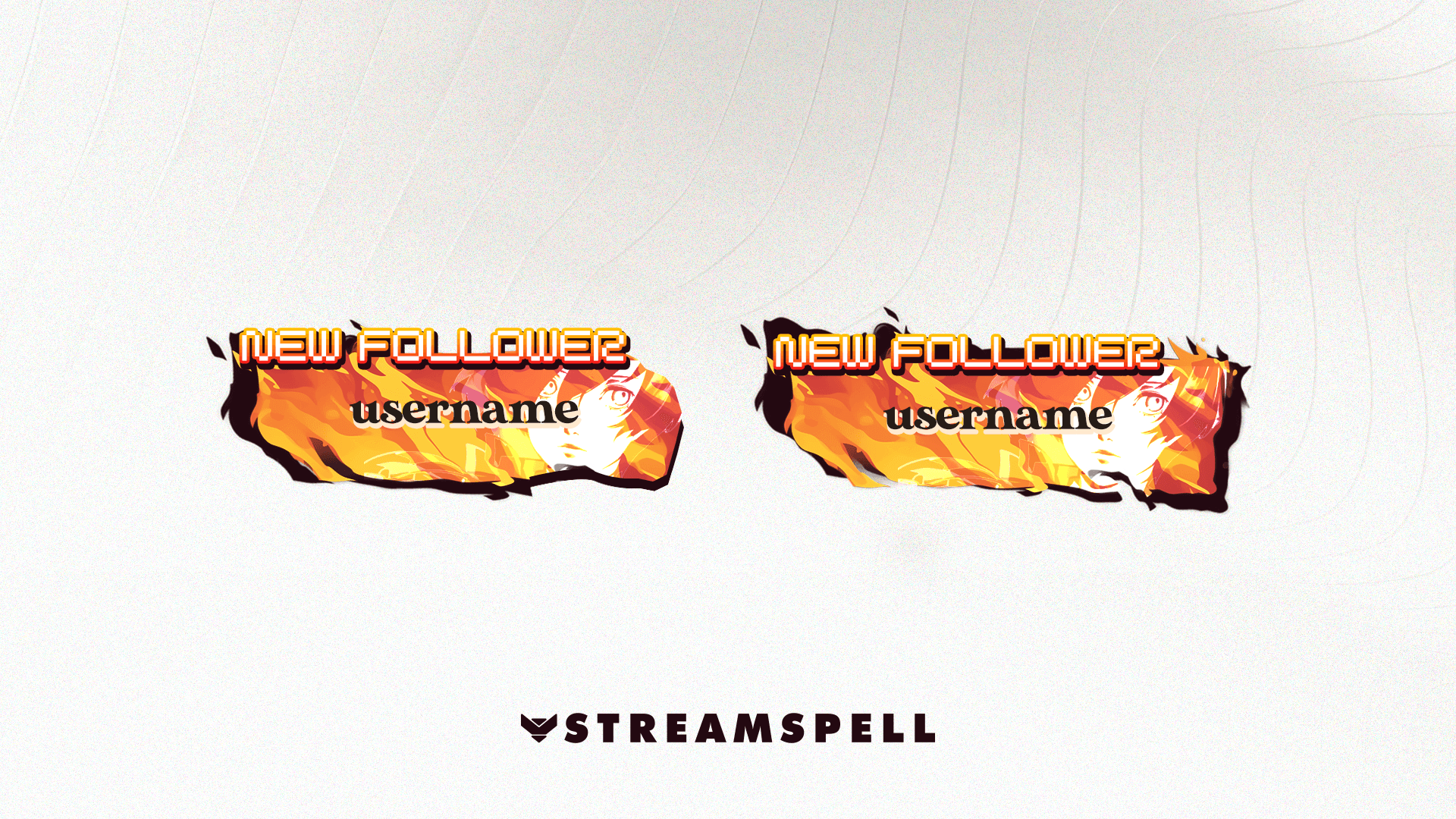
Two follower alert treatments combine flame shapes, character-led composition, and the package's bold display typography.
This is where a custom design system provides value beyond a single impressive screen. Repeated elements make viewer alerts, scene changes, profile panels, and camera layouts feel like parts of one experience. The audience sees the same visual voice whether they are watching an animated intro or reading a small information panel.
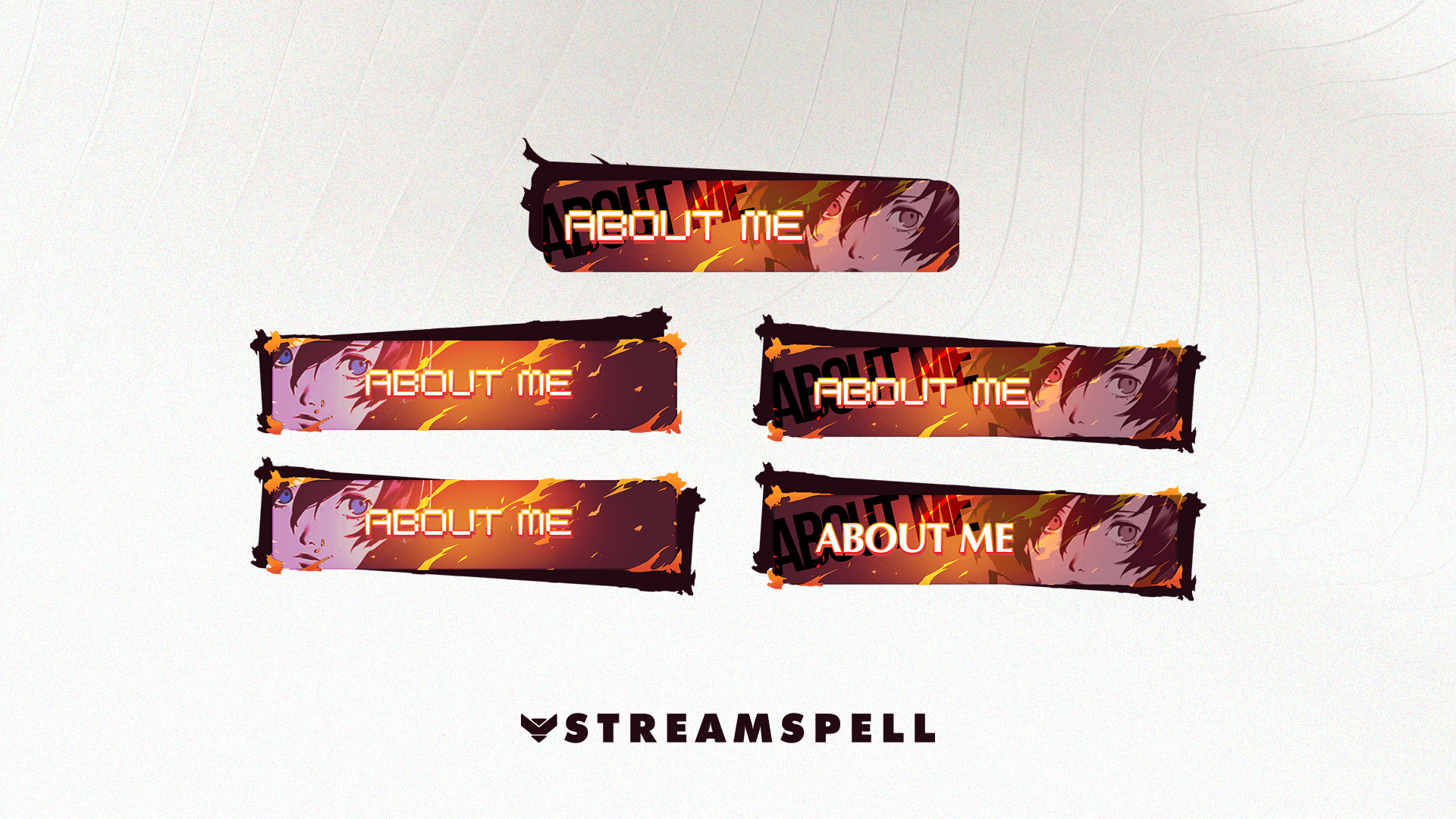
Panel variations keep the same orange, red, black, and white visual language while adapting the character crop and label treatment.
What Makes the Blaze Stream Design Work
The finished package is effective because it turns inspiration into rules rather than imitation. Its JRPG influence can be felt in the composition, contrast, and interface rhythm, but the final identity is built around Blaze's character-led visual direction and fire theme.
Three decisions hold the system together:
A disciplined palette: black and white establish clarity, while orange, red, and yellow control emphasis and heat.
Character-led layouts: screen composition responds to the supplied character artwork instead of treating it as an interchangeable decoration.
Consistent motion language: floating forms, flames, glow, and silhouette animation connect scenes, alerts, and transitions.
The result is a custom stream design with the pace of a game interface and the personality of an original creator brand. It demonstrates how a familiar genre influence can become something distinctive when the visual system is rebuilt around custom artwork, clear constraints, and a strong central motif.
Start Your Own Custom Stream Design
If you want a stream package built around your own character, theme, or visual direction, StreamSpell can create custom overlays, alerts, scenes, transitions, and supporting channel artwork as one cohesive system.
💙 Extra Resources
Thank you for following our blog!
See you in the next post 💙
Level up your stream with practical guides for OBS, Twitch, YouTube and Stream Deck.

AI Stream Deck Profile Generator: Build Profiles Faster
Build Stream Deck profiles faster with Deck Smith, a free AI Stream Deck profile generator by StreamSpell.

40 Webcam Overlay Bundle by StreamSpell
Get 40 stream-ready webcam overlays with animated styles, color customization, and themes like anime, neon, RPG, cute, and more.

5 Strategies for Staying Motivated as a Content Creator
Take care of yourself with these quick tips for staying motivated throughout your content creation journey.
Browse All Articles
Browse Stream Overlays