
VIEW DEALS
Julia Pazin
Stream Widgets

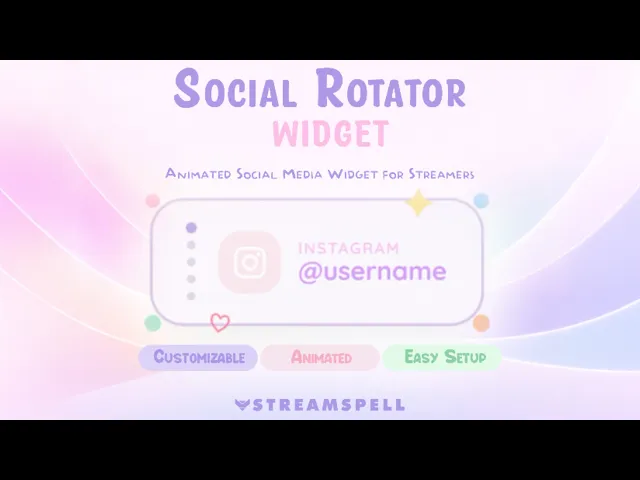
If you want a clean way to display your social media during streams without cluttering your screen, a Social Rotator Widget is one of the best solutions.
⚡ New from StreamSpell: Deck Smith — AI-powered Stream Deck Profile Builder. Type one prompt, get a download-ready profile for any device. Try it free →
Instead of placing multiple static icons, this widget rotates through your social profiles automatically, keeping your layout minimal while still promoting your platforms.
✨ Social Rotator Widget✨
This widget was designed for streamers who want a cute, modern, and clean stream setup, while still making their social media visible to viewers.
It cycles through your socials with a smooth animation, showing your platform, icon, and username in a compact layout.
What makes it different
Animated rotation between social profiles
Clean and minimal design
Cute pastel-friendly style
Doesn't clutter your stream layout
What you can customize
This widget gives you control over how it looks and behaves:
Add multiple social media profiles
Add your own custom social platform
Set your @username for each platform
Adjust how long each social appears
Customize colors:
Text
Icons
Background
Decorative elements
Perfect for these stream styles
Just Chatting streams
Cozy and cute setups
Minimal overlays
Streamers who want a clean UI
Content creators growing their socials
Easy setup (StreamElements)
Getting started is simple:
Open the install file after purchase
It will open in StreamElements
Click Edit
Add your socials and customize colors
Click Save
Add your overlay link as a Browser Source in OBS or Streamlabs
Why use a Social Rotator Widget?
Promoting your social media is important, but filling your screen with icons can make your stream look messy.
A rotator solves this by:
Showing one platform at a time
Keeping your layout clean
Still giving visibility to all your socials
It's a small detail that makes your stream look more professional and organized.
Start showing your socials the right way ✨ Get yours here ✨
💙Extra Resources
Find more animated stream overlays, animated stream alerts, animated transitions, Stream Deck Icons, emotes and badges, stream widgets (Chat Box, Event List, Goal Bar), and custom stream designs:
🎮 Build Your Stream Deck Profile with AI
StreamSpell also just launched Deck Smith — an AI-powered Stream Deck Profile Builder. Just type a prompt and get a complete, download-ready Stream Deck profile adapted for any device.
Thank you for following our blog!
See you in the next post 💙
Level up your stream with practical guides for OBS, Twitch, YouTube and Stream Deck.

AI Stream Deck Profile Generator: Build Profiles Faster
Build Stream Deck profiles faster with Deck Smith, a free AI Stream Deck profile generator by StreamSpell.

40 Webcam Overlay Bundle by StreamSpell
Get 40 stream-ready webcam overlays with animated styles, color customization, and themes like anime, neon, RPG, cute, and more.

5 Strategies for Staying Motivated as a Content Creator
Take care of yourself with these quick tips for staying motivated throughout your content creation journey.
Browse All Articles
Browse Stream Overlays