
VIEW DEALS
Julia Pazin
Best Stream Overlays, Stream Widgets

IRL streams are all about connection. Instead of focusing on gameplay, the camera, the conversation, the mood and the creator’s personality become the heart of the stream.
That means your stream overlay should support the content without taking too much attention away from the moment. For IRL streams, Just Chatting, lifestyle content, coffee streams, study sessions, music streams and cozy creators, the best setup usually feels clean, readable, personal and easy to adapt.
Below, we selected some StreamSpell stream overlays and widgets that match the IRL vibe, from cozy bedroom overlays to coffee-inspired stream packages, social media widgets and Spotify widgets for music-focused streams.
What Are IRL Streams?
IRL streams are live broadcasts focused on real-life content instead of gameplay. They can include Just Chatting, travel streams, cooking streams, coffee chats, study sessions, music streams, events, lifestyle content, daily vlogs and casual community hangouts.
Because the creator and the camera are usually the main focus, IRL stream overlays should be clean, readable and flexible. A good IRL overlay helps organize your stream without covering too much of the screen.
Best Types of Overlays for IRL Streams
The best IRL stream setup depends on your content style, but most creators can benefit from a few essential assets:
Just Chatting overlays
Webcam overlays
Chat box widgets
Event list widgets
Goal bar widgets
Social media widgets
Spotify widgets
Starting Soon, BRB and Ending screens
Vertical screens for mobile-friendly content, when available
For IRL creators, the goal is not to make the stream look overloaded. The best overlays help your content feel polished while keeping the focus on you, your space and your audience.
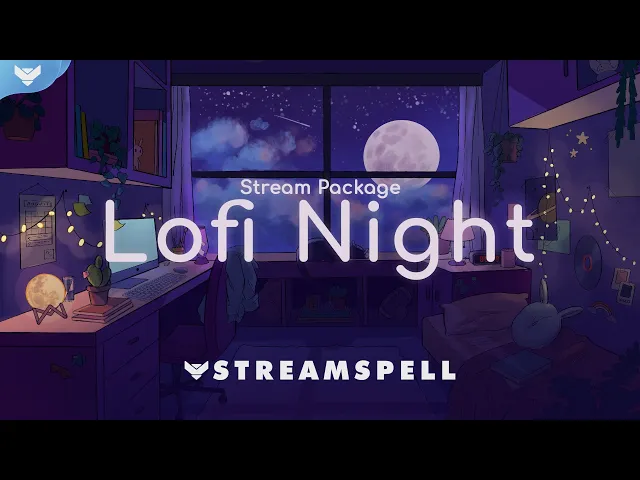
Lofi Night Stream Package for Cozy IRL Streams
The Lofi Night Stream Package is one of the best options for cozy IRL streams, late-night chats, study sessions and relaxed Just Chatting content.
This relaxing animated overlay bundle is inspired by bedroom scenes and lofi visuals, making it a natural fit for calm streams and personal creator spaces. It includes 10 animated screens, including Start, BRB, End, 6 Just Chatting screens and vertical screens for dual-output and multistreaming.
The package also includes 12 animated alerts with sound effects, stream widgets, webcam overlays in 16:9, 4:3 and 9:16, modular stream labels, 41 stream panels, an animated stinger transition, social media headers, source files, editable files and more.
For IRL creators, Lofi Night works especially well because it creates a cozy atmosphere without taking attention away from the conversation. If your content includes night talks, study sessions, reading, chill music or soft lifestyle streams, this package fits naturally.
Perfect for:
Cozy IRL streams
Just Chatting streams
Study and reading sessions
Late-night streams
Calm lifestyle content
Lofi and chill music streams
Twitch, YouTube and OBS creators
Coffee Lovers Stream Package for Coffee and Lifestyle Streams
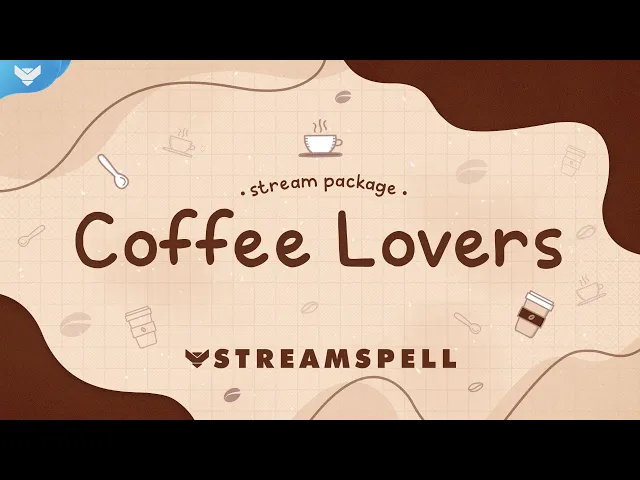
The Coffee Lovers Stream Package is a strong choice for IRL creators who build their content around coffee, morning routines, casual conversations or cozy lifestyle streams.
Inspired by Espresso, Americano, Cappuccino and Macchiato, this package brings a warm café-inspired aesthetic to your channel. It includes 4 animated screens, now with vertical screens and dual-output support for multistreaming, plus an offline screen, Live Now screen, 12 animated alerts with sound effects, webcam frames, modular stream labels, 43 stream panels, an animated stinger transition, social media headers, source files and more.
The package also includes custom widgets for Donation Goal, Event List and Chat Box for Streamlabs Desktop only. These can be useful for creators who want their coffee streams, Just Chatting sessions or casual IRL content to feel more interactive and polished.
Coffee Lovers is especially good for streamers who want their channel to feel warm, relaxed and community-friendly.
Perfect for:
Coffee streams
Morning routine streams
Cozy Just Chatting
Lifestyle creators
Café-inspired stream setups
Chill community streams
Twitch, YouTube, Kick and OBS creators
Magic East Stream Package for Calm IRL and Travel-Inspired Streams
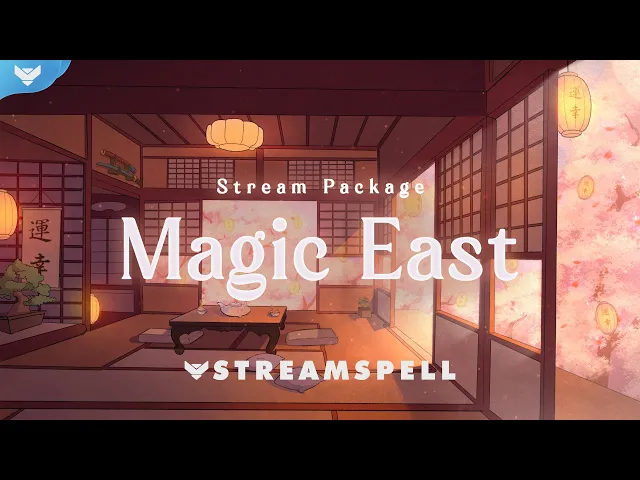
The Magic East Stream Package brings a calm, elegant and atmospheric look that can work beautifully for IRL streams with a softer visual direction.
With traditional oriental-inspired scenery, garden landscapes, floating lanterns, bird sounds in the alerts, animated screens, webcam frames, stream panels, modular labels, social media graphics and an animated stinger transition, this package is great for creators who want something peaceful but visually distinct.
For IRL content, Magic East can fit tea streams, calm Just Chatting, cultural content, travel-inspired streams, cozy exploration, journaling sessions and lifestyle creators who want a more delicate aesthetic.
The package has a relaxing atmosphere that helps your stream feel immersive without turning it into a heavy gaming-style layout.
Perfect for:
Calm IRL streams
Tea and cozy chat streams
Travel-inspired content
Cultural or lifestyle streams
Relaxing Just Chatting
Soft aesthetic stream setups
OBS, Streamlabs and StreamElements users
Pixel Lofi Stream Package for Music, Lofi and Just Chatting Streams
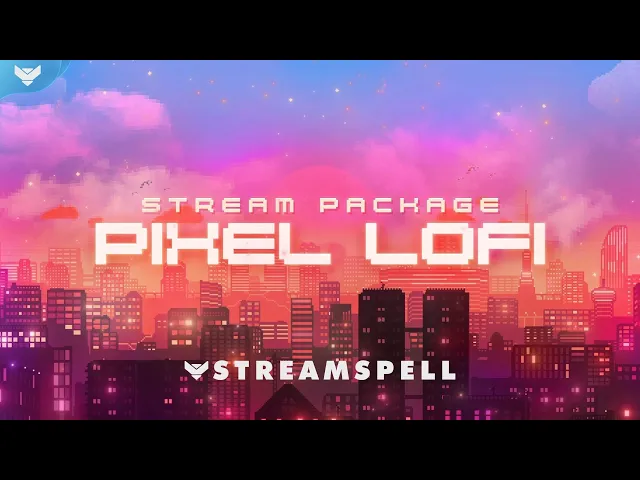
The Pixel Lofi Stream Package is a great fit for creators who want an IRL setup with a more playful, city-night and pixel-inspired mood.
This package features city lights, pixel-style visuals, pink and purple alerts, 4 animated screens, an offline screen, 12 animated alerts with sound effects, a 16:9 webcam frame, modular stream labels, 43 stream panels, an animated stinger transition, social media headers, source files and font files.
For IRL streams, Pixel Lofi works especially well for chill talks, music streams, night routines, casual desk setups, creative streams and creators who like a soft digital aesthetic without going full esports.
It is a good option for creators who want a cozy stream overlay with more color, movement and personality.
Perfect for:
Chill IRL streams
Night lifestyle content
Music and lofi streams
Casual Just Chatting
Pixel-inspired stream setups
Cozy creators with a colorful style
Twitch, YouTube and OBS creators
Social Media Widget for IRL Creators
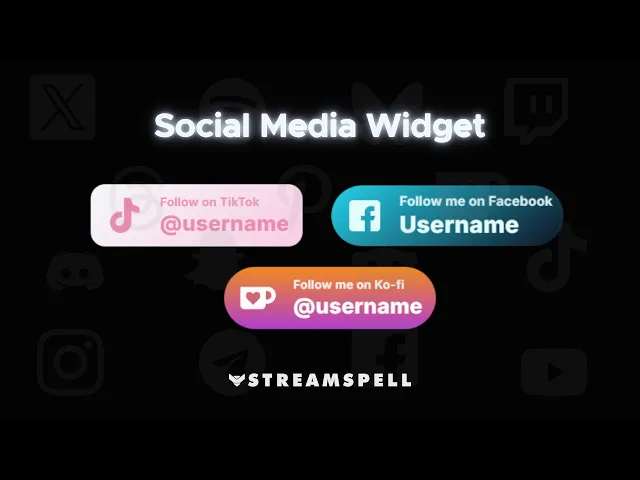
The Social Media Widget is a very useful add-on for IRL creators because this type of content often depends on community, personality and cross-platform presence.
This sleek and lightweight widget automatically cycles through your profiles, including TikTok, Instagram, YouTube, X/Twitter, Discord and more. It is perfect for Starting Soon, BRB, Intermission and Chatting screens, helping viewers find your other platforms without cluttering your layout.
The widget is built for StreamElements and also works with OBS Studio and Streamlabs via Browser Source. You can customize timing, text size, text color, background style, gradient colors, opacity, angle, border radius, icon size, icon color and up to 6 social profiles.
For lifestyle streamers, IRL creators and Just Chatting channels, this widget helps keep your social links visible in a clean and professional way.
Perfect for:
IRL creators promoting social channels
Just Chatting screens
Starting Soon and BRB scenes
Lifestyle streamers
TikTok, Instagram and YouTube creators
Clean stream layouts
OBS and Streamlabs users via Browser Source
StreamSpell Spotify Widget for Music-Focused IRL Streams
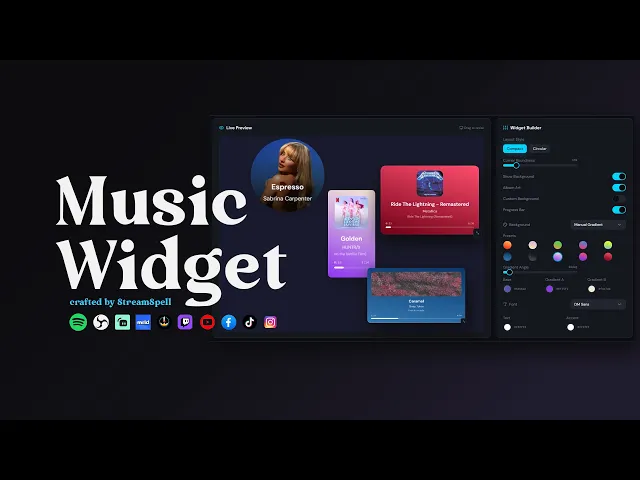
The StreamSpell Spotify Widget is a great match for IRL streams where music helps define the mood.
It displays your current Spotify track on stream and can be used in OBS Studio, Streamlabs, Meld Studio, StreamElements, Twitch, YouTube, Kick, TikTok Live and any platform or app that supports browser sources.
For IRL creators, this is especially useful for cozy streams, study sessions, work-with-me streams, coffee streams, music-focused Just Chatting and lifestyle content. The widget is customizable, with layout, colors, shape, fonts, custom background and a dynamic gradient background that updates automatically according to the colors of the song’s album cover.
It is also fast to set up. You can create your widget through the StreamSpell Music Widget app, copy your widget URL and paste it as a browser source in your streaming app.
Perfect for:
Music-focused IRL streams
Cozy and lofi streams
Study and work-with-me content
Coffee streams
Just Chatting
Lifestyle creators
Twitch, YouTube, Kick and TikTok Live creators
What Makes a Good IRL Stream Setup?
For IRL streams, the best overlay is not always the loudest one. Since your camera, environment and personality are usually the main focus, your design should help organize the stream without covering too much of the screen.
A good IRL stream setup usually includes a clean webcam frame, readable chat box, event list, goal bar, social media widget, music widget and Starting Soon, BRB and Just Chatting screens.
This is why cozy, lofi, coffee, lifestyle and soft aesthetic stream packages can work so well for IRL creators. They help build a visual identity for your channel while keeping the stream easy to watch.
Best Stream Overlays for Different IRL Styles
For cozy IRL and late-night streams, Lofi Night is one of the strongest options because of its bedroom-inspired visuals, soft atmosphere, vertical screens, widgets and complete package structure.
For coffee, morning routine and café-inspired streams, Coffee Lovers brings a warm and charming look that fits casual conversations, relaxed community content and lifestyle streams.
For tea, cultural, calm or travel-inspired streams, Magic East offers a peaceful visual identity with garden scenery, lanterns and soft animated details.
For music, night routines and pixel-inspired creators, Pixel Lofi adds more color and personality while still keeping a chill atmosphere.
For creators who want better engagement and discoverability, the Social Media Widget and Spotify Widget are excellent additions because they help viewers connect with your content beyond the current stream.
Why IRL Creators Should Use Stream Overlays and Widgets
IRL content can feel casual, but that does not mean the stream needs to look unfinished. A clean overlay can help viewers understand your channel, follow your socials, see alerts, track goals and enjoy the mood of your stream.
For Twitch, YouTube, Kick and TikTok Live creators, overlays and widgets can make IRL content feel more intentional. They help transform a simple camera feed into a branded stream experience.
The best part is that you do not need a heavy gaming-style setup. For IRL streams, a soft visual identity, a few useful widgets and readable screens can already make your channel feel more complete.
💙 Extra Resources
Want to explore more stream overlays, widgets, Stream Deck assets and creator tools in one place? Visit the new StreamSpell Store here.
Find more animated stream overlays, animated stream alerts, animated transitions, Stream Deck Icons, emotes and badges, stream widgets, Chat Box, Event List, Goal Bar and custom stream designs:
Thank you for following our blog!
See you in the next post 💙
Level up your stream with practical guides for OBS, Twitch, YouTube and Stream Deck.

AI Stream Deck Profile Generator: Build Profiles Faster
Build Stream Deck profiles faster with Deck Smith, a free AI Stream Deck profile generator by StreamSpell.

40 Webcam Overlay Bundle by StreamSpell
Get 40 stream-ready webcam overlays with animated styles, color customization, and themes like anime, neon, RPG, cute, and more.

5 Strategies for Staying Motivated as a Content Creator
Take care of yourself with these quick tips for staying motivated throughout your content creation journey.
Browse All Articles
Browse Stream Overlays