VIEW DEALS

StreamSpell
Battle Pet Hunter

Battle Pet Hunter is a free iCUE Widget for World of Warcraft pet collectors. It brings a bundled battle-pet catalog, Letter and Source filters, acquisition details, Owned and Tracking views, optional Battle.net collection checks and direct Wowhead links to a supported CORSAIR dashboard LCD device.
View Battle Pet Hunter on Elgato Marketplace.
What is Battle Pet Hunter?
Battle Pet Hunter is a compact companion for discovering and organizing World of Warcraft battle pets. You can browse the included catalog without connecting an account, then optionally pair Battle.net when you want to compare the catalog with your collection through a manual refresh.
Who is this iCUE Widget for?
It is designed for pet collectors, pet-battle players and completionists who want a quick reference beside World of Warcraft. The widget helps answer three practical questions: which pet should I pursue, where does it come from and have I already collected it?

Battle Pet Hunter places the World of Warcraft battle-pet catalog and its source filters on a compact CORSAIR display.
What can you do with Battle Pet Hunter?
Browse pets by letter or acquisition source
Use the Letter and Source filters to narrow the bundled catalog. Verified source groups include drops, quests, vendors, achievements and pet battles. Six pet cards appear per page, keeping the browsing flow readable on the smaller display.
Open pet details and Wowhead research
Select a pet card to open the detail view. Battle Pet Hunter shows the available acquisition information and links directly to the relevant Wowhead page when you need a fuller guide.
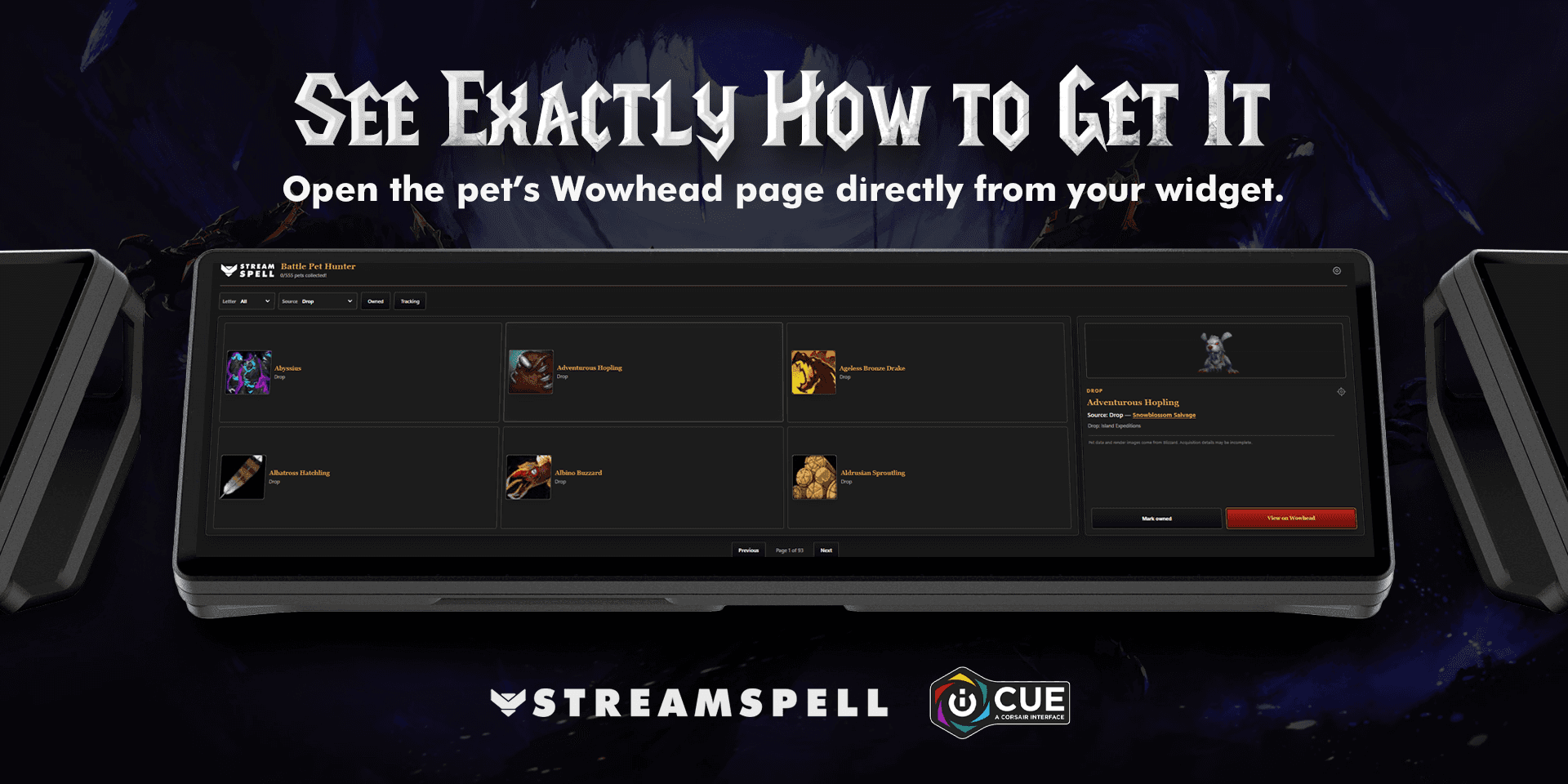
The selected pet view shows acquisition details and provides a direct path to its Wowhead guide.
Manage owned pets and active targets
Use Owned to focus on pets already collected and Tracking to keep a short list of future targets. Local controls let you mark a pet as owned, update tracking and retain those choices. When a manual Battle.net check finds a newly collected pet, the widget includes a celebration and acknowledgement flow.
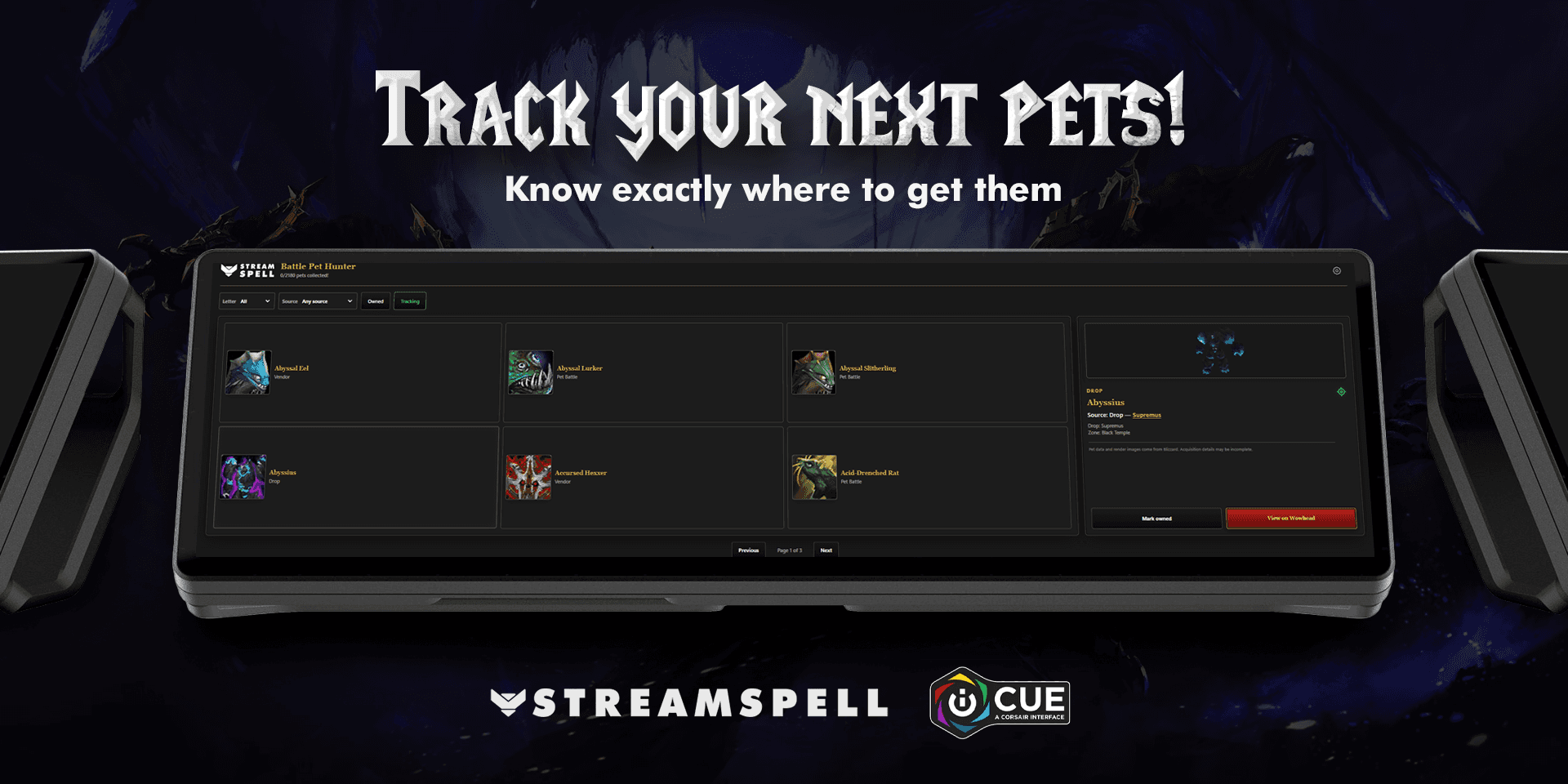
Tracking keeps the battle pets you want next separate from the wider World of Warcraft catalog.
How to install Battle Pet Hunter in CORSAIR iCUE
Battle Pet Hunter is packaged as an .icuewidget file. Install it with the official iCUE import flow:
Download the Battle Pet Hunter .icuewidget file from its Elgato Marketplace listing.
Open CORSAIR iCUE on your Windows computer.
Confirm that a supported CORSAIR dashboard LCD device is connected and recognized.
Open the Widgets section in iCUE.
Click the + button above the widget list.
In Import Widget, drag in the .icuewidget file or choose it from your computer.
Select Import and accept the trust notice only for the expected file and source.
Find Battle Pet Hunter in the widget library and add it to the display.
On iCUE 5.46.67 or newer, CORSAIR also supports opening an .icuewidget file directly to launch the import assistant. Battle Pet Hunter itself currently requires Windows, CORSAIR iCUE 5.47 or newer and a supported dashboard LCD device.
For the latest interface, follow CORSAIR’s official iCUE Widget installation instructions.
How to configure and use Battle Pet Hunter
Add Battle Pet Hunter to the compatible display after import.
Choose readable text, accent and background colors, then adjust transparency for your setup.
Browse the bundled catalog by letter or source without connecting an account.
Select a pet to read its acquisition details or continue to its Wowhead page.
Use Tracking for future targets and Owned for pets already in your collection.
For collection comparison, choose Sync account, complete the optional Battle.net pairing and run a manual collection check when you want updated results.
The widget does not need account pairing for catalog browsing. Battle.net sync is optional and user-triggered, while local Owned and Tracking choices persist between sessions.
Requirements and compatibility
The current Battle Pet Hunter package declares Windows, CORSAIR iCUE 5.47 or newer and a supported dashboard LCD device. iCUE and the package determine where the widget can be added, so compatibility should not be generalized to every LCD product. End users do not need the iCUE Widget Builder CLI to import the finished .icuewidget file.
Battle Pet Hunter FAQ
Is Battle Pet Hunter free?
Yes. Battle Pet Hunter is a free widget on Elgato Marketplace.
Can I use Battle Pet Hunter without Battle.net sync?
Yes. The bundled catalog, detail views and local tracking are available without pairing. Sync is optional and supports collection comparison.
Which pet sources can I filter?
Verified source groups include drops, quests, vendors, achievements and pet battles, with additional source values available where present in the catalog.
Does Battle Pet Hunter collect or battle pets for me?
No. It is a discovery and tracking companion. World of Warcraft remains the place where pets are acquired and used.
Is StreamSpell affiliated with Blizzard Entertainment?
No. Battle Pet Hunter is an independent StreamSpell product and is not endorsed by Blizzard Entertainment.
Get Battle Pet Hunter
Download the free Battle Pet Hunter – World of Warcraft iCUE Widget on Elgato Marketplace when you want a compact pet-hunting companion beside the game.
World of Warcraft and related names are trademarks of Blizzard Entertainment. StreamSpell is not affiliated with or endorsed by Blizzard Entertainment.
Level up your stream with practical guides for OBS, Twitch, YouTube and Stream Deck.

AI Stream Deck Profile Generator: Build Profiles Faster
Build Stream Deck profiles faster with Deck Smith, a free AI Stream Deck profile generator by StreamSpell.

40 Webcam Overlay Bundle by StreamSpell
Get 40 stream-ready webcam overlays with animated styles, color customization, and themes like anime, neon, RPG, cute, and more.

5 Strategies for Staying Motivated as a Content Creator
Take care of yourself with these quick tips for staying motivated throughout your content creation journey.
Browse All Articles
Browse Stream Overlays